
Home narrator recording long takes
You record a film synopsis at a computer and want a consistent microphone position and a headset that stays comfortable during a long recording.


For long takes at a computer, a wired headset with an adjustable microphone boom and a suitable connection is a practical place to start. First, make a test recording in your own space and see how it feels to wear. A broadcast headset is a good fit if you want to monitor your audio through the same headset and have the right connections. A separate headworn microphone may suit you if freedom of movement is your priority, provided you can monitor your recording separately and your microphone input supplies the power it needs.
You record a film synopsis at a computer and want a consistent microphone position and a headset that stays comfortable during a long recording.
You want to record your voice clearly and need a microphone boom that stays close to your mouth. Background noise in your own space is also a factor.
You want to move while recording or make the microphone less conspicuous on camera, and can arrange monitoring separately.
A good fit if: you record at a computer and want a straightforward wired setup.
Trade-off: you’ll be tethered by the cable, and different versions within one product range may have different connections.
A good fit if: you want to speak and monitor through the same headset during long takes, using a suitable mixer or audio interface.
Trade-off: the Audio-Technica BPHS1 version described has separate XLR and 6.3 mm connections; check that your equipment supports both.
A good fit if: you want one headset for recording your voice and monitoring, and its analogue connections suit your equipment.
Trade-off: RØDE recommends an adapter for the NTH-100M microphone when using an XLR input, to provide plug-in power.
A good fit if: freedom of movement or a less prominent microphone on camera matters more than having an integrated pair of headphones.
Trade-off: the RØDE HS2 needs a microphone input with plug-in power, and you’ll need a separate solution for monitoring.
| What to consider | What to look for | Who is this important to? |
|---|---|---|
| Clear voice throughout the take | Check the microphone type and adjustability. Make a test recording with background noise and louder speech. | I want my voice to remain clear throughout the recording and the microphone to stay in position. Around 31% of consumers put clarity first. |
| Comfort during long takes | Compare the ear cushions, headband, adjustability and stated weight; try the headset on yourself if possible. | When I record for a long time, I want the headset to stay comfortable. Around 31% of consumers give comfort the highest priority. |
| Connection to recording equipment | Make a note of your device’s microphone input, headphone output and any power requirements. Compare these with the exact version and the cables supplied. | I want to avoid choosing the wrong cable, input or power supply. Around 25% of consumers put connection compatibility first. |
| Freedom of movement or visibility | Decide whether you’ll be moving or on camera during the take. Also check the cable length and how you can monitor your recording separately. | If I move while recording or appear on camera, I want to be able to position the microphone appropriately. Around 13% of consumers make freedom of movement or framing their top priority. |
The Audio-Technica ATH-M50xSTS range includes different analogue and USB versions. If the plug or connection isn’t compatible with your recording device, your setup may not work straight away.
Before buying, compare the full variant name with the connections on your recording device.
You may need separate headphones to monitor your recording.
The Jabra Evolve2 40 SE is described as a headset for calls. That doesn’t automatically tell you how it will sound in a long, unedited recording in your room.
Listen to a test recording using your intended settings and microphone position.
The Audio-Technica BPHS1 version described has separate connections. RØDE says the NTH-100M microphone needs plug-in power when used with an XLR input.
Check the whole connection chain and see which cables or adapters are included with the version you’re considering.
Depending on your equipment, you may need an interface, a suitable cable or a power adapter.
The ATH-M20xSTS and ATH-M50xSTS are headsets for creators, while the BPHS1 is a broadcast headset with separate connections.
The NTH-100M combines headphones with a microphone, while the HS2 is a separate headworn microphone for a different recording setup.
The HMD 26 is a broadcast headset for anyone who wants to speak with focus and has suitable recording equipment.
The Evolve2 40 SE is a wired on-ear headset from a range designed for calls and collaboration.
This selection features wired headsets with microphones for computer use. Compare the connection, microphone position and fit for each model, and test the sound in your own recording space.
 No image available
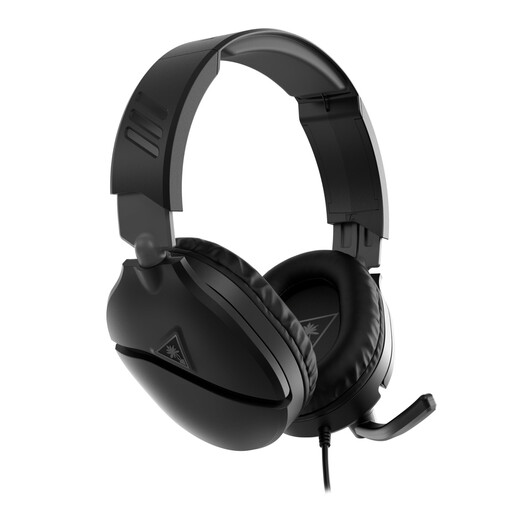
A wired headset with a microphone boom that you can position near your mouth while recording.
The product description lists a 3.5mm connection, volume wheel and a flip-up microphone boom that mutes when raised. PC compatibility is listed; check that the connection suits your recording device.
 No image available
A wired USB headset to consider if you record via USB and an adjustable fit is important to you.
The product description lists USB-A, two microphones, mute control, an adjustable headband and memory foam ear cushions. The microphone is described for calls; make your own test recording to assess how it performs for voice-over.
 No image available
A wired USB headset to consider if you’re looking for a cardioid microphone for your computer setup.
The product description lists a cardioid microphone, a weight of 285 grams and an adjustable headband. Check the weight and fit for yourself; they don’t, on their own, predict how comfortable the headset will be.
 No image available
A USB headset with an adjustable microphone boom to consider if you want to position the microphone close to your mouth.
The product description lists a boom that rotates 270 degrees and compatibility with Windows, Mac and Chromebooks. Check that the stated compatibility suits your device and recording software.
 No image available
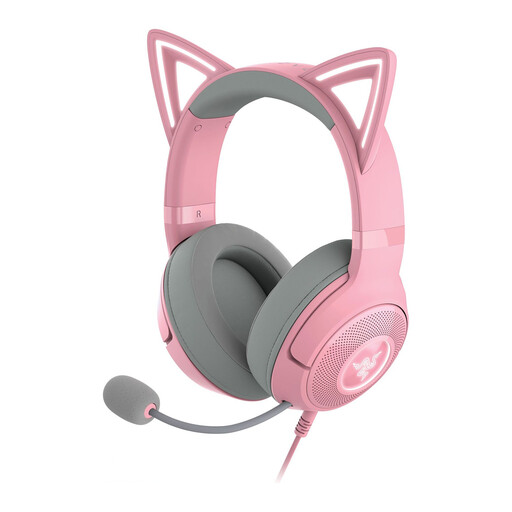
A wired USB headset to compare if you’re looking for a detachable microphone and an adjustable fit.
The product description lists a USB connection, detachable microphone, adjustable headband and memory foam ear cushions. Test for yourself whether the microphone position and fit work for long takes.
Position the microphone beside your mouth, not directly in front of your airflow. Shure gives this advice for the SM35; for other models, check the relevant manual and make a test recording.
It depends on the connections on the exact version and your laptop. The Audio-Technica BPHS1 described has separate XLR and 6.3 mm plugs, while the ATH-M50xSTS-USB uses USB-A. Check the microphone input, headphone output and any interface you may need before buying.
Some headset microphones need plug-in power, so having a compatible plug shape alone isn’t enough. For the NTH-100M microphone, RØDE describes a suitable adapter for use with an XLR input; the HS2 also requires an input that supplies plug-in power.
According to the Government of the Netherlands, if a product is faulty, the seller must provide a solution; there is no fixed statutory warranty period for all products in the Netherlands. Many distance purchases also come with a 14-day cooling-off period, although exceptions depend on the purchase.
Buying a microphone doesn’t give you the right to use film clips. According to the Government of the Netherlands, permission is generally required to use copyrighted films. Auteursrecht.nl outlines the conditions for a relevant quotation, including that you must not use more than necessary; assess the specific clips before publishing.