What should you look for when buying?
Wired USB computer headset
Choose this option if: you want to record directly on a computer and keep additional equipment to a minimum.
Trade-off: a noise-cancellation claim for calls doesn’t prove how quiet narration will sound with a fan in the background; listen to a test recording.
Analogue headset for voice recording
Choose this option if: you want to monitor the audio as you record and have a compatible analogue microphone input.
Trade-off: the RØDE NTH-100M isn’t a direct USB headset; certain connections require a suitable input, splitter or adapter.
Broadcast headset with directional dynamic microphone
Choose this option if: you can position the microphone in relation to the fan and already have suitable recording equipment, or plan to use it.
Trade-off: Audio-Technica says the BPHS1 has a cardioid dynamic microphone, but that doesn’t guarantee fan noise will be inaudible.
USB office headset with voice processing
Choose this option if: a computer connection and wearing comfort matter, and you can listen to a test recording first.
Trade-off: Jabra describes the Evolve2 40 SE for calls in an office environment, not for storytelling recordings with fan noise; the USB-A and USB-C versions differ.
When recording with a fan running, microphone position, connectivity, voice quality and wearing comfort are all different buying priorities. The percentages below indicate which of these needs consumers may prioritise in this specific situation.
| What to consider |
What should you check? |
Who is this important to? |
| Clear speech |
Record with the fan on and off; compare quiet sentences, pauses and normal speaking volume. Position the microphone close to your mouth without breathing directly into it. |
If the fan has to stay on while I read aloud, I want quiet passages to be easy to understand; around 36% of consumers prioritise reducing fan noise. |
| Connecting to a computer |
Check the exact USB or analogue connections on both the headset and your computer or recorder, and make sure your recording app supports the connection. |
If I want to make a test recording without extra equipment, the connection needs to work with my computer; around 29% of consumers prioritise easy set-up. |
| Natural-sounding voice |
Listen to quiet passages, consonants and silences using the same recording settings. Lower the recording level if loud words distort. |
When recording a children’s story, I want quiet words to stay clear without noticeable voice processing; around 21% of consumers prioritise a natural-sounding voice. |
| Comfort and monitoring |
Check the fit, whether you can monitor the audio through your chosen connection and whether the microphone stays in place when you move your head. |
When recording a longer story, I want to read comfortably and check my recording as I go; around 14% of consumers prioritise wearing and listening comfort. |
Shure recommends reducing the background noise at source or moving the microphone closer to the speaker. Audacity describes noise reduction for constant sounds such as fan noise. First, record a section with only the fan audible, then check after editing that your voice still sounds natural.
Headsets on Joybuy
This selection of Joybuy products focuses on wired computer headsets for a straightforward recording set-up.
 Image unavailable
Jabra Evolve2 30 SE headset
Suitable if you’re looking for a USB-A computer set-up; check that the connection works with your recording app.
Joybuy
 Image unavailable
Logitech PC 960 wired USB headset
This wired USB version is suitable if you want to record directly on a computer; check that your computer supports the connection.
Joybuy
 Image unavailable
Logitech H340 USB headset, black and wired
This wired USB headset is an option if you want to connect directly to a computer; check the connection and your recording app’s settings.
Joybuy
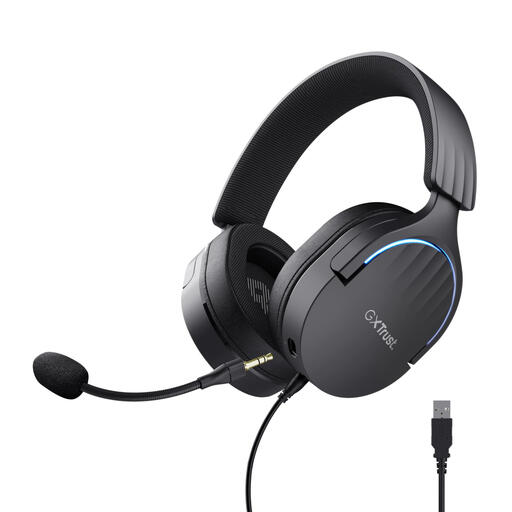 Image unavailable
Trust GXT 490 FAYZO over-ear USB gaming headset, 7.1
This wired USB gaming headset is suitable if you use a USB computer set-up; check that the stated connection is compatible with your recording device.
Joybuy
 Image unavailable
Edifier G2II USB gaming headset, black
This wired USB headset is designed for a computer set-up; check that the connection and recording app are suitable for your needs.
Joybuy
Frequently asked questions
Does the fan need to be off for a clear recording?
Not necessarily, but first make a test recording with the fan running and, if possible, improve the position of the microphone or fan. Shure suggests reducing the background noise at source or moving the microphone closer to the speaker to reduce background noise in relation to the voice.
Can I reduce constant fan noise afterwards?
Yes. Audacity describes noise reduction for constant sounds such as fan noise. First, record a few seconds with only the background noise, then check whether editing creates artefacts; starting with as clean a recording as possible is still best.
Will a USB-C headset automatically work with my phone?
No, USB-C alone doesn’t guarantee an audio connection. Jabra warns that not all USB-C devices or apps support the Evolve2 40 SE connection, so check that your phone, app and exact headset version are compatible.
What if the headset I bought online doesn’t fit or is faulty?
For online consumer purchases in the Netherlands, you generally have a 14-day cooling-off period, starting the day after delivery; exceptions apply, including to certain sealed hygiene products if the seal has been broken. Faulty products are also covered by your statutory rights to goods that conform to the contract. Check the terms that apply to your purchase and contact the seller if there’s a fault.


