What should you look for?
First check that your voice is still clear with the fan on. Then see whether the connection and monitoring options suit your recording device.
| What to consider |
What should you check? |
Who should prioritise this? |
| Clarity |
Position the microphone close to your mouth and test the recording with the fan on. |
If I record with a fan running in the background, I want my voice to remain clear. Around 33% of consumers say clarity with fan noise is their top priority. |
| Voice quality and monitoring |
Listen back to a test recording and check whether you can monitor your voice while recording. |
When recording longer scripts, I want to assess my pronunciation and recording level before carrying on. Around 27% of consumers prioritise voice quality and listening back. |
| Connection |
Check that your device supports the microphone input and the required connector. |
If I use my own computer or recorder, I want to make sure the microphone works with it. Around 20% of consumers prioritise compatibility with their recording device. |
| Comfort |
Look at the fit, adjustability and ear cushions for longer recording sessions. |
When I record longer pieces, I want to wear the headset without having to keep adjusting the microphone. Around 20% of consumers put comfort during recording at the top of their list. |
Joybuy products
This Joybuy selection includes wired headsets with a directional or adjustable microphone. Check that the connection is compatible with your recording device, and assess the recording with the fan on.
 No image available
Trust GXT 498W Forta gaming headset, white
Could suit you if you want to position a flexible microphone and your device has a compatible 3.5mm microphone input.
The product description lists a wired 3.5mm connection and a flexible, detachable microphone.
Check that your recording device has a suitable microphone input.
View on Joybuy
 No image available
Logitech H340 USB headset, black
Could suit you if you’re looking for a wired USB headset and your recording device supports USB audio.
The product description lists an adjustable microphone and a USB connection.
The stated noise reduction is a product description, not a test of a recording made with fan noise.
View on Joybuy
 No image available
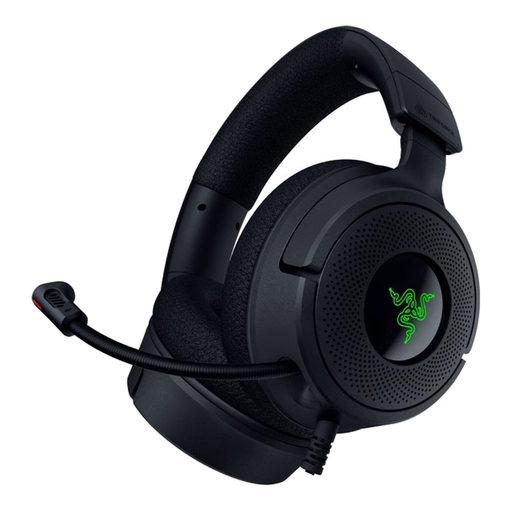
Razer Kraken V4 X wired gaming headset
Could suit you if you want to position a foldable microphone and your device supports the wired USB connection.
The product description lists a foldable cardioid microphone and USB-C and USB-A connections.
Check which connection and microphone input your recording device supports.
View on Joybuy
 No image available
Razer BlackShark V2 X 7.1 wired gaming headset, black
Could suit you if you want to position a microphone close to your mouth and your device has a compatible 3.5mm headset input.
The product description lists a cardioid microphone, a 3.5mm connection and a microphone mute function.
The connection described requires a compatible headset microphone input.
View on Joybuy
 No image available
Sony INZONE H3 wired gaming headset for PC and PS5, black
Could suit you if you’re looking for an adjustable, unidirectional microphone for a wired setup.
The product description lists an adjustable unidirectional microphone and an adjustable headband.
Check that the connection is compatible with your device before recording.
View on Joybuy
Frequently asked questions
Will noise cancellation in the earcups reduce fan noise in my recording?
Not necessarily: noise reduction for your ears and processing of the microphone signal are two different functions. Make a test recording with the fan on and listen back; Shure recommends speaking close to the microphone and pointing it away from unwanted noise.
Can I plug an Audio-Technica BPHS1 straight into a USB port?
Not with the connections Audio-Technica lists for the BPHS1: the microphone uses a 3-pin XLR plug and the headphones a 6.3 mm plug. Check whether you already have recording equipment with compatible inputs.
What should I check during a test recording?
Position the microphone boom correctly, select the right input on your recording device and listen back to a short recording with the fan on. Check that your voice is clear and that fan noise or plosive sounds aren’t distracting.
What rights do I have when buying a headset online?
For online purchases by consumers from a professional seller, there is generally a 14-day cooling-off period from delivery, subject to exceptions and conditions, as explained by the European Union’s Your Europe website. For the legal guarantee, the solution depends on what you could reasonably expect from the product under normal use; ACM ConsuWijzer identifies the seller as your point of contact. Also check the applicable returns policy and any return costs.
Can I publish my travel-guide narration with someone else’s music or recognisable people in it?
You generally need the creator’s permission to use and distribute someone else’s copyright-protected music, as explained by the Dutch government. When personal data is made public, privacy rules and the applicable legal basis also come into play; the Dutch Data Protection Authority describes exceptions for strictly personal or household use. Whether a particular recording can be published depends on its content and how it is used.


