What should you look for when choosing?
First, consider whether you want to make repeatable recordings. Then check that the headset is comfortable and compatible with your equipment.
| What to consider |
What should you check? |
Who is this important for? |
| Comparable vowel recordings |
Set the microphone boom in a repeatable position and record the same vowel pairs in the same context. |
If you want to compare takes side by side, keep the microphone position as consistent as possible. Around 36% of consumers say comparable vowel recordings are their main need. |
| Comfort during long takes |
Try the headband, ear cushions and microphone position during a session similar to the ones you’ll be recording. |
If you record and listen back for long periods, you’ll want a fit that doesn’t interrupt your session. Around 29% of consumers prioritise comfort during long recording sessions. |
| Connecting and listening back |
Check the exact plug and variant, and confirm that both the microphone input and headphone output work. |
If you want to record and listen back using your existing computer or recorder, check in advance that the connection is compatible. Around 21% of consumers say this combination is their top priority. |
| Background noise |
Record the same vowels in your usual space and listen back to the recording. |
If you practise somewhere where other voices can be heard, you’ll want to assess whether your recording is still usable. Around 14% of consumers say reducing audible background noise is their main need. |
Headsets at Joybuy
This selection of Joybuy products includes headsets that combine recording and listening back. Check the connection for each model and make a test recording for your vowel practice.
 No image available
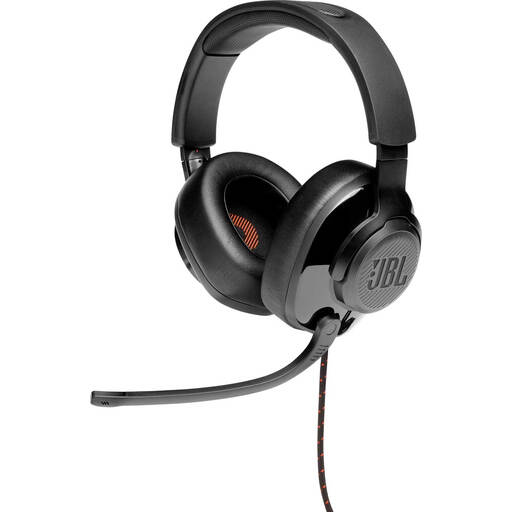
JBL Quantum 300 wired over-ear headset
This wired over-ear headset with a flip-up microphone could be an option if you want to use one headset for recording and listening back. Test how the recording sounds with your recording device.
View at Joybuy
 No image available
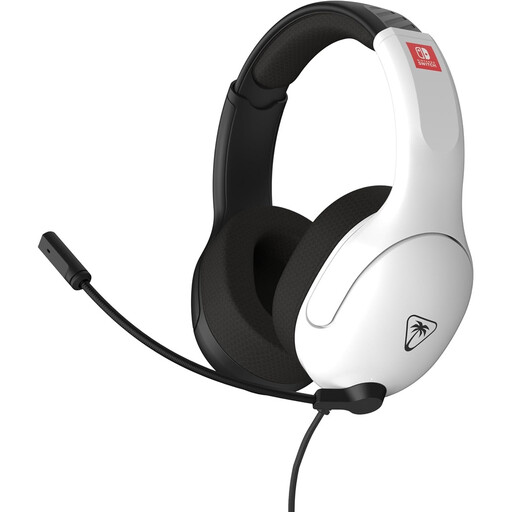
Turtle Beach Airlite Fit, Nintendo Switch version
The product name specifies that this wired headset has a 3.5 mm connection and a flip-to-mute microphone. Check that the connection is compatible with your recording device, then make a test recording.
View at Joybuy
 No image available
Jabra Evolve2 30 SE
Consider this headset if you’re looking for one device for recording and listening back. Check the connection on the variant you choose and test whether the microphone recording is suitable for your practice.
View at Joybuy
 No image available
Razer Kraken V3 X
This headset is worth comparing if you want to record and listen back using a single device. Make a test recording and judge for yourself whether the sound and microphone position suit your practice.
View at Joybuy
 No image available
Logitech PC 960 USB headset
This wired USB version could suit you if you’re looking for a headset to record on a computer. Check that the connection works with your device and that the microphone position remains suitable across repeated takes.
View at Joybuy
Frequently asked questions
How can I avoid plosive sounds and recordings that are too loud?
Don’t position the microphone directly in front of your mouth: Shure recommends placing the SM35 at the corner of your mouth to reduce plosive sounds. Make a short test recording and check the input meter in Praat; a red signal may indicate clipping.
Can I record one long take in Praat?
Yes. Praat lets you set the recording buffer. Before your session, check the selected input and make a test recording of the intended duration. The University of Amsterdam’s Praat manual notes that you can save to a sound file if a very long recording does not fit properly in the object list.
What should I check on a headset after a long practice session?
Check the cable, connector and ear cushions, and follow the cleaning instructions for the specific model. Shure warns that the SM35 headset microphone should not be stored while damp in an enclosed space. Don’t apply this model-specific instruction to other headsets without checking.
What are my rights if a headset I bought online isn’t suitable?
For online purchases from a business, in many cases you have a 14-day cooling-off period; check which exceptions apply. You’re also entitled to a product that meets reasonable expectations in the Netherlands, and the retailer is your point of contact if the product is faulty. The Dutch government states that there is no fixed statutory Dutch warranty period of two years.
Can I record someone else’s voice for practice?
For personal or household use only, the Dutch Data Protection Authority describes an exemption from the GDPR. If you process or share recordings outside that private setting, don’t assume the exemption applies: processing personal data requires an appropriate legal basis. This is not blanket permission to record or publish any conversation.


