
Learners recording vowels repeatedly
You want to compare pronunciation recordings and keep the microphone in much the same position between practice sessions. Uitspraaktraining.nl describes exercises involving vowels.


Choose a headset microphone that you can position consistently and whose connector is compatible with your recording device. A wired USB headset is a practical choice for recording on a computer, while a microphone with a specific connector, such as XLR, is better suited to anyone who already has a compatible audio input. Noise cancellation designed for calls does not, by itself, prove that a microphone is suitable for accurate vowel analysis.
You want to compare pronunciation recordings and keep the microphone in much the same position between practice sessions. Uitspraaktraining.nl describes exercises involving vowels.
You want to connect the headset to your computer, select the microphone as the input and play back your recording. The USB connection you need depends on the version you choose.
You take the surrounding noise into account without assuming that noise cancellation for calls will also deliver accurate vowel analysis. Logitech and Jabra describe microphone features for calls.
Best for: recording on a computer when you want to connect the headset directly and play back your recordings.
Bear in mind: check that the USB connector on your chosen version is compatible with your computer. Noise cancellation designed for calls is no proof of measurement accuracy.
Best for: anyone who already has a recording setup with the right microphone input and wants a microphone worn on the head.
Bear in mind: check the connector on the exact version you’re buying. A standalone headset microphone is not necessarily a complete computer headset with headphones.
First, check the connection and whether you can position the microphone consistently. Then make a test recording where you plan to practise.
| What to consider | What should you check? | Who is this important for? |
|---|---|---|
| Consistent microphone positioning | Check whether you can set the boom in the same position each time and whether the headset stays securely in place. | If I want to compare recordings between practice sessions, I need to be able to position the microphone in the same place each time. Around 36% of consumers put consistent positioning first. |
| Connection | Compare the connector on the exact version with the input on your computer or recording device. | I want to know in advance whether my recording device can connect to the headset. Around 29% of consumers cite connection and device compatibility as their main buying concern. |
| Recording with background noise | Make a test recording and play it back; don’t treat claims about noise reduction for calls as proof of accurate vowel measurements. | In a shared space, I want to be able to play back my recording without confusing a claim about calls with measurement accuracy. Around 21% of consumers prioritise usable recordings in the presence of background noise. |
| Comfort during longer sessions | Check that the headband and ear cushions feel comfortable and that mono or stereo suits the way you listen. | For longer practice sessions, I want a comfortable fit and a style that suits the way I listen. Around 14% of consumers prioritise wearing comfort. |
Manufacturers describe how well their microphones pick up speech during calls; this does not demonstrate accuracy when analysing Dutch vowels.
Make test recordings and keep your setup and recording settings consistent. Don’t choose a microphone for vowel analysis based solely on a claim about calls.
Different versions within a product range can have different connectors. The Shure WH20 is also a microphone, not a complete USB headset with headphones.
Compare the full version number and connector with your recording device. Also decide whether you need a standalone microphone or a headset with headphones.
A specific microphone version may require a compatible input or adapter.
The Dutch government states that the Netherlands has no fixed statutory guarantee period; your legal right is to receive a product that is in good working order.
Consider any stated manufacturer’s guarantee separately from your legal rights. If there’s a fault, contact the seller.
The H340 and H390 are wired USB computer headsets with adjustable microphones. For the H390, check which USB connector the version you choose has.
The Evolve2 30 SE range includes mono and stereo versions, as well as different USB variants.
The wired Blackwire 3200 series includes different wearing styles and connection options for computer use.
The WH20 is a headset microphone for use with a compatible separate microphone input; it is not a complete USB computer headset.
These Joybuy product picks are wired headsets for computer recordings. For each version, check that the connection and adjustable microphone suit your practice setup.
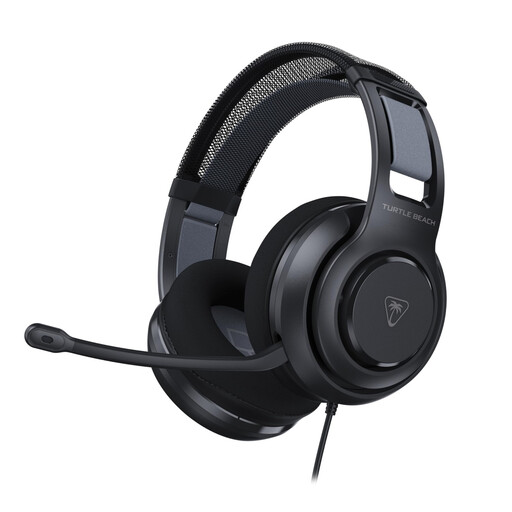 No image available
An option if you’re looking for a wired headset for PC recordings; check that the connection is compatible with your recording device.
The product name specifies a 3,5 mm connection and a flip-to-mute microphone.
 No image available
An option if you want to use a wired USB headset with a computer. Check that the connection is compatible and that you can position the microphone boom consistently.
The product name specifies a wired USB headset.
 No image available
An option if you want to record on a computer via USB. The adjustable microphone may be useful if you want to set it in the same position for future practice sessions.
The product name specifies a wired USB headset; check that the connection is compatible with your computer.
 No image available
An option if you’re looking for an adjustable microphone on a wired headset. Check that the connection on this version is compatible with your recording device.
The product information specifies a 3,5 mm connection and an adjustable, rotating microphone.
Adjust the headset and microphone boom to a fixed, comfortable position, and make a note of how you set them up. In Praat, select the intended input device, make a short recording and play it back. Shure’s positioning advice for the WH20XLR applies specifically to that version.
According to the Praat manual, a red input level meter may indicate clipping. Make a test recording and check it before comparing practice sessions.
No, connections vary by model and version. Check both the connection on your laptop and the full product number: the Logitech H340 is described as a USB-A model, while Jabra distinguishes between several USB versions of the Evolve2 30 SE.
According to the Dutch government, when a consumer buys from a business remotely, a 14-day cooling-off period applies in many cases. Check the terms and any exceptions that apply to your specific purchase. The Netherlands has no fixed statutory guarantee period: your legal right is to receive a product that is in good working order, and the seller is your point of contact if there’s a problem.