For calls, a headset with a boom microphone and microphone noise reduction can be practical, but this feature alone does not prove that recorded vowels will remain suitable for accurate assessment. Make comparable test recordings with and without any available noise processing, listen back to the saved file, and only then check whether the connection and monitoring features suit your device and practice method.
Who is this guide for?
Practising next to a fan
If you practise aloud with a fan running, pay attention to the microphone position and assess the actual recording. Jabra recommends placing the microphone close to your mouth; a manufacturer's noise-reduction claim does not guarantee a particular result in your recording.
Listening back to or analysing vowels
If you compare vowels or examine formants, your voice needs to remain assessable in the saved file. Microsoft Research notes that noise reduction can distort speech, so test the recording rather than judging only how clear a call sounds.
Hearing your own voice as you speak
If you want to hear yourself while practising, check that the exact headset variant offers sidetone and works with your device and app. Audio-Technica describes sidetone for the ATH-M50xSTS-USB; Jabra warns that not all mobile USB-C devices or apps support audio via the Evolve2 40 SE.
What should you look for when buying?
First, assess what the headset software actually saves: comfortable audio for monitoring does not automatically make a good recording for comparing vowels.
| What to consider |
What to look for |
Who is this important for? |
| Fan noise |
Check whether the variant has an adjustable boom microphone and make a test recording with the fan running. |
If I practise next to a running fan, I want to record my voice clearly without relying on a feature claim. Around 36% of consumers focus mainly on reducing fan noise. |
| Accurate vowel recording |
Compare recordings made with the same microphone position and, if the software allows, with noise processing switched on and off. |
If I listen back to vowels or compare formants, I want to check whether processing changes the voice, even if more fan noise can then be heard. Around 29% of consumers prioritise being able to compare vowels accurately. |
| Hearing your own voice |
Check whether sidetone is available and adjustable on the exact variant; also listen back to the saved file. |
If I want to hear my own voice while speaking, I look for a monitoring feature and separately check what the software records. Around 21% of consumers prioritise immediate voice feedback. |
| Connection and comfort |
Compare USB-A, USB-C or 3.5 mm with your device, and check that the app you use supports audio. |
If I want to use the headset with my practice device, I need a suitable connection and a fit that feels comfortable during a session. Around 14% of consumers focus mainly on connection and comfort. |
Common buying mistakes
-
Taking ‘noise cancelling’ as proof of an undistorted recording
Microphone noise reduction, noise isolation for the wearer and active noise cancellation are different features. A clear-sounding call does not prove that a recording is suitable for assessing vowel differences.
Make recordings in comparable conditions and listen to the saved file; where possible, compare settings with and without noise processing.
-
Treating the USB and non-USB versions as the same model
The Audio-Technica ATH-M50xSTS and ATH-M50xSTS-USB have different connections. The microphone on the non-USB version is described as using XLR, while the USB version uses USB-A.
Check the full model name and connection on the exact version before ordering.
The non-USB version may require a suitable audio interface or mixer.
-
Confusing the manufacturer's warranty with your statutory rights
A commercial manufacturer's warranty does not replace your statutory rights if a product develops a fault sooner than expected during normal use. ACM ConsuWijzer explains that the seller must resolve the issue free of charge in accordance with the applicable terms.
Keep your proof of purchase and contact the seller if the product is faulty.
Brands to compare
Logitech
The H390 is a wired USB computer headset for calls and voice recording; check the connection on the version you choose.
- Logitech Netherlands lists a positionable microphone with noise reduction and in-line controls.
- These manufacturer specifications do not show how vowels are recorded with fan noise.
Jabra
The wired Evolve2 40 SE is available with different connection options and has a boom microphone and sidetone.
- Jabra describes three microphones and passive noise isolation from the ear cushions.
- Jabra notes that not all mobile USB-C devices or apps support audio via this headset; check the recording itself too.
Poly
The USB-C version of the Blackwire 5220 described by HP has a USB-C cable, a USB-A adapter and an analogue 3.5 mm connection.
- For this version, HP specifies a noise-cancelling microphone, in-line controls and a microphone bandwidth of 100 Hz to 10 kHz.
- These specifications are not a measurement of vowel recordings with fan noise; check the exact version.
EPOS
The wired IMPACT 800 series includes USB-C headsets with a USB-A adapter; features vary between ANC and non-ANC versions.
- EPOS specifies adaptive beamforming and AI-based noise reduction for the microphones.
- Hybrid active noise cancellation for the wearer is listed separately for ANC versions; none of these specifications proves vowel accuracy.
Audio-Technica
The ATH-M50xSTS-USB is a recording-focused headset with a cardioid microphone on a flexible boom and a USB connection.
- Audio-Technica describes sidetone for the USB version.
- The directional microphone is a product feature, not an independent comparison with the office headsets mentioned or a test with fan noise.
Joybuy products
These wired headsets with microphones are options to compare for voice recording and vowel practice; assess the recording in your own space and check that the connection suits your device.
 No image available
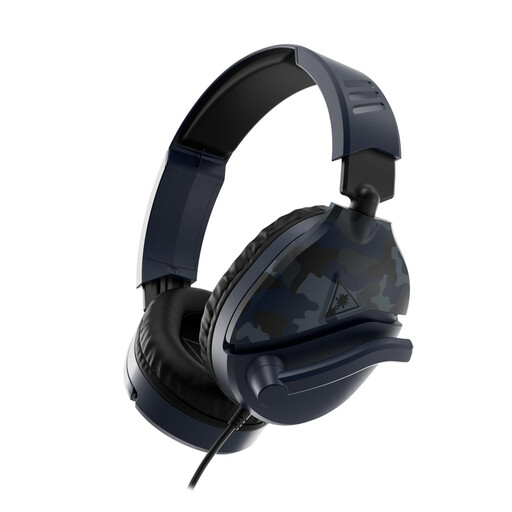
Turtle Beach Recon 70, 3.5 mm, Blue Camo
The boom microphone can help you keep the microphone in a consistent position while practising. The product description also mentions a noise-cancelling microphone, but this does not tell you how vowels will sound with fan noise.
Wired 3.5 mm connection; the product name lists PC, PS5, Xbox Series X|S and Switch 2.
View at Joybuy
 No image available
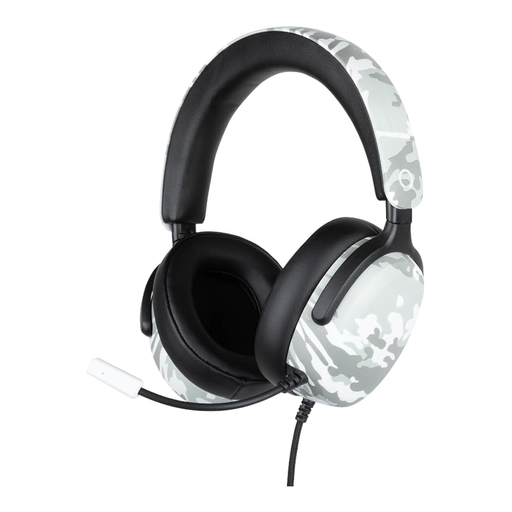
Konix Nexus Over-Ear Wired Gaming Headset, camouflage
The product description mentions a flexible microphone that can be positioned towards your mouth; make a test recording to assess what the microphone picks up in your practice space.
The product name lists 40 mm drivers and a 1.5 m cable. The description mentions a 3.5 mm connection.
View at Joybuy
 No image available
Kingston USB Hi-Fi Headphones with Microphone
The swivel boom microphone described may help you find a consistent position; listen back to the saved recording before drawing conclusions about how vowels sound.
USB connection; the product description lists compatibility with Windows, Mac and Chromebook.
View at Joybuy
 No image available
Razer Blackshark V2 X 7.1, wired, black
The product description mentions a cardioid microphone that can be placed close to your mouth; use a test recording to check whether this meets your needs in your space.
Wired headset with an analogue 3.5 mm connection; the product name lists use with PC, Mac, consoles and mobile devices, among others.
View at Joybuy
 No image available
Edifier G2II USB Wired Gaming Headset, black
The detachable microphone makes this an option to compare for voice recording; the product description mentions noise reduction, but does not prove that vowels will be recorded without distortion when there is fan noise.
Wired USB headset; the product description lists compatibility with PC, PS4, Mac and laptop.
View at Joybuy
Frequently asked questions
How can I check whether my vowels are being recorded accurately?
Select the intended microphone in your recording software, record a few seconds of speech and listen back to the saved file. When comparing formants or vowels, check that they have been recorded consistently: keep the microphone in the same position and, if possible, test with noise processing switched on and off.
Does noise cancelling mean the person I’m speaking to won’t hear the fan?
No, you cannot draw that conclusion from the term noise cancelling alone. Noise isolation for the wearer and microphone noise reduction are different features; assess the result with a recording in your own space.
Will a USB-C headset automatically work with my phone?
Not always. Jabra notes that not all mobile USB-C devices or apps support audio with the Evolve2 40 SE. Check the combination of device, app and exact headset variant.
What are my rights when buying online in the Netherlands?
Online purchases generally come with a statutory 14-day cooling-off period after delivery, subject to applicable exceptions. You also have statutory rights if a product used normally does not meet your reasonable expectations; ACM ConsuWijzer explains that the seller must resolve the issue free of charge in accordance with the terms.


