Start with a headset microphone you can position close to your mouth, then make a test recording at your usual, quiet speaking volume. Next, choose the connection and fit that suit your device and practice sessions. Noise cancellation or sound-isolating ear cushions alone are no guarantee that softly spoken words will be picked up clearly.
Who is this guide for?
Listening back to a quiet voice
You mostly practise on your own and want to be able to assess softly spoken words clearly afterwards. Look for an adjustable microphone boom and listen to a recording made at your normal speaking volume. Microsoft Support explains how to test a microphone recording in Windows.
Practising in a shared space
You want to practise pronunciation while there are noises or conversations around you. Distinguish between a microphone feature that affects the recorded sound and ear cushions that block noise from reaching the wearer. Jabra describes these as separate features.
Practising on different devices
You may use different computers or a mobile device. Check the connection, and make sure your device and recording app can use the headset microphone as an audio input.
What should you look for when choosing?
First, make a test recording using your own voice, then check the connection, background noise and comfort. This lets you assess the headset in the kind of practice setting you intend to use it in.
| What to consider |
What should you check? |
Who should pay particular attention? |
| Recording softly spoken words |
Check whether the microphone boom is adjustable. Record a few words and sentences at your normal speaking volume, then listen back. |
If I want to listen back to my softly spoken Dutch, a usable recording is my main priority. Around 36% of consumers put recording a quiet voice first when buying. |
| Connection and app |
Compare the connection on the exact model with your device, then select the headset as the input in your recording app. Versions may have USB-A, USB-C, 3,5 mm or separate XLR and 6,3mm connections, for example. |
If I practise on different devices, I want to know whether the microphone works with my recording app on each one. For around 29% of consumers, device compatibility comes first. |
| Background noise |
Jabra describes microphone technology for calls and passive sound-isolating ear cushions as different features. Test the headset with the background noise you expect while practising. |
If I practise in a shared space, I want to record my pronunciation without background noise disrupting my practice. Around 21% of consumers name background noise as their top buying priority. |
| Comfort |
Check the adjustability and fit, and assess how comfortable it feels during a practice session. EPOS describes the PC 8 USB as on-ear; Logitech says the H390 has an adjustable headband. |
If I practise regularly, I want a headset that feels comfortable during my sessions. Comfort is the top priority for around 14% of consumers. |
Common buying pitfalls
-
Assuming noise cancellation guarantees clear, quiet speech
Manufacturer claims about calls or background noise are not the same as a comparative recording test using your own softly spoken Dutch.
Before making your final choice, record yourself at your usual speaking volume and listen back.
-
Confusing sound-isolating ear cushions with microphone noise cancellation
Ear cushions that block sound from reaching the wearer and a microphone feature for calls describe different things.
Decide whether you mainly want to hear less background noise, record less background noise, or both. Then check the result with a test recording.
-
Choosing an XLR headset as if it were a USB model
According to the manufacturer, the Audio-Technica BPHS1 version uses an XLR connection for the microphone and a 6,3mm connection for the headphones.
Compare both connections with the microphone input and headphone output on your complete recording setup.
Brands to consider
Logitech
The H390 is a wired computer headset worth considering if you want a USB connection and an adjustable microphone boom.
- For the H390 version described, Logitech lists USB-A, in-line controls and a noise-cancelling microphone.
- Check the connection on the version you choose. These specifications don't show how softly spoken Dutch will sound in your recording.
Jabra
The Evolve2 40 SE is an office headset to consider if microphone position and background noise are important to you.
- Jabra lists three microphones and passive sound-isolating ear cushions, and recommends keeping the microphone close to your mouth.
- The call-related features described don't prove that softly spoken syllables will be captured more clearly in every recording app.
EPOS
The PC 8 USB is an on-ear computer headset for practising on a compatible PC or Mac.
- EPOS lists an integrated sound card, volume and mute controls, and a microphone with passive noise cancellation.
- The product specifications listed are not a comparative test for practising speaking softly.
HP Poly
The Blackwire 3225 is worth considering if you need different connection options for your equipment.
- HP lists USB-C, a USB-A adapter included in the box and a 3,5mm connection, as well as a noise-cancelling microphone.
- Check which connection supports audio input with each device and recording app. The specifications aren't a test using softly spoken Dutch.
Audio-Technica
The BPHS1 is suited to a professional recording setup, rather than a straightforward USB connection.
- Audio-Technica specifies a directional dynamic microphone, plus a replaceable cable and ear cushions.
- The version listed uses XLR for the microphone and 6,3 mm for the headphones. Check that your recording equipment supports both connections.
Headsets at Joybuy
This selection includes headsets for computer use and voice communication. Check that each model's connection and microphone work with your device and recording app.
 No image available
Jabra Evolve2 75 headset
Worth considering if you're looking for a headset for communication and computer use. Test the microphone with your own softly spoken voice.
The product description lists a microphone sensitivity of -35 dB, eight microphones, ANC, and USB-C and Bluetooth connectivity. These details alone don't determine how a quiet voice will sound in your recording.
Joybuy
 No image available
Logitech PC 960 USB headset
A wired USB option worth considering if you want to position the microphone close to your mouth while using a computer.
The product description lists an adjustable microphone boom, a noise-cancelling microphone, volume and mute controls, and an adjustable headband. These features don't prove how softly spoken Dutch will be recorded.
Joybuy
 No image available
Logitech H650e Stereo wired headset
A wired headset worth considering if you want a USB connection and a microphone for communication.
The product description lists USB, in-line volume controls and echo cancellation. Check that USB audio input works with your device and recording app.
Joybuy
 No image available
Logitech H340 USB headset, black and wired
A wired USB headset to consider if you want to adjust the microphone for computer-based practice.
The product description lists an adjustable microphone, an adjustable headband, and mute and volume controls. Noise cancellation is described for calls, so make your own recording at your normal speaking volume.
Joybuy
 No image available
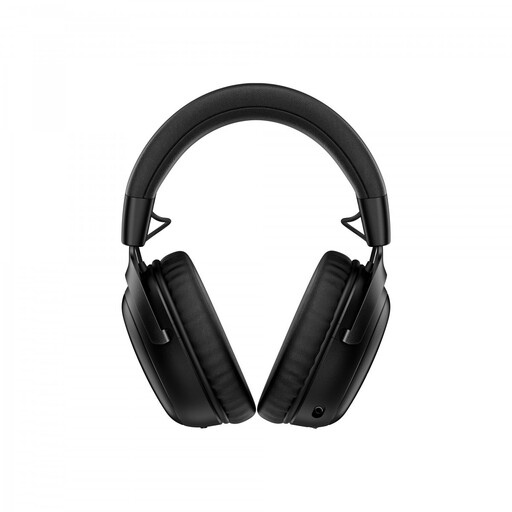
HyperX Cloud III S wireless gaming headset
A wireless gaming headset worth considering if you also want the gaming features listed, as well as a detachable microphone. Check that it works for your recording needs.
The product information lists 2,4GHz and Bluetooth connections, USB-A and USB-C, and a detachable 10 mm boom microphone. Check that your device offers the microphone as an audio input over your chosen connection.
Joybuy
Frequently asked questions
How can I check whether my quiet voice is actually being recorded?
Make a test recording at your usual quiet practice volume and listen back. Microsoft Support recommends selecting the intended microphone as the input in Windows. If needed, adjust the input volume and check which microphone your recording app is using.
Where should I position the microphone boom?
Keep the microphone close to your mouth, then make a test recording to find the best position for your voice. Jabra gives this positioning advice for the Evolve2 40 SE.
Is noise cancellation enough to record softly spoken words clearly?
No. A noise-cancellation claim doesn't prove how softly spoken Dutch will sound in your recording. Manufacturers describe these features for uses such as calls, so assess the recording with your own voice and recording app.
Can I use a computer headset with a phone without any extra checks?
No. Check both the connection and whether the device and recording app support audio input. The Logitech H390 version described uses USB-A; HP also lists USB-C with an adapter and 3,5 mm for the Poly Blackwire 3225.
Will an XLR headset work with a standard USB computer?
Not without a suitable recording setup. The Audio-Technica BPHS1 version listed has an XLR connection for the microphone and a 6,3mm connection for the headphones. Check that your equipment supports both connections.


