Joybuy product picks
These Joybuy picks are wired headsets with microphones for computer use. Check each model’s connection and features to make sure they suit your computer and dictation software.
 No image available
Logitech PC 960 USB headset
A wired USB headset with an adjustable microphone boom is one option for dictating on a computer; test the microphone with your software and in your workspace.
View at Joybuy
 No image available
Logitech H340 USB headset, black
This wired USB headset could suit dictation on a computer. Check which microphone is selected and make a test recording before dictating a longer letter.
View at Joybuy
 No image available
Kingston USB Hi-Fi headphones with microphone
USB headphones with a microphone can be a wired option for speaking to your computer. Try different microphone positions and check recognition with a test dictation of your own.
View at Joybuy
 No image available
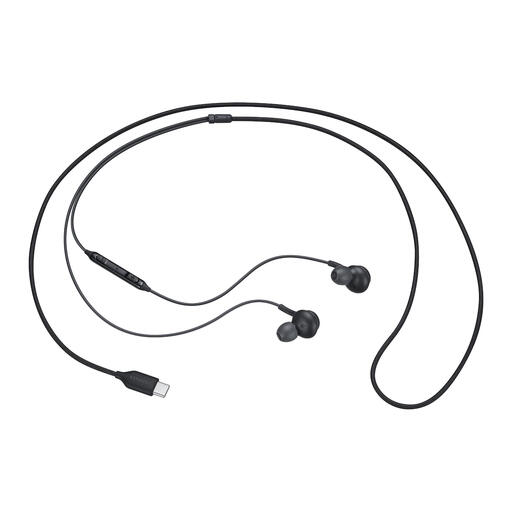
Samsung EO-IC100 USB-C in-ear headset
This wired in-ear headset is an option if your computer has USB-C and you don’t want a headset with a microphone boom. Check the microphone settings in your dictation software.
View at Joybuy
 No image available
Trust Ayda wired headset
The wired connection could suit computer use. Check whether USB-A or the supplied USB-C adapter fits your computer, and test the microphone with the software you use.
View at Joybuy
Frequently asked questions
Will a headset work automatically with Dictate in Word?
No. First check that the headset microphone is enabled and selected as the input device. For Dictate in Word for Microsoft 365, Microsoft Support also recommends signing in and using a reliable internet connection. If you have problems, check that the microphone isn’t muted and that the app has permission to use it.
What can I do if the software doesn’t pick up my voice?
Check the connection and mute setting, test the microphone, adjust the input level if needed and try a quieter location. These are steps recommended in Microsoft Support’s troubleshooting advice; they don’t automatically mean you need a new device.
Can I use the Philips SpeechOne as a USB microphone without the dock?
Not for recording in the way described in the Philips manual: the dock must be connected to the computer. According to Philips, connecting the headset directly via USB is only intended for charging.
Does the statutory guarantee apply to a headset bought by a consumer in the Netherlands?
Yes. For a consumer purchase, the statutory guarantee applies if the product doesn’t meet the buyer’s reasonable expectations under normal use. ACM ConsuWijzer says the seller is then responsible for providing an appropriate solution free of charge; this doesn’t mean there is a fixed guarantee period for this headset. This answer doesn’t cover business purchases.
Can an organisation process every letter using an online dictation service?
It depends on the contents of the letter and the service chosen. If the letter contains information that can be linked to an individual, it is personal data. According to the Dutch Data Protection Authority, an organisation must have a data processing agreement in place when it engages a processor for that processing. You should also assess the specific processing involved and whether people nearby could overhear you.


