Headsets and microphones at Joybuy
These Joybuy products are aimed at using a headset for computer-based speaking rehearsals. Check that each model’s connection and playback method suit your recording setup.
 No image available
Jabra Evolve2 30 SE headset
A headset option for computer-based rehearsals; check that the connection and playback method work with your recording equipment.
The product name specifies the Evolve2 30 SE version.
View at Joybuy
 No image available
Logitech PC 960 USB headset
The USB connection makes this model an option for a computer setup; check that it works with your computer and recording software.
The product name specifies the PC 960 USB version.
View at Joybuy
 No image available
Logitech H340 USB headset, black and wired
A wired USB headset for computer-based rehearsals; check that the connection works with your computer and recording setup.
The product name specifies the black H340 USB version.
View at Joybuy
 No image available
Jabra Evolve2 65 USB-A Black MS Mono headset
This mono version may suit speaking rehearsals; check how to connect the microphone to your recording equipment and listen back to your voice.
The product name specifies the USB-A Black MS Mono version.
View at Joybuy
 No image available
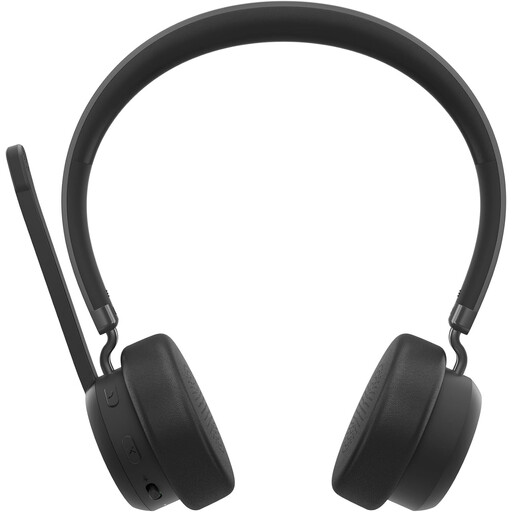
Lenovo 4XD1Q30302 wireless headset
A wireless headset option for speaking rehearsals; check its connection to your recording equipment and whether the controls are practical during a long take.
The product name describes a wireless headset for calls and music.
View at Joybuy
Frequently asked questions
Can I connect a standalone headset microphone straight to my laptop?
Not before checking the connector and input. Audio-Technica specifies a 3-pin XLR connector for the PRO8HEx, while the Shure WH20 comes in several connector versions. A USB headset such as the H390 uses a different connection method. Check the exact connection against the one on your laptop, recorder or interface.
How should I adjust the microphone for a long practice take?
Adjust the headband and position the microphone boom by your mouth, as Logitech recommends for the H390. Then make a test recording where you’ll be speaking and listen back before recording the full tour.
Do I need a licence for a wireless UHF headset in the Netherlands?
Not for every frequency. According to the Dutch Authority for Digital Infrastructure (RDI), certain bands can be used for wireless microphones without a licence, subject to conditions, while some other bands require a licence. Available frequencies may vary by location. Check the frequency variant and current availability where you intend to practise.
Should I consider a cooling-off period and warranty when buying online?
According to the Dutch government, many distance purchases come with a 14-day cooling-off period, although there are exceptions. This is separate from your rights if a product is faulty: in the Netherlands, there is no fixed statutory two-year warranty period, and you should contact the seller if a product is faulty.
Can I record identifiable visitors or colleagues during a rehearsal?
Recording only your own voice doesn’t, by itself, provide a general answer about recording other people present. When an organisation processes personal data relating to identifiable people, the Dutch Data Protection Authority says it needs a valid legal basis under the GDPR. Consent is one possible legal basis, but it isn’t automatically the only one. Also check the museum’s rules before recording with other people in the room.


