
Students dictating their own notes
You dictate short notes and want your dictation app to use your voice as input. Microsoft Support describes dictation in Word as speech-to-text using a microphone.


For dictating your own spoken notes, a headset with a microphone you can position close to your mouth is a sensible choice, provided the connection is compatible with your device and the microphone works with your dictation app. Test the whole set-up in a quiet environment: noise cancellation doesn’t guarantee accurate transcription in a busy classroom. A headset designed to pick up your voice isn’t automatically suitable for recording a teacher or classmates; check your school’s rules first.
You dictate short notes and want your dictation app to use your voice as input. Microsoft Support describes dictation in Word as speech-to-text using a microphone.
You want to check that the headset connects to an available port and works as a microphone in your chosen notes app. Microsoft Support also says that Word Dictate requires a Microsoft 365 sign-in and a reliable internet connection.
You want to remain available to others and hear the teacher while you work. HP describes the Poly Blackwire 3200 series as including mono versions that leave one ear free.
First check the connection and dictation app. Then consider whether you can keep following the lesson with your chosen headset style, and finally test how accurately your voice is turned into text.
| What to consider | What should you look for? | Who is this important for? |
|---|---|---|
| Dictating your own voice | Check that you can position the microphone close to your mouth, then test the headset with your voice and dictation app. | If I want to dictate short notes of my own, I need to check whether the app can turn my voice into usable text. Around 33% of consumers rank clear input from their own voice as their top purchasing priority. |
| Connection and app | Check the exact USB or audio version against your device’s port, and find out which microphone the app uses. | If I’m using a school laptop, I want both the connection and the app I’ve chosen to work with the microphone. Around 27% of consumers prioritise compatibility with their device and app. |
| Being able to hear the lesson | Check whether the headset is mono or stereo and consider how it fits. Leaving one ear free doesn’t prevent speaking aloud from disturbing others. | If I want to keep following the lesson while I work, I consider the headset style and choose a suitable time to speak aloud. Around 20% of consumers prioritise being able to follow the lesson. |
| Overall cost of use | Check whether you’ll need an adapter and what access and internet requirements apply to your dictation app. | If I want to avoid buying something I can’t use or having to purchase extra accessories, I check the connection and software requirements in advance. Around 20% of consumers say predictable costs and support are their top priority. |
Manufacturers’ descriptions of microphones may refer to how clearly your voice comes across during calls. That doesn’t prove how accurately your dictation app will transcribe speech amid classroom noise.
Test your own voice with the app you’ve chosen, then check your notes and correct them if needed before using them.
Allow time to review and correct your notes if necessary.
It’s not enough for the headset to connect: your device and app must also use the right microphone. For Word Dictate, Microsoft specifies a Microsoft 365 sign-in and a reliable internet connection.
Before using the headset in class, check the exact connection, microphone settings and app requirements.
Depending on your device, you may need an adapter, so check in advance.
A microphone positioned close to your mouth hasn’t been shown to be a solution for recording a teacher at a distance. Recording or transcribing other people also means considering privacy and your school’s rules.
Distinguish between dictating your own notes and recording other people’s voices. Discuss the latter with your school in advance.
The H390 is a wired computer headset worth comparing if you’re looking for a microphone boom and in-line controls.
The Evolve2 30 SE is a business headset range worth comparing if microphone performance and comfort are important to you.
The Blackwire 3200 series is worth considering if you want a wired headset and are comparing mono and stereo styles.
The Primo Chat Headset is a straightforward option to compare for use with a laptop or PC.
These wired headsets, including models with USB or 3.5 mm connections and a mono version, are worth comparing if you want to dictate your own notes. Check that each model’s connection is compatible with your device and app.
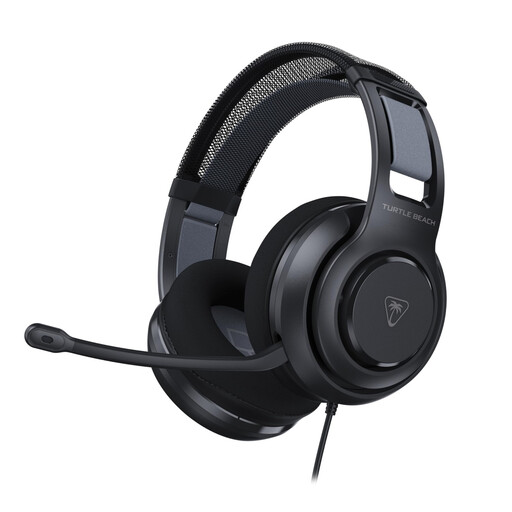 No image available
A wired option to compare if you’re looking for a headset with a microphone for dictating your own notes.
The product name lists a 3.5 mm connection and a flip-to-mute microphone. Check that the connection is compatible with your device.
 No image available
A wired USB headset to consider if you want to use your own voice as input on a computer.
The product name lists a USB connection. Check which port and microphone setting your device uses.
 No image available
A wired USB headset to compare if you want to use a microphone for your own voice.
The product name lists a USB connection. Check that it’s compatible with your device and dictation app.
 No image available
A wired headset to consider if you want to use your voice as input on a computer.
The product name lists a USB connection. Check that the port is compatible with your device.
 No image available
A mono version to compare if you want to keep one ear free while you work.
The product name lists USB-A and mono. Check that the connection is compatible with your device.
Don’t assume so: a microphone near your mouth is designed to pick up your voice, and hasn’t been shown to be a solution for recording a teacher elsewhere in the classroom. First decide whether you want to dictate your own notes or record other people speaking.
Check that the microphone is switched on, the correct input is selected, you’re signed in to Microsoft 365 and you have a reliable internet connection. Microsoft Support lists these requirements for Word Dictate. Test the set-up before you need to use it in class.
Adjust the headband and microphone boom to fit, then test the microphone with your dictation app. Mute the microphone when you’re not dictating, and check the care instructions for the exact model if it will be shared.
Yes. Microsoft says that Word Dictate requires a Microsoft 365 sign-in and a reliable internet connection. In the Netherlands, the statutory guarantee is separate from any manufacturer’s guarantee. If a product doesn’t perform as you could reasonably expect under normal use, contact the seller.
Don’t record other people’s voices without first checking the rules and requirements that apply to your situation. The Dutch Data Protection Authority explains GDPR obligations when personal data is processed in education and discusses recording policies for online education; this information doesn’t provide a blanket yes or no for every in-person lesson. Ask your school what is permitted.