If you’ll be practising mainly at a computer, choose a wired headset with a connector that fits your computer. If you want to listen back carefully to your voice, also check that the microphone and connection are suitable for your recording device. A headset designed for calls won’t tell you how your book review will sound in your room. A wireless headset may suit you if you want to move around while practising, but you’ll need a working connection and a charged battery.
Who is this guide for?
Readers who want to listen back to their own voice
You want to assess your wording, pauses and how clearly you speak, so pay attention to the microphone and a suitable recording connection. Logitech describes the H390 as having an adjustable microphone boom; RØDE specifies the supplied TRRS cable for the NTH-100M.
Computer users with minimal equipment
You want to record and listen back using a single wired headset, without a separate microphone or receiver. The available USB port will help determine which version is right for you. Logitech and EPOS describe different USB connection options for the models mentioned here.
Speakers who move around while practising
You don’t want to be tethered to your desk by a cable, so check that the wireless headset works with your recording device and recording app. Jabra describes the Evolve2 65 as a wireless option.
What should you look for?
Wired USB headset
A good fit if: you record while seated and the USB plug matches a port on your computer. Logitech describes the H390 as having USB-A; EPOS specifies USB-C with a USB-A adapter for the relevant IMPACT 100 version.
Bear in mind: the cable and the right port; a USB headset won’t automatically work with an analogue microphone input.
Analogue headset
A good fit if: your recording device has a suitable combined 3.5mm jack and you want to listen back critically. RØDE describes the NTH-100M as suitable for media and content creation, among other uses.
Bear in mind: the microphone input and the specified TRRS cable. The presence of a 3.5mm port alone doesn’t tell you whether it supports microphone input.
Wireless headset
A good fit if: you want to move away from your desk while rehearsing; Jabra describes the Evolve2 65 as a wireless headset range.
Bear in mind: pairing it with your recording device and app, and keeping the battery charged.
| What to consider |
What should you check? |
Who is this important for? |
| Clear voice recordings |
Check the microphone position and make a test recording on your own device, speaking both quietly and loudly. |
If I want to assess my articulation and pauses, the recording itself matters more than simply being understood on a call. Around 36% of consumers prioritise voice recording above all else. |
| Connection to the recording device |
Check whether you need USB-A, USB-C or a suitable 3.5mm headset input. |
If I want to use my existing computer or recorder, I need to know that the microphone will work through that connection. Around 29% of consumers prioritise device compatibility. |
| Comfort during repeated practice |
Compare mono and stereo versions if you want to keep one ear free, and pay attention to the fit. |
For regular practice sessions, I want to choose a style that I’ll find comfortable to wear for longer periods. Around 21% of consumers prioritise fit above all else. |
| Freedom to move |
Check that the wireless headset appears as a microphone in your recording app and is suitable for your practice space. |
If I want to stand or walk while speaking, I don’t want to be tied to a headset cable. Around 14% of consumers prioritise freedom to move. |
What to check before you buy
-
Assuming that every connection in a product range is the same
USB-A, USB-C and 3.5mm are different connections. For example, HP states that a 3.5mm connection is available only on the Blackwire 3315 and 3325, not on every headset in the 3300 series.
Check the full model name and compare the plug with the port on your recording device.
You may need a different version or a suitable connection if the plug you’ve chosen doesn’t fit.
-
Confusing noise cancellation for calls with recording quality
Call specifications aren’t a comparative test of your voice, book text and practice space.
Record a short passage in your own recording app at a normal speaking volume, including pauses, and listen back.
-
Assuming every 3.5mm cable carries the microphone signal
RØDE states that the NTH-100M microphone requires the supplied TRRS cable. Your device’s input must also support microphone input.
Check the cable and input, and see which microphone is selected in your recording app.
An analogue setup may require a different cable or a suitable microphone input.
-
Assuming the manufacturer’s warranty is the full legal guarantee
According to ACM ConsuWijzer, the seller is responsible if a product proves faulty sooner than you could reasonably expect under normal use; there is no fixed term for the legal guarantee.
Keep your proof of purchase and contact the seller if something goes wrong.
Brands to consider
Logitech
The H390 is a wired USB headset for computer use.
- For the USB-A version, Logitech describes an adjustable microphone boom, mute and volume controls on the cable, and a 1,9 m cable.
- Check the version and plug: USB-A and the USB-C option mentioned are different connections.
HP Poly
The Blackwire 3300 series includes wired USB headsets in mono and stereo styles.
- HP describes a flexible microphone and USB connection options.
- According to HP, a 3.5mm connection is available only on the Blackwire 3315 and 3325.
Jabra
The Evolve2 30 SE is a wired option; the Evolve2 65 is a wireless option.
- Jabra describes the Evolve2 30 as having a dual-microphone system and the Evolve2 65 as a wireless setup.
- Check that the specific headset and connection work with your recording device and app; manufacturers’ descriptions aren’t independent recording comparisons.
EPOS
The IMPACT 100 series includes wired headsets; the UC Stereo USB-C+A has the article number 1001420.
- For this version, EPOS specifies USB-C with a USB-A adapter, in-line controls and a microphone with noise-cancelling algorithms.
- The connections and specifications mentioned apply to this particular version; check the model and your device’s port.
RØDE
The NTH-100M is an analogue headset for speaking and listening back.
- RØDE positions the model for media and content creation, among other uses.
- According to RØDE, the supplied TRRS cable is needed to make the microphone work; also check that your device has a suitable microphone input.
Joybuy products
This selection includes wired headsets and earphones, a Bluetooth headphone and models whose titles mention recording or monitoring. Check that each product’s microphone works with your device and recording app.
 No image available
Turtle Beach Recon 70 Gaming Headset, Green Camo
A wired headset with a microphone to consider if you want to use a 3.5mm connection.
The product name mentions a 3.5mm connection and a flip-up mute microphone.
View at Joybuy
 No image available
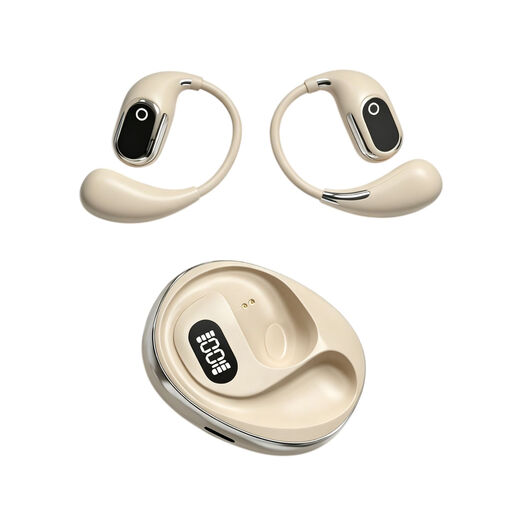
On-ear headphones for simultaneous interpretation, with recording function and built-in condenser microphone
The title mentions a recording function and built-in condenser microphone; check that this interpretation-focused version suits your practice setup.
The product name mentions a charging case and Type-C connection.
View at Joybuy
 No image available
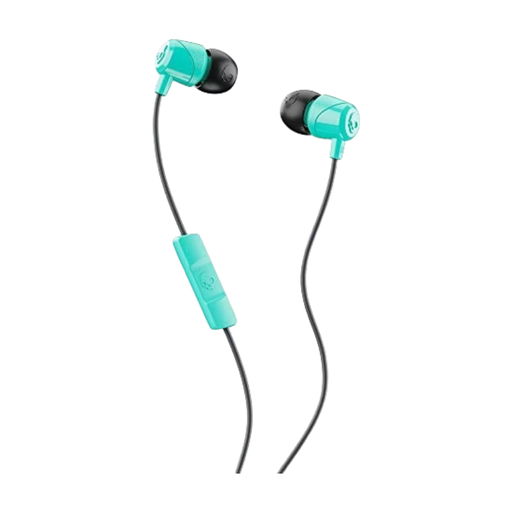
Skullcandy Jib In Ear W/Mic 1, Miami
These wired in-ear earphones may suit you if you’re looking for a compact option with a microphone.
The product description mentions a built-in microphone and a 3.5mm connection; check that your recording device’s input supports microphone input.
View at Joybuy
 No image available
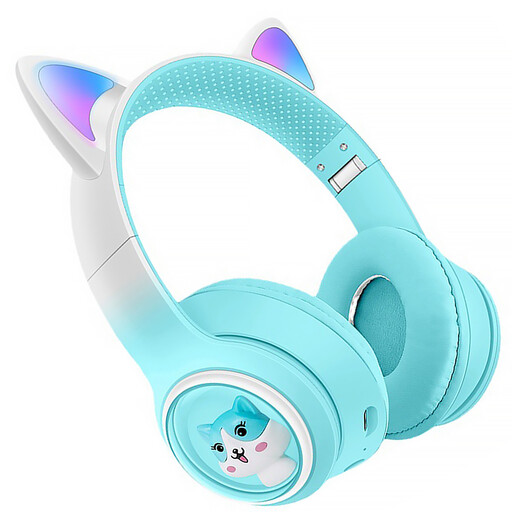
KINSI Bluetooth headphones with cat ears
A wireless option to consider if you don’t want to be tethered to a headset cable while practising.
The product name mentions Bluetooth; the description lists a built-in microphone and a foldable design. Check that the microphone works as an input in your recording app.
View at Joybuy
 No image available
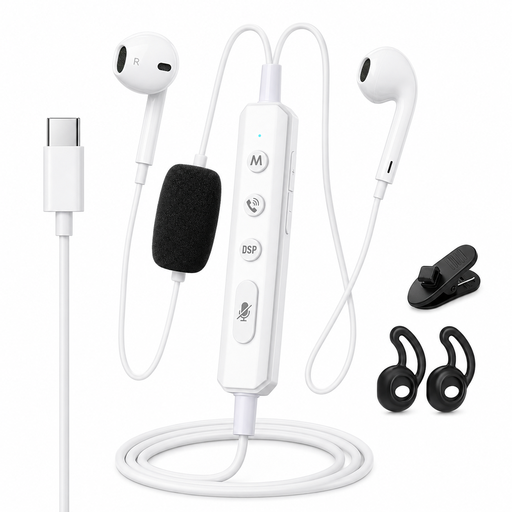
VoxorAI KM08 White wired headphones with Type-C
The title mentions real-time monitoring and recording; check that the specified connection and microphone suit your computer and recording app.
The product name mentions Type-C and a sound card for monitoring; the description lists a 1,2 m cable.
View at Joybuy
Frequently asked questions
Can I practise straight away on my computer with a USB headset?
Yes, as long as the plug fits an available port on your computer and you set the headset as your input and output device. Make a short test recording first. Logitech describes the H390 as having USB-A, so check the exact version if you have a USB-C computer.
Will a 3.5mm headset work with every 3.5mm connection?
Not necessarily: check whether the connection supports microphone input. RØDE specifies the supplied TRRS cable for the NTH-100M microphone.
What should I check if my headset plays sound but doesn’t record my voice?
Check which microphone is selected in your operating system and recording app, the mute setting and the connection. The NTH-100M also needs the specified TRRS cable.
Who can help if my headset is faulty, and can I cancel an online purchase?
If a product is faulty, the seller is responsible under the Dutch legal guarantee, which has no fixed two-year term. For online purchases, there is generally a 14-day cooling-off period, subject to legal exceptions and conditions concerning any return costs.
Does a headset sold in the Netherlands need to have a CE mark?
Yes. Applicable requirements apply to electrical and electronic equipment on the European market, and the correct CE mark must be present, according to the Dutch Authority for Digital Infrastructure. Check the mark and product information for the specific item.


