First, choose a headset that’s compatible with the input on your recording device: a USB headset for a compatible computer port, a TRRS headset for a suitable combined headset socket, or a broadcast headset if you have separate microphone and headphone inputs. Logitech describes the H390 as a headset for calls, while RØDE and Audio-Technica specify particular cables and connections for their models. So record a test using your own voice to check how clearly you can be heard.
Who is this headset microphone suitable for?
Creator who listens back critically to the intro
You want to assess your pronunciation, pace and clarity in both languages. A headset for speaking and monitoring could be a good fit, but it’s still important to make a test recording using your own voice and device. RØDE and Audio-Technica describe models with a microphone for speech.
Evening practice in a shared space
You want to listen back to your recording without turning the volume up too high, so pay attention to the fit and seal. Closed-back earcups can help make background noise less distracting while you listen, but they won’t make the room silent. Audio-Technica describes the BPHS1 as having closed-back earcups.
Beginner practising on a computer
You want to get started without a mixer and mainly need to know whether the connection and controls will work with your computer. The Logitech H390 is a USB-A option to consider; check your computer’s port and assess the recording for yourself.
What should you consider when choosing?
USB computer headset
A good fit if: you practise on a computer with a compatible USB-A port and want to combine the microphone and listening in one headset.
Keep in mind: Logitech’s description focuses on calls and doesn’t tell you how your voice will sound in a podcast recording.
Headset with a TRRS connection
A good fit if: your device has a combined headset socket that supports a microphone.
Keep in mind: RØDE specifies using the supplied TRRS cable with the NTH-100M; a mixer with separate inputs may need additional connections.
Broadcast headset with separate plugs
A good fit if: your setup has separate, compatible inputs for the microphone and headphones.
Keep in mind: the Audio-Technica BPHS1 version has an XLR microphone plug and a 6,3 mm headphone plug, so it won’t connect directly to a USB port on its own.
| What to consider |
What to check before buying |
Who is this important for? |
| Clarity in two languages |
Record a short intro in both languages and assess your pronunciation, pace and clarity. |
If I want to hear whether my pronunciation and pace are clear in both languages, I make a test recording. Around 33% of consumers put clarity first. |
| Comfortable listening back |
Check the fit and seal of the earcups; assess background noise in the recording separately. |
When practising in the evening, I want to hear my recording without constantly turning the volume up. Around 27% of consumers put comfortable listening back first. |
| Connection to the recording device |
Compare the exact headset version and supplied cable with the microphone and headphone inputs on your device. |
If I want to get started without the wrong cable or a missing input, I check which ports my device has in advance. Around 20% of consumers make direct compatibility their top priority. |
| Comfort during repeated practice |
Check the fit during a full practice session and start with the listening volume low. |
When I want to practise the intro several times, I want the headset to feel comfortable and not have to listen unnecessarily loudly. Around 20% of consumers put wearing comfort first. |
Connection mistakes to avoid
-
Mistaking a headphone socket for a microphone input
A plug that fits physically won’t necessarily send a microphone signal to your recording app. RØDE specifies using the supplied TRRS cable with the NTH-100M; a mixer with separate inputs needs a compatible connection solution.
Before choosing a headset or adapter, check whether your device supports both headphones and a microphone through that connection.
With a mixer, you may need a compatible splitter or adapter; for an XLR microphone input, RØDE also describes an adapter that supplies the required plug-in power.
-
Assuming a broadcast headset comes with everything you need to connect it
According to the manufacturer, no cable is included with Sennheiser HMD 26 item 700318. So check the exact version, the cable you need and which plugs are compatible with your recording device.
-
Confusing microphone noise reduction with the seal around your ears
Microphone features and the seal of the earcups are two different things: one describes the sound picked up by the microphone, while the other affects what you hear when listening.
Check the microphone and earcups separately, then make a short test recording to hear how your device and room affect the sound.
Brands to consider for different connections
Logitech
The H390 is a USB computer headset worth considering if a compatible computer connection is important to you.
- For the USB-A version shown, Logitech describes a rotating microphone boom and in-line volume and mute controls.
- The product description focuses on calls; check how your bilingual intro recording sounds for yourself, and make sure the port and version are right for your setup.
RØDE
The NTH-100M combines an over-ear headset with a detachable NTH-Mic for speaking and monitoring.
- RØDE lists voice reproduction and comfort as product features.
- According to RØDE, you must use the supplied TRRS cable for the microphone to work. A suitable adapter may be needed to connect it to a mixer with an XLR microphone input.
Audio-Technica
The BPHS1 is a broadcast headset for a setup with separate microphone and headphone connections.
- Audio-Technica specifies closed-back earcups and an adjustable cardioid microphone boom for the BPHS1. The version mentioned has an XLR microphone plug and a 6,3 mm headphone plug.
- The BPHS1-XF4 has a different connection; check the full model name and both inputs before ordering.
Sennheiser
The HMD 26 is a professional broadcast headset for a compatible production setup.
- Sennheiser specifies a dynamic supercardioid microphone and switchable ActiveGard function for the HMD 26.
- According to the manufacturer, no cable is included with item 700318. Check which cable and plugs you need for the exact version.
Shure
The WH20 is a head-worn microphone for anyone who already has separate headphones and a compatible microphone input.
- Shure lists a cardioid pickup pattern and several connector versions.
- The WH20 isn’t a complete listening headset; you’ll also need headphones to listen back.
Joybuy headsets for speaking and listening back
These Joybuy headsets combine a microphone with headphone playback. For each model, check that its connection also supports microphone input on your recording device.
 No image available
Turtle Beach Recon 70, wired, 3,5 mm, white
A wired headset for speaking and listening back; check that your device supports microphone input through the 3,5mm connection.
The title mentions a flip-up, muting microphone and the colour white.
View at Joybuy
 No image available
Turtle Beach Airlite Fit, wired, 3,5 mm, blue/red
A wired headset for combining speaking and listening back; check that your recording device supports microphone input through the 3,5mm connection.
The title mentions a flip-up, muting microphone and the colours blue/red.
View at Joybuy
 No image available
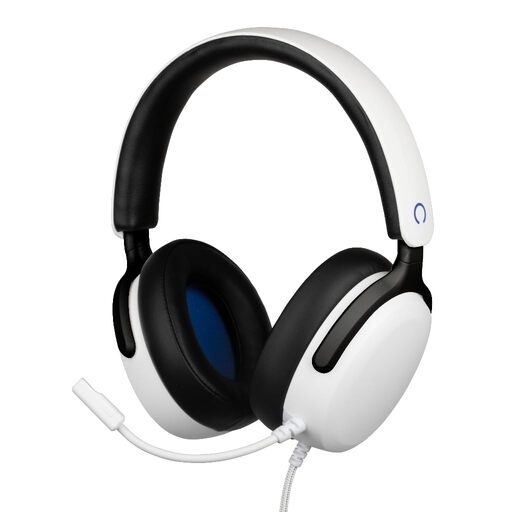
Konix Nexus, wired over-ear headset, white
This headset is designed to combine speaking and listening back; check that your device’s 3,5mm connection supports microphone input.
The title mentions a flexible microphone, a 1,5 m cable and a 3,5 mm connection.
View at Joybuy
 No image available
Razer Kraken V3 X, black
A headset for speaking and listening back, provided its connection is compatible with your recording device. Check the connection options for the version you choose.
View at Joybuy
 No image available
Jabra Evolve2 75
This headset combines a microphone with headphone playback; check that the connection works with your recording device and recording app.
View at Joybuy
Frequently asked questions
Can I record and listen back through any 3,5mm connection?
No, not necessarily. RØDE specifies using the supplied TRRS cable for the NTH-100M microphone; check that your device supports the microphone through the headset socket. For a mixer with separate inputs, RØDE describes a splitter and, for an XLR microphone input, an adapter that supplies the required plug-in power.
How can I make a test recording without listening too loudly?
Turn the listening volume down before you start, then raise it gradually if needed. RØDE recommends this for the NTH-100M; the World Health Organization generally advises keeping the volume low and taking regular listening breaks. The right volume setting will vary from person to person.
Can I replace or detach parts of a headset?
It depends on the model. RØDE describes detachable earpads and a detachable microphone for the NTH-100M; Audio-Technica lists a replaceable cable and earpads for the BPHS1. Check the instructions for your exact version before detaching any parts.
Does a two-year manufacturer’s warranty cover the full statutory warranty period in the Netherlands?
No. According to the Dutch government, there is no fixed statutory warranty period in the Netherlands: you’re entitled to a product that works as it should, and the seller must provide a solution if something is faulty. A manufacturer’s or seller’s warranty is in addition to your statutory rights.


