If you’re sitting down to read aloud and recording on a computer, a wired USB headset is a practical choice, provided its plug fits your computer and you can position the microphone well. A broadcast headset may be suitable if your recorder or audio interface has the connections it needs. Always make a test recording in the room where you plan to read: a noise-cancellation claim won’t make the room quiet.
Who is this suitable for?
Readers who want to get started easily
You record on a computer and want to plug in the headset, select it as your input device and try a short recording first. Logitech and Trust describe wired computer headsets, while the Audacity guide recommends selecting and checking your recording input.
Storytellers who care about how their voice sounds
You want to assess the microphone position and your recorded voice carefully, and you’re happy to use a less straightforward connection. RØDE positions the NTH-100M for uses including podcasting, while Audio-Technica specifies separate microphone and headphone plugs for the BPHS1.
Storytellers in a lively room
You want to listen back and assess how much background noise comes through, without assuming a noise-cancellation claim will make the room quiet. RØDE recommends placing the microphone close to the sound source and away from distracting noises; the results depend on the recording environment.
What should you look for when choosing?
First, check that the connection works with your recording device. Then assess the microphone position and fit, and finally listen back to a test recording in the room where you plan to record your story.
| Priority |
What to look for |
Who is this important for? |
| Clear storytelling voice |
Check that you can position the microphone boom, and listen to both quiet and loud passages. Adjust the recording level before recording the whole story. |
For consumers who want both quiet sentences and louder passages to come through clearly, voice reproduction comes first; they make up around 36%. |
| Easy to connect and get started |
Compare the plug on the exact model with the port on your computer or recorder. Select the headset as your recording device and make a test recording. |
If I want to get started without any hassle, the headset needs to work with my computer or recorder. Around 29% of consumers prioritise a compatible connection and an easy set-up. |
| Comfort |
Consider adjustability, ear cushions and cable length in relation to where you sit. If possible, try the headset during a full practice read-through. |
For consumers who wear the headset throughout a reading session, a comfortable fit matters more than the other considerations; this group makes up around 21%. |
| Assessing background noise |
Record a short passage with a moment of silence in the room you plan to use, then listen back to the microphone audio. A noise-cancellation claim doesn’t guarantee that background noise will disappear. |
If you want to hear how much sound from the room makes it into the recording, check it in your own space first. Around 14% of consumers put this first. |
Common pitfalls
-
Assuming noise cancellation means a quiet recording room
Background noise may still be audible in your recording, even if a headset or microphone claims to offer noise cancellation. A specification for calls doesn’t tell you how a spoken story will sound in your room.
Test the headset where and when you plan to read. Listen back to the recorded file rather than relying only on what you hear through the headphones.
A failed test could mean having to record again or do more editing afterwards.
-
Expecting a broadcast headset to work like a USB headset
According to the Dutch product specifications, the Audio-Technica BPHS1 has a 3-pin XLR microphone plug and a 6.3 mm headphone plug. It won’t automatically connect straight to a computer via USB.
Before buying, check that the inputs on your recorder or audio interface match both plugs, and check the exact BPHS model.
You may need a suitable audio interface, recorder or other connection solution.
-
Relying on the series name alone
A product series may include different versions with different plugs or features. For example, Trust sells several Ayda headsets, and the Jabra Evolve2 30 SE is available with USB-A or USB-C depending on the version.
Check the full model name, product number, connection and any included adapter before you order.
Brands to consider
Logitech
The H390 is a USB-A computer headset with a positionable microphone boom and in-line controls.
- Logitech specifies a 1.9 m cable and in-line volume and mute controls for the H390.
- The headset is designed for calls; this isn’t an independent assessment of how it reproduces voices in a story recording.
Trust
The Ayda 25088 is a wired computer headset with a flip-up microphone. The Ayda USB-ENC 25089 is a different version.
- Trust lists a 1.8 m cable, an adjustable headband and a USB-C-to-A adapter included with the 25088.
- Check the product number: features and claims for the 25089 don’t automatically apply to the 25088.
RØDE
According to RØDE, the NTH-100M combines over-ear headphones with a detachable NTH-Mic and is designed for uses including podcasting.
- The detachable microphone and adjustable headband are design features to consider when choosing.
- RØDE’s claims about voice reproduction and plosive sounds come from the manufacturer; check the connection and make a recording with your own equipment.
Audio-Technica
The BPHS1 is a broadcast headset with closed-back earcups and a movable microphone boom.
- The Dutch product information lists a 3-pin XLR microphone plug and a 6.3 mm headphone plug.
- The BPHS1-XF4 mentioned has a different connection, so check the exact version and the inputs on your recording device.
Jabra
The Evolve2 30 SE is a computer headset available in separate USB-A and USB-C versions, with mono or stereo options.
- The guide explains how to position the microphone close to your mouth.
- According to the guide, not every mobile USB-C device or app supports audio; suitability for calls doesn’t prove a specific recording quality for stories.
Joybuy product picks
This selection focuses on wired USB headsets for anyone recording a story on a computer while seated. For each version, check that the connection and recording settings work with your equipment.
 Image unavailable
Logitech PC 960 USB Wired Headset
A wired USB headset for recording on a computer. Check that the connection works with your computer, then select the headset as the input device in your recording app.
View at Joybuy
 Image unavailable
Logitech H340 USB Headset Black, Wired
This wired USB version is designed to connect to a computer. Before recording, check that your computer is using the headset as the microphone input.
View at Joybuy
 Image unavailable
Trust Ayda Wired Headset, USB Type-A, Black
This wired version lists USB Type-A. Check that the connection works with your computer and select the headset as the recording device before recording your story.
View at Joybuy
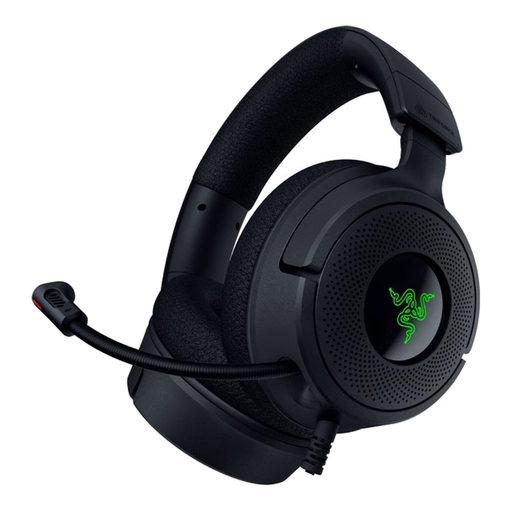 Image unavailable
Razer Kraken V4 X Wired Gaming Headset
A wired headset for use with a computer. Check which connection your version uses, then make a short recording to confirm that the microphone is selected as the input.
View at Joybuy
 Image unavailable
Edifier G2II Gaming Headset for PC, Black
This wired USB headset is designed for PC use. Check that the connection fits, then test the recording with the microphone you intend to use.
View at Joybuy
Frequently asked questions
How do I stop my laptop’s built-in microphone from recording?
In your recording software, explicitly select the headset as the recording device and make a short test recording to listen back to. Check the level meter during the loudest part of your reading and adjust the recording level if needed.
Do I need a pop filter for a bedtime story?
Not necessarily. First, adjust the microphone boom and listen for words with strong p and b sounds. A windscreen or pop filter can help reduce bursts of air, but it needs to be suitable for your specific microphone.
How do I care for a headset I use often?
Follow the guide for your exact model when removing or cleaning the ear cushions. The RØDE NTH-100M guide describes removable cushions; don’t assume that parts on other headsets come off in the same way.
What are my rights if a headset I bought online isn’t suitable or breaks too soon?
For online consumer purchases in the Netherlands, ACM ConsuWijzer states that you have 14 days from delivery to change your mind, with some exceptions. This is separate from your right to a product that does what you can reasonably expect: if it breaks too soon during normal use, the seller is responsible for offering an appropriate solution.
Can I publish a recording of an existing children’s book?
According to the Dutch government, you may make a private copy of a copyright-protected work for your own use, but you may not distribute it or make it available to the public. To publish a recording of a protected book, you need permission from the rights holder; the situation may be different for a story you’ve written yourself.


