
Voice artists who prioritise clarity
With audio description, your voice needs to remain audible alongside the original sound. Dedicon highlights the importance of sound quality, so listen back to your recording in the intended mix.


First, choose a headset that connects to your computer or recording equipment, then make a test recording to check that your voice remains clear alongside the original audio. A USB headset keeps your setup simple. A recording or broadcast headset may suit different microphone and monitoring connections, but could require a compatible input, cable or interface. None of the specifications listed proves on its own that a model will deliver the recording quality you want in your room.
With audio description, your voice needs to remain audible alongside the original sound. Dedicon highlights the importance of sound quality, so listen back to your recording in the intended mix.
If there’s no room for a separate microphone stand on your desk, a headset microphone can save space. RØDE and Logitech describe headsets with a detachable microphone and a USB connection respectively.
If you use an interface or mixer, make sure the headset connections are compatible with your equipment. Audio-Technica and beyerdynamic describe broadcast models with separate connections or a connection cable that must be chosen separately.
For audio description at a small desk, clarity, available connections, monitoring and comfort all play a part. Dedicon points out that good sound quality is essential to prevent listeners from missing information.
| Key consideration | What to look for | Who is this most important to? |
|---|---|---|
| Clarity | Record a passage and listen back to it alongside the original sound. | If I want to know whether my voice is easy to follow in the final mix, I check with a test recording; around 33% of consumers prioritise clarity. |
| Space and connection | Compare the connectors on the exact model with your computer or interface; check whether you need a cable or splitter. | If I don’t have room for a microphone stand, I want a headset that connects to a port I have available; around 27% of consumers put space and connection first. |
| Monitoring | Check that you can hear the signal you want and whether the monitoring route introduces delay. | If I want to check what’s being recorded as I speak, I look at the monitoring route in my recording setup; around 20% of consumers prioritise monitoring. |
| Comfort | Consider the fit for the length of your recording sessions and check whether parts can be replaced. | If I’m recording repeatedly or for longer periods, I want to know whether the headset is comfortable and how it can be maintained; around 20% of consumers prioritise comfort and replacement parts. |
A headset designed for office calls may be described as suitable for conversations, but that doesn’t tell you how your voice will sound alongside the original audio in an audio description.
Make a test recording and listen back to it in the intended mix before choosing a headset for this task.
USB, TRRS and separate microphone and headphone plugs require different connections. The beyerdynamic DT 297 PV MK II is supplied without a connection cable.
Compare the connections and included accessories on the exact model with your computer or interface.
Audacity explains that a Bluetooth headset can record silence if the sample rate isn’t supported or doesn’t match.
Check the selected audio input and supported sample rate with a short test recording.
The NTH-100M combines headphones with a detachable headset microphone. Its wired connection may suit your setup if your device supports the required analogue connections.
The BPHS1 is a closed-back broadcast headset with a dynamic microphone and separate connections, designed for a setup that supports them.
The H390 is a USB headset for a straightforward computer setup. The manufacturer describes it as suitable for uses including video calls.
The Evolve2 40 SE is a wired office headset available in mono, stereo and USB versions. Jabra describes the microphone and noise isolation for use during calls.
The DT 297 PV MK II is a closed-back broadcast headset with a condenser microphone, designed for a recording setup with compatible connections.
This selection includes wireless and wired headsets with microphones. Before use, check that the connection and audio input are compatible with your recording equipment, and assess your voice with a test recording.
 No image available
May suit you if you want to listen wirelessly, but check with a test recording whether the microphone input meets your recording needs.
The product information lists Bluetooth, a supplied 3.5 mm audio cable and four microphones for calls.
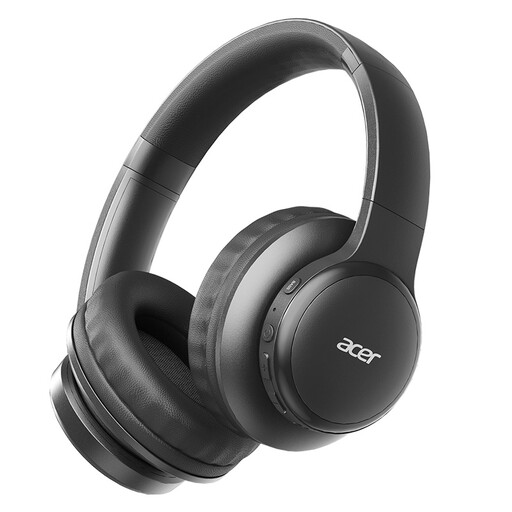 No image available
May suit you if you’re looking for a wireless listening setup; check separately that the recording input works with your software.
The product name lists Bluetooth 5.3, a USB-C charging port, a foldable design and HD voice calls.
 No image available
This headset combines headphone playback with a microphone. Make a test recording to check that your voice is clear in the mix.
The product information lists a cardioid microphone and a weight of 285 g.
 No image available
May suit a wireless work setup; check whether the microphone is available as an input in your recording software.
The product information lists Bluetooth, eight microphones for calls and an adjustable headband.
 No image available
The wired microphone may suit your setup if its analogue connection is compatible with your recording equipment; check it works with a test recording.
The product information lists a positionable microphone, a 3.5 mm four-pole CTIA connection, memory foam earpads and an adjustable headband.
Yes, if the recording is clear in the intended mix; check this with a test recording. The manufacturers describe the Logitech H390 and Jabra Evolve2 40 SE mainly for calls, not as independently tested headsets for audio description.
Make sure the headset plug matches the available input, then select the headset as the input in your recording software. RØDE says the NTH-100M requires the supplied TRRS cable; the supplied splitter is intended for separate 3.5 mm ports. The Audio-Technica BPHS1 has separate XLR and headphone plugs.
Software input monitoring can cause a delay. The Audacity guide describes this as a result of the computer processing the audio, so check the monitoring route on your own computer or interface.
It depends on the version. Audio-Technica lists a supplied cable for the BPHS1 with separate connections, while beyerdynamic says all DT 297 versions are supplied without a connection cable. Check which cable is compatible with your recording equipment.