If you switch between sitting and standing during your mentoring session, a wireless headset may better suit your need to move around. If you stay at your laptop, a wired USB headset is a straightforward choice that doesn’t need charging. Logitech lists the Zone Wired as USB-C, with a USB-A adapter, while Jabra and HP describe wireless models. Check the microphone, connection and fit of the specific version you choose: manufacturers’ claims don’t guarantee the same results in your space.
Who is this buying guide for?
You switch between sitting and standing
You want to be able to stand up or change position during your session without a cable tethering you to your laptop. Check the wireless connection and adapter for the specific version; Jabra and HP describe wireless options for this type of use.
You speak from a noisy place
You want your mentor to hear you clearly while people are talking around you. Check the microphone’s features, and separately consider how much background noise you can hear yourself. Workplace noise has been identified as a factor to consider, not as a percentage of headset purchases.
You stay at your laptop
You want a suitable connection and easy-to-reach mute controls, without charging or wireless pairing. Logitech lists the Zone Wired as USB-C, with a USB-A adapter included and in-line controls. At a sit-stand desk, also check how the cable hangs when the desk is raised.
What should you look for when buying?
First, decide whether you’ll move away from your workstation during the call. Then assess the microphone for your conversation partner separately from the noise isolation for yourself. Finally, check the connection, controls and comfort.
Wireless with a boom microphone
Choose this if: you stand up, adjust your desk or move away from your laptop during your mentoring session.
Bear in mind: you’ll need to charge it and connect via Bluetooth or a dongle. Microsoft says that many Bluetooth headsets certified for Teams are designed to work with a USB dongle on computers. Check how your specific version and connection work.
Wired via USB
Choose this if: you stay at your computer and don’t want to manage a battery or wireless pairing. Logitech lists the Zone Wired as USB-C, with a USB-A adapter included, a boom microphone and in-line controls.
Bear in mind: the cable limits how far you can move. Also check that the connection is suitable and the cable hangs freely when you raise the desk to standing height.
| Factor to consider |
Check before buying |
Which consumers should pay particular attention? |
| Freedom of movement |
Check the wireless connection, the adapter included and whether the headset needs charging before use. |
I want to switch between sitting and standing during my session without a cable getting in my way. For around 33% of consumers, freedom of movement is their top priority. |
| How clearly your voice comes across |
Check the boom microphone and mute controls; test the microphone in the app and where you’ll make your calls. |
When people are talking around me, I want my mentor to hear me clearly. Around 27% of consumers prioritise voice clarity. |
| Connection and controls |
Check the USB port and any adapter; see whether mute and other controls work with your app. |
I stay at my laptop and don’t want to manage a battery or wireless pairing. Around 20% of consumers prioritise a simple wired connection. |
| Comfort and background noise |
Consider the fit and style; assess ANC for yourself separately from microphone noise reduction. |
I want to follow my mentor comfortably during the session and am looking for a comfortable headset. Around 20% of consumers prioritise listening comfort. |
Common pitfalls
-
Confusing ANC for your ears with microphone noise reduction
Hearing less background noise yourself doesn’t automatically mean your mentor will hear you more clearly.
Assess the two features separately and test the microphone in the room where you’ll make your calls.
-
Choosing a wireless version without checking the connection
How well it works can depend on the exact headset version, dongle and calling app. Microsoft says that many Bluetooth headsets certified for Teams are designed to work with a USB dongle on computers.
Before buying, check the full model variant, the adapter included and the connection to your work computer.
-
Assessing a wired headset only while sitting down
When you raise the desk, the cable may limit your movement or hang awkwardly around your workstation.
Check the cable route and controls at the height you use when standing, too.
Brands to consider
Logitech
The Zone Wired is a wired USB option for anyone who stays at their computer during the session.
- Logitech lists this model with a boom microphone, in-line controls, USB-C and a USB-A adapter included.
- The cable limits how far you can move. Logitech’s description of its noise reduction is a manufacturer’s claim, not an independent measurement in your room.
Jabra
The Evolve2 65 Flex is a foldable wireless office headset for people who work in different places.
- Jabra lists hybrid ANC and noise-cancelling microphones for this model.
- Check whether it’s the MS or UC version, the type of USB dongle and the accessories included. The declaration of conformity covers several variants and doesn’t specify which one is offered on an individual product page.
HP Poly
The Voyager Focus 2 is a wireless stereo option for anyone looking for freedom of movement and adjustable background noise reduction.
- HP lists a boom microphone, three ANC settings and a stated talk time that depends on the settings used.
- A stated talk time doesn’t guarantee how long the headset will last. Check the exact UC or Teams version and the connection included.
EPOS
The IMPACT 860T ANC is a wired USB option for a fixed workstation where background noise is a factor when listening.
- EPOS lists USB-C with a USB-A adapter, ANC and a microphone system for this model.
- The efficiency and performance claims come from EPOS and don’t show a specific result during a mentoring session. The cable remains a limitation if you move around.
Products on Joybuy
These products are suited to mentoring sessions at a sit-stand desk, with both wireless and wired options. Check the connection for each version and whether its microphone is suitable for your calling app.
 No image available
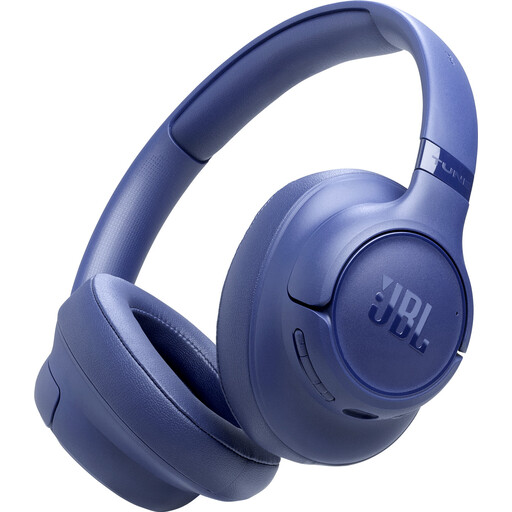
JBL Tune 730BT wireless headphones, blue
The wireless version may suit you if you want to change position during your session; check the microphone and connection to your calling app beforehand.
The product name specifies a blue model. A charging cable is not included.
Joybuy
 No image available
Sennheiser MOMENTUM 4 Wireless, black
These wireless over-ear headphones may suit you if you need room to move; for a mentoring session, check the microphone and connection to your app.
The product name specifies four microphones and a 60-hour battery life. Wireless use requires charging; the stated battery life is a product specification.
Joybuy
 No image available
Samsung EO-IC100 wired in-ear headset, USB Type-C, black
The wired in-ear version may suit you if you stay at your computer; check that your device has a USB Type-C connection.
The product name specifies a black headset for calls and music.
Joybuy
 No image available
Trust Ayda wired headset, USB Type-A, black
The wired version may suit a fixed workstation; check the USB Type-A connection and cable route when you raise the desk.
The product name specifies a black headset for calls and music.
Joybuy
 No image available
HyperX Cloud III Gaming Headset, black and red
A wired headset may suit you if you stay at your computer during the session; route the cable safely around your sit-stand desk.
The product name lists PC, PS5 and Xbox Series X|S. Check which connection your laptop and calling app require.
Joybuy
Frequently asked questions
Do I have to choose a wireless headset for a mentoring session?
No. If you stay at your laptop, a suitable wired USB headset may be enough; wireless is an option when you need room to move during the call. With a wired headset, check that the cable hangs freely when the desk is raised.
How can I stop the calling app from using the wrong microphone?
Select the headset as both the input and output device, then make a test call beforehand. Microsoft says that many Bluetooth headsets certified for Teams are designed to work with a USB dongle on computers. So check that your specific connection method works as expected.
Is ANC the same as microphone noise reduction?
No. ANC helps reduce background noise for you, while microphone noise reduction affects the sound sent to the person you’re speaking to. Assess the two features separately and test the microphone in the room where you’ll hold your session.
What should I check before a long session with a wireless headset?
Charge the headset and check the connection and the correct audio devices in your calling app. Stated battery life depends on the version and settings, and doesn’t guarantee how long it will last in your situation.


