
Students taking part in live group conversations
You want to hear digital lesson audio while also following what your teacher and fellow students are saying in the same room. A mono headset can leave one ear free.


If you want to hear your teacher and fellow students in the classroom during a language lesson, a mono headset can leave one ear free. However, a personal headset isn’t necessarily suitable for picking up every voice in the room digitally. For individual speaking exercises, a suitable connection, an adjustable microphone and an easy-to-use mute function are important. Choose Bluetooth if you need the freedom to move around and charging and pairing fit in with your lessons.
You want to hear digital lesson audio while also following what your teacher and fellow students are saying in the same room. A mono headset can leave one ear free.
You listen and speak through a computer. Pay particular attention to the connection, an adjustable microphone and a mute function that’s easy to use.
You want to take part in digital conversations without a cable. Bear in mind that wireless use requires pairing and charging.
First, consider whether your lessons mainly involve live group conversations or individual computer-based exercises. The percentages show the relative importance of the main buying priorities for this language-learning scenario.
| What to consider | What to check before buying | Who is this for? |
|---|---|---|
| Hearing voices in the classroom | Consider whether a mono headset suits your lessons; stereo can make it harder to follow live instructions. | If I want to keep hearing my teacher and fellow students around me during a group conversation, I consider the headset style. Around 36% of consumers prioritise live conversations. |
| Speaking clearly | Check whether the microphone is adjustable and how to mute it; test the recording in your lesson app. | For individual speaking exercises, I want my voice to come through clearly to the person I’m speaking to online, and I want to be able to mute the microphone easily. Around 29% of consumers prioritise speaking tasks. |
| Connecting to your lesson device | Compare the exact USB or other connection with your device and check the audio settings in your lesson app. | If I want to connect straight away during a lesson, I check the port and the specific headset version first. Around 21% of consumers place the most importance on the connection. |
| Comfort and freedom to move | Check the fit; for Bluetooth, make sure your lesson device supports the connection and the battery will last for the whole lesson. | For a longer lesson, I want a comfortable headset, or enough freedom to move around if I’m walking about. Around 14% of consumers prioritise comfort or freedom of movement. |
A personal microphone sits close to the wearer. Logitech recommends microphones positioned around the room to pick up different voices in a classroom.
Decide in advance whether you need to share just your voice digitally or the conversation between several people.
If several voices from the room need to be heard online, you may need a separate classroom audio solution.
Microphone noise cancellation focuses on the sound sent to the person you’re speaking to. ANC is designed to reduce the noise you hear; blocking out more sound can be inconvenient if you need to follow live instructions.
Check which feature is included with the exact model and whether it’s designed for you or for the person you’re speaking to online.
A range can include different connections, as well as mono and stereo versions. The Trust Ayda USB 25088 is also a different version from the USB-ENC 25089.
Compare the full model name, connection and packaging with your lesson device; don’t rely on the brand or range name alone.
If you choose an incompatible version, you may need a different model or a suitable adapter.
The H390 is a wired USB option, while the Zone 300 connects wirelessly via Bluetooth and may suit you if you want to move around during an online conversation.
The Ayda USB-ENC 25089 is a wired option for computer use and individual speaking exercises.
The Blackwire 3200 series includes wired mono and stereo versions for different ways of taking part in conversations.
The Evolve2 30 SE is available with a USB-A or USB-C connection; the Evolve2 55 is a separate model for anyone who also wants to work wirelessly.
The wired IMPACT 100 series has mono and stereo options. Mono may be useful if you want to keep hearing conversations in the classroom.
This selection includes models for digital speaking exercises and options that let you keep hearing sounds from the classroom. Compare the style and connection of each version with your lesson set-up.
 No image available
The mono version may suit you if you want to hear digital audio while keeping track of voices in the classroom.
The product name lists USB-A; check that this version’s connection and compatibility work with your lesson device. There’s no evidence that a personal microphone can pick up every voice in the classroom digitally.
 No image available
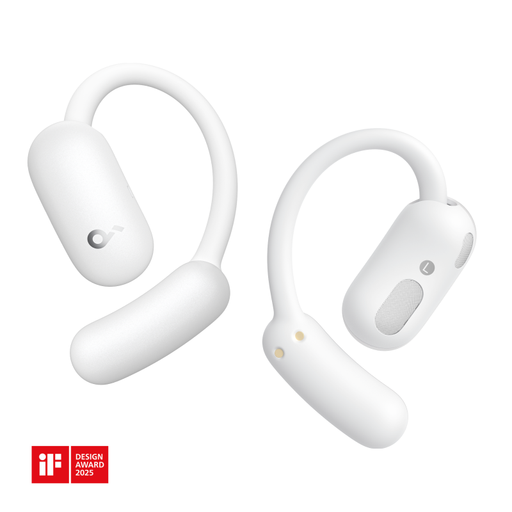
The open-ear design may suit lessons where you also want to hear people in the room.
The product name indicates a wireless version. Check that your lesson device supports the connection and microphone function; there’s no evidence that personal microphones can pick up voices from across the classroom digitally.
 No image available
This wired headset may suit individual speaking exercises if its connection matches your lesson device.
The product name lists a 3,5 mm connection and a microphone that mutes when flipped up. The stereo version may make it harder to follow live conversations in the classroom.
 No image available
The wireless stereo version may suit digital exercises where you want to take part without a cable.
ANC for the wearer is different from microphone noise cancellation. Stereo and ANC can make it harder to follow live instructions in the classroom.
 No image available
This model may be worth considering for digital speaking exercises if its connection is compatible with your lesson device.
The product information advises against using this headset in places where awareness of your surroundings is essential. This makes it less suitable if you need to keep following live conversations in the classroom.
No. That specification alone doesn’t tell you what you’ll hear in the classroom. Logitech and Trust describe microphone-side noise cancellation for the person you’re speaking to online. To hear live voices, consider your lesson set-up and whether a mono headset would suit you.
Make sure the connection is compatible with your device, select the headset as both the microphone and speaker in your lesson app, and test the mute function. Logitech lists in-line controls for the H390; Trust says the Ayda USB-ENC microphone mutes when you flip it up.
Start at a low volume and turn it up only if necessary. The World Health Organization points out that both sound level and listening time matter, and recommends keeping the volume low.
For an online consumer purchase, you’ll generally have a 14-day cooling-off period from the date of delivery, subject to legal exceptions. This is separate from your statutory guarantee: if a product doesn’t meet reasonable expectations under normal use, the seller must offer an appropriate remedy free of charge. This doesn’t mean every headset has a fixed guarantee period. ACM ConsuWijzer explains these rules.
That depends on the learning context and the school’s rules. The Dutch Government says that mobile phone use in class isn’t allowed in primary and secondary education, with exceptions – for example, when it’s needed for the lesson or because of a disability. These rules don’t necessarily apply to courses outside the school setting.