
Practising interview answers on your own
You record your own answers and listen back to them locally to assess how you speak. Audacity distinguishes between the microphone as the recording input and the headset as the audio output.


For interview practice on a computer, first choose a headset with a connection that works with your device. Then select the microphone in your recording software and export a test recording as a local audio file. If you also want to hear your interview partner, check separately whether their voice is captured in the same file via your computer’s audio output or in the room: a headset microphone won’t record it automatically. Audacity explains separately how to record and export audio; manufacturers’ claims about calls don’t tell you how your local practice recording will sound.
You record your own answers and listen back to them locally to assess how you speak. Audacity distinguishes between the microphone as the recording input and the headset as the audio output.
You want to hear both the questions and the answers. Audacity explains how to record computer audio separately from microphone input, so check that your chosen setup captures both voices.
You compare the fit, wearing style and accessibility of the controls, then assess how clearly you can be heard in a test recording. Logitech, Poly and EPOS describe different wearing and control features on their wired headsets.
Start by checking the connection and recording your own voice. If you also want to hear an interview partner, first test how their voice is captured in the local file.
| What to consider | What should you check? | Who is this important for? |
|---|---|---|
| Recording both voices | Decide whether the other person will speak through your computer or in the same room. Make a test file and listen back to both voices. | If I want to hear the questions as well, I test whether both voices are in one file. Around 36% of consumers prioritise recording both voices. |
| Connection and local file | Check that the plug is compatible with your device, select the headset as both the input and output, and make sure the file is saved locally after export. | I want to be able to save the recording on my computer and open it later, so I check both the input selection and the export. Around 29% of consumers prioritise a working connection and a local file. |
| Clarity of your own voice | Position the microphone, speak at a normal volume and listen back to a test sentence in the room where you’ll be practising. | If I want to assess my answers, I listen to check whether my voice sounds clear enough. Around 21% of consumers prioritise the clarity of their own speech. |
| Comfort and controls | Compare the wearing style and fit, and check that the controls are easy to reach in your setup. | For longer practice sessions, I want a comfortable wearing style and controls that are easy to reach. Around 14% of consumers give comfort the highest priority. |
The microphone records your voice, but it won’t automatically capture your interview partner’s voice too. For a remote conversation, computer audio is a separate recording input.
Make a short test recording with your intended interview partner or setup, and check that you can hear both voices.
Connections can vary between versions. HP lists the 3.5mm option only for the Poly Blackwire 3315 and 3325; Logitech offers the H390 with different USB connections.
Before you buy, compare the full model name and plug with your device’s ports and recording support.
A recording in software and an exported audio file are not the same thing. Without exporting, you may not have the local file you want to listen back to.
After your test recording, export the audio, check where the file has been saved and open it again.
The H390 is a wired computer headset worth comparing if you’re looking for a suitable USB connection. Logitech lists USB-A and USB-C versions.
The Blackwire 3300 series is worth considering if you’re comparing wired USB headsets in mono and stereo wearing styles.
The IMPACT 100 series includes wired versions you can compare for USB connections and wearing style.
The Evolve2 30 SE is a headset range worth comparing for microphone and wearing features during longer speaking sessions.
This selection focuses on wired headsets with microphones for recording your own voice on a computer. Check that each model’s connection and recording app work with your device; test separately whether an interview partner’s voice is also captured in the file.
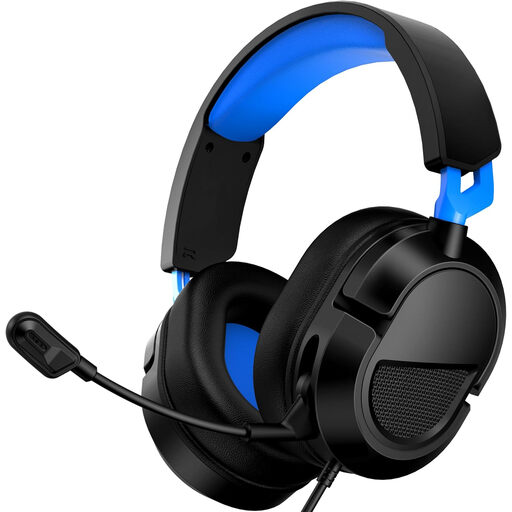 No image available
The product description lists PC compatibility and an adjustable microphone for a wired setup.
3.5mm connection; adjustable microphone; volume control.
 No image available
A USB headset for a computer setup where you want to record your own voice.
USB connection; adjustable microphone boom; in-line volume and mute controls.
The product description lists an adjustable fit and soft ear cushions.
 No image available
The product description lists a USB connection for a computer and an adjustable microphone.
USB; digital stereo audio; plug-and-play connection according to the product description.
 No image available
A wired stereo headset with a microphone to compare for use with a compatible computer.
The product listing specifies a 3.5mm connection and USB via the controller.
 No image available
A wired stereo headset with a microphone to consider if your device has a compatible 3.5mm connection.
3.5mm plug; rotatable microphone; in-line controls.
Devices with separate headphone and microphone ports may need a splitter; according to the product description, one isn’t included.
No. Select the correct microphone in your recording software, make a test recording and export the audio to a file in your chosen local storage location. Audacity describes recording and exporting as separate steps.
Not automatically. Audacity distinguishes between microphone input and recording computer audio via loopback. Test your app and settings to check that both voices are in the final file.
First, check the selected recording input and level, record a test sentence and listen back to it. Audacity warns that audio reaching 0 dB will be clipped, so adjust the level before you start practising.
It depends on how you use it. The Dutch Data Protection Authority describes a GDPR exemption, subject to specific conditions, for use that is exclusively personal or domestic; publishing the recording beyond that circle may involve other requirements. Discuss the recording with your interview partner and consider its intended use separately.
According to ACM ConsuWijzer, if a product is faulty, you have a statutory warranty claim against the seller, in addition to any manufacturer’s warranty. The ACM states that online purchases usually come with a 14-day cooling-off period. Check the terms and conditions for your specific order.