
Conversation learner who listens back to both voices
You want to save short dialogues, so as well as checking your own headset microphone, you need to find out how the other speaker’s voice is captured in the recording.


If you mainly record your own pronunciation, a headset with an adjustable microphone boom and a connection that suits your recording device is a practical choice. If you want to listen back to both voices in a conversation, first check how your recording app captures the other speaker’s voice: a headset microphone won’t do this automatically. A short test recording is also a good way to check your input settings and workflow before recording several takes.
You want to save short dialogues, so as well as checking your own headset microphone, you need to find out how the other speaker’s voice is captured in the recording.
You want to record your own voice clearly, listen back straight away and then easily make another short take.
You practise in different places or on different devices, weighing up the connection, microphone input and freedom of movement.
First decide whether you want to listen back to one voice or both. Then check your recording settings and connection, and make a test recording before saving several short takes in a row.
| What to consider | What to check before buying | Who is this most important for? |
|---|---|---|
| Recording both voices | Test whether the recording app captures both the headset microphone and the other speaker’s audio. | If I want to listen back to the whole dialogue, I check that both voices are in the test recording. Around 36% of consumers give recording both voices their top priority. |
| Recording your own pronunciation clearly | Check the microphone position and select the right input source; listen back to a test recording at a normal speaking volume. | If I want to assess my pronunciation, my own voice needs to come through clearly in the recording. Around 29% of consumers prioritise recording their own voice. |
| Managing short takes | Choose whether takes are saved as separate files or on new tracks; after the first recording, check where it has been saved. | When practising repeatedly, I want to check and save a take quickly without mixing up recordings. Around 21% of consumers value a straightforward workflow for short takes above all. |
| Connection and freedom of movement | For each model, check whether USB-A, USB-C, 3.5 mm or Bluetooth is compatible with your device and recording app. | If I practise on different devices or want to move around without a cable, I check in advance that the microphone works as a recording input. Around 14% of consumers give connection or freedom of movement their top priority. |
A product claim about the microphone doesn’t, by itself, tell you how your voice will sound in your recording app. Your selected input, microphone position and recording level all play a part too.
Make a short recording at a normal speaking volume and listen back before recording a series of takes.
A failed take may mean you have to record it again.
Jabra describes the two built-in microphones on the Evolve2 30 SE as being for voice transmission; that doesn’t mean both conversation partners will be captured in your recording file.
Make a test call to check whether the recording app captures both the microphone and the other speaker.
For the Poly Blackwire 3300 series, HP says the 3.5 mm option is only available on models 3315 and 3325. So the series name alone doesn’t tell you enough about the connection on a specific model.
Compare the full model name with your device’s port and microphone support.
The wrong model may mean you need a different connection or an adapter.
The H390 is a wired computer headset, while the Zone Wireless is a Bluetooth model.
The NTH-100M is an over-ear headset with a detachable microphone, designed for uses including voice and content recording.
The wired Evolve2 30 SE is designed for calls; models vary in connection and in whether they have a mono or stereo wearing style.
The Blackwire 3300 series includes wired models with different connections and wearing styles.
The IMPACT SC 60 USB ML is a wired, dual-ear headset for PC calls.
This selection includes headsets for practising speech on a computer, with a range of wired connection options. For each model, check that the connection and microphone input work with your device and recording app.
 No image available
An option to consider for speech practice on a computer; check the product information and recording app to make sure the connection works as a microphone input.
 No image available
This wired USB model may suit computer-based practice; check that the USB connection and microphone input are compatible with your recording device.
 No image available
This headset may be suitable for conversation practice; for short recordings, check that its microphone is available as an input in your recording app.
 No image available
The product name describes a wired USB headset. Before recording several takes, check that your computer recognises this model as a microphone input.
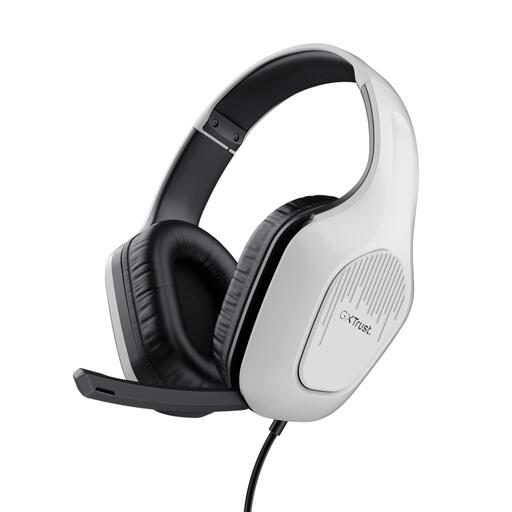 No image available
This wired model may be an option for practising on a computer or laptop. It has a 3.5 mm connection; check that your device also supports the headset microphone through this connection.
No. A headset microphone alone won’t automatically capture both voices. Audacity explains how to record computer audio playback using loopback on Windows, but this doesn’t guarantee that your calling app will also record your own microphone in the same file. Check by making a test recording in which you both speak.
First check the selected microphone and recording level, then decide where you want the next take to be recorded. Audacity lets you record at the end of an existing track or on a new track, among other options; export the recordings you want to keep.
When you make a distance purchase from a business online, you will often have a 14-day cooling-off period, according to the Rijksoverheid; the seller must provide information about this. This isn’t a promise of a longer returns period or of the terms applying to a specific order.
This depends, among other things, on how the recording is used and who you share it with. The Dutch Data Protection Authority (Autoriteit Persoonsgegevens) says that purely personal or household use falls outside the GDPR, and that the exemption for private publishing is subject to conditions. So don’t assume that public sharing is covered; agree with your conversation partner what you will record and who you will share it with.