Headsets at Joybuy
Below are headsets to consider when choosing a microphone for voice recording. For each model, check that the microphone, connection and way of using it are suitable for your computer and dictation application.
 No image available
Logitech H540 USB Headset
A wired option for dictating at a computer if USB-A suits your setup. Logitech lists a positionable noise-cancelling microphone and controls on the ear cup for the H540.
View at Joybuy
 No image available
Logitech PC 960 USB Headset
A wired USB headset to consider for dictating at a fixed workstation. Check whether you can position the microphone close enough to your mouth and whether the connection is compatible with your computer.
View at Joybuy
 No image available
Logitech H650e Stereo Headset
A wired stereo version to consider for a fixed dictation setup. Before buying, check that the connection and microphone position are suitable for your computer and dictation application.
View at Joybuy
 No image available
HyperX Cloud III S Wireless Gaming Headset
A wireless gaming headset with a detachable boom microphone to consider if its connection is compatible with your dictation computer. The product name lists 2.4 GHz and Bluetooth; check which connection mode works with your computer and software.
View at Joybuy
 No image available
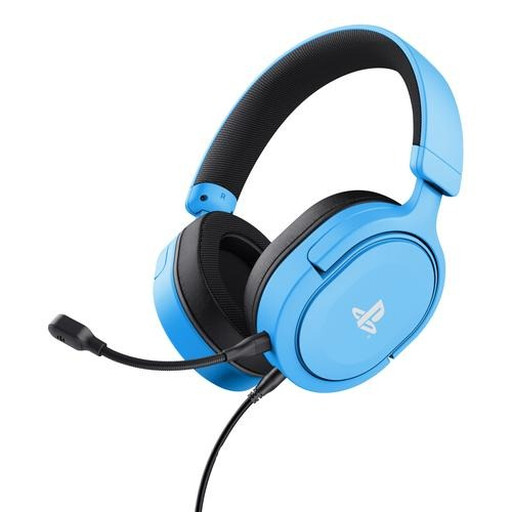
Trust GXT 498B Forta Gaming Headset, blue
A wired headset with a detachable microphone to consider if you want to position a microphone close to your mouth. Check that the connection on the version you choose is compatible with your computer.
View at Joybuy
Frequently asked questions
Do you need a special dictation headset for a single letter?
Not necessarily: you can start by recording a test dictation with a suitable headset in the room where you plan to dictate. When problems occur, Microsoft recommends checking the microphone, choosing a quieter location and, if needed, using an external microphone, among other steps. This doesn’t guarantee error-free transcription with any particular model.
Why isn’t my dictation programme recording anything?
Check that the headset is connected and not muted, that the correct microphone is selected as the input, and that the application has access to it. Microsoft notes that a blocked browser permission can prevent dictation in Microsoft 365 for the web.
Can you use a Philips SpeechOne directly via USB to record?
According to the Philips user manual, the dock must be connected to the computer for recording. The direct USB connection to the headset is for charging; recording also requires dictation software.
Is CE marking always required on a headset?
No. CE marking is required when a product falls under EU rules that require it. Your Europe, the European Union’s information service, emphasises that the rules that apply depend on the product; a CE logo says nothing about sound quality or dictation accuracy.


