
Dictating between rehearsals
You dictate study notes while other people or instruments are audible. Pay particular attention to the microphone’s position and test whether your dictation software picks up your voice clearly in the room.


Choose a headset with an adjustable boom microphone if you want to dictate in your own voice while music or other people are talking, and test the microphone with a short sample dictation in the room itself. Then choose between a wired connection and a wireless dictation headset based on your device and whether you want to move around while dictating. Manufacturers’ claims about noise cancellation don’t prove that dictation software can distinguish your voice from background noise in your rehearsal room.
You dictate study notes while other people or instruments are audible. Pay particular attention to the microphone’s position and test whether your dictation software picks up your voice clearly in the room.
You switch between a computer and another device. Check that the connection on the specific headset version is compatible with each device’s microphone input.
You wear the headset for a long time or move around while putting your notes into words. Fit, wearing style and, for a wireless model, charging requirements all matter.
Choose this option: if you dictate at a computer and prefer a direct connection to being able to move around.
Bear in mind: the cable limits your freedom of movement; check that the USB version is compatible with your port.
Choose this option: if you switch between devices with compatible USB or headset connections.
Bear in mind: HP lists the 3.5 mm option only for the Blackwire 3315 and 3325; a compatible connection doesn’t guarantee that the microphone will work with every device.
Choose this option: if you want to move around during dictation sessions and can use the required set-up.
Bear in mind: you’ll need to charge the headset, and the stated range and recording time aren’t measurements taken in a rehearsal room.
| What to consider | What should you check? | Who should pay particular attention? |
|---|---|---|
| Clarity in noisy surroundings | Check that the microphone boom can be adjusted and positioned, then make a test dictation with your usual background noise. | If I want to dictate in my own voice among music and other people talking, it’s important to test the headset in the room. Around 36% of consumers prioritise clear speech. |
| Connection and dictation function | Check for USB-A, USB-C or any 3.5 mm microphone support, as well as your device’s input and software requirements. | If you switch between devices, you’ll want to avoid finding that the microphone doesn’t work as an input source. Around 29% of consumers give top priority to a suitable, working connection. |
| Comfort | Consider adjustability, mono or stereo wearing style, and whether you want to keep one ear free while dictating. | If I’m dictating study notes for a long time, I want a wearing style that suits me. Around 21% of consumers prioritise comfort. |
| Freedom of movement | Decide whether you’ll be moving around, and if you choose a wireless model, check its stated range, recording time and charging requirements. | If you move around the room while putting your thoughts into words, a cable may feel restrictive. Around 14% of consumers prioritise freedom of movement. |
Noise cancellation for what you hear doesn’t prove that dictation software will pick up less background noise in the microphone recording.
Check the microphone separately and make a test dictation in the rehearsal room. Jabra recommends positioning the microphone close to your mouth for a specific headset model; this guidance doesn’t automatically apply to every model.
According to HP, the 3.5 mm option is available only on the Blackwire 3315 and 3325. USB versions can also vary between other models.
Check the full model name, the connection on the version you’re buying, and whether your device supports the microphone through that input.
The microphone is only one part of the set-up: the dictation function you use may have its own access, language or internet requirements.
Choose your dictation app first and check its requirements. For the Windows feature described, Microsoft lists a working microphone and internet connection, among other requirements; the dictation feature described in Word has its own access requirements, including a Microsoft 365 subscription.
The Evolve2 40 SE is a wired office headset with a boom microphone, three microphones and passively isolating ear cushions. It may be worth considering if you dictate at a computer and want to hear less background noise.
The Blackwire 3300 series includes wired mono and stereo models. HP lists the 3.5 mm option for the Blackwire 3315 and 3325.
The H390 is a wired computer headset with a boom microphone and in-line controls.
The SpeechOne PSM6000 is designed for frequent dictation and speech recognition, and features a wireless connection with a docking station.
These products are suitable for dictating study notes with a headset. Before choosing, check that the connections and microphone features suit your device and how you plan to use it.
 No image available
A wired headset to consider if you dictate via USB-A and want an integrated microphone.
The product description lists USB-A, two integrated microphones, noise cancellation and memory foam ear cushions.
 No image available
A wireless option to consider if you want to move around while dictating and test the microphone with your dictation software.
The product information lists Bluetooth, connection to two devices and up to 36 hours of battery life. The description also mentions eight microphones with beamforming for calls.
 No image available
A wired computer headset to consider if you dictate via USB and want to position the microphone close to your mouth.
The product description lists an adjustable microphone, a USB connection and plug-and-play functionality. It says the microphone helps reduce background noise.
 No image available
A mono version to consider if you want to keep one ear free while dictating; check that the microphone input works with your device.
The product information lists Bluetooth 5.0 and a USB-A Bluetooth adapter. The description mentions a microphone system that reduces background noise during calls.
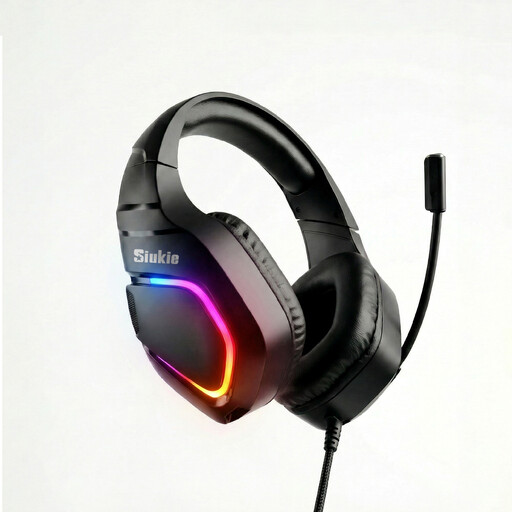 No image available
A wired option to consider if your device supports a USB or 3.5 mm microphone input.
The product name lists USB and 3.5 mm connections. The product description mentions an omnidirectional noise-cancelling microphone.
Not always: the dictation feature you use may have additional requirements. For Windows 11 voice typing, Microsoft lists a working microphone, an internet connection and a cursor in a text box; Dutch (Netherlands) is among the supported languages. The dictation feature described in Microsoft 365 Word has its own access requirements, including a Microsoft 365 subscription. Also check that the headset is selected as the input source.
If the design allows, position an adjustable boom microphone close to your mouth and make a short test dictation with your usual background noise. Jabra offers positioning advice for one of its specific headset models; don’t treat it as a universal distance rule for other headsets.
For online purchases in the Netherlands, you’ll often have a statutory 14-day cooling-off period after delivery, subject to exceptions that you should check. According to ACM ConsuWijzer, if a product breaks too soon through no fault of your own, your statutory guarantee may entitle you to a remedy from the seller. A manufacturer’s warranty is separate from these statutory rights.
This depends, among other things, on what you record and how you use the recording. The Dutch Data Protection Authority states that processing solely for personal or household use falls outside the GDPR; for processing personal data beyond this, you need an applicable GDPR lawful basis. This doesn’t establish whether a particular recording of other people is allowed: discuss it with those present beforehand and also check the rules of the venue or course.