
People who mainly dictate while seated
If you speak your notes into a computer, a consistent microphone position and a connection that works with your computer may be important.


For dictation in a small booth, an adjustable microphone boom that you can position close to your mouth is a sensible starting point. A noise-cancellation claim doesn’t prove that dictation software will recognise words more accurately. Next, choose a connection that works with your device and a style that feels comfortable during note-taking sessions. Wired is convenient if you don’t want to recharge a headset; wireless is most useful if you move around while speaking.
If you speak your notes into a computer, a consistent microphone position and a connection that works with your computer may be important.
If you wear a headset for a long time, consider the fit, ear cushions and whether you can adjust the microphone boom.
If you get up or walk around while gathering your thoughts, freedom of movement may matter more than a simple setup that doesn’t need a battery.
Start with the microphone and the connection for your device. Then check that the fit and freedom of movement suit the way you dictate your notes.
| What to consider | What should you check? | Who is this most important for? |
|---|---|---|
| Consistent voice recording | Check whether the microphone boom is adjustable. Record a test note and make sure the correct microphone is selected as the recording device. | If I’m recording voice notes, I want to be able to keep the microphone in a useful position. Around 36% of consumers give voice recording their top priority. |
| Comfort | Consider the fit, adjustability and whether the headset is mono or stereo. | For longer note-taking sessions, I want a comfortable style that suits how much of my surroundings I need to hear. Around 29% of consumers put comfort first. |
| Connection and controls | Check whether your device uses USB-A or USB-C and whether the controls work with your dictation software. | I want to connect the headset to my computer and select the right microphone in my software. Around 21% of consumers give connection and useful controls their top priority. |
| Freedom of movement | Consider whether you move around while speaking. For a wireless model, check the connection, charging options and specifications for the exact version. | If I get up or walk around while gathering my thoughts, I don’t want a cable to get in the way. Around 14% of consumers consider freedom of movement the most important factor. |
Noise cancellation may refer to the microphone or to what you hear through the ear cups. Manufacturers’ noise-cancellation claims aren’t a comparative test of dictation accuracy in a small booth.
Check which feature applies to the exact version and, if possible, record a test note using your own software.
USB-A, USB-C and other specifications can vary between versions of a model. A dedicated Teams control doesn’t automatically mean you can use it to control your dictation software.
Compare the full model specification with your computer’s ports and check which controls your software supports.
Kieskeurig.nl’s visitor rankings cover headsets in general; they don’t measure how well a model recognises spoken notes.
At most, use a ranking like this to browse models. For dictation, focus on microphone position, wearing comfort over time and the connection.
The Logitech H390 is a wired computer headset for use at a desk. Check which USB version works with your computer.
Philips positions the SpeechOne PSM6000 as a wireless dictation headset for people who dictate regularly and want freedom of movement.
The Poly Blackwire 3320 8X220AA is a wired stereo headset with USB-C and a USB-C/A adapter included.
Jabra offers several wired and wireless product ranges, including Evolve 10, Evolve2 40 SE and Engage 55.
This selection includes wired USB earphones, wireless in-ear and neckband models, and a mono headset. Some product names mention features for calls, but these don’t prove better recognition of spoken notes.
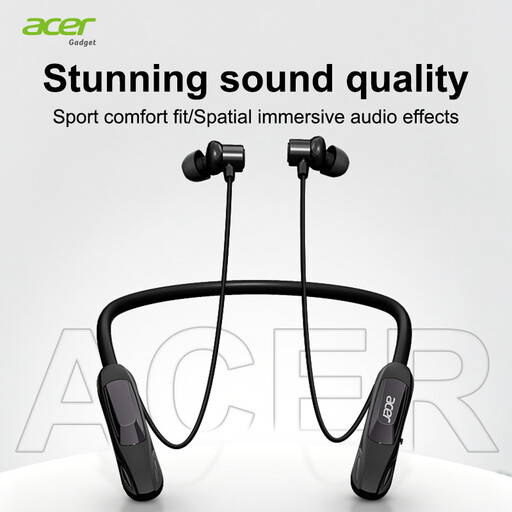 No image available
An option if you’re looking for a wireless neckband style; the product name lists Bluetooth 5.4 and noise cancellation for calls.
The call feature listed doesn’t prove dictation accuracy. Check that the microphone and connection work with your dictation software as needed.
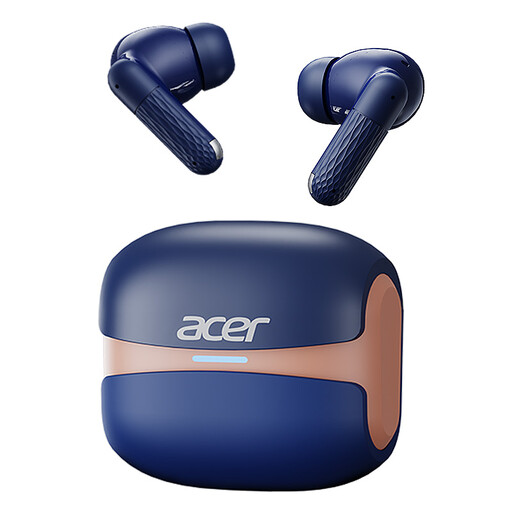 No image available
The product name describes a wireless in-ear model with Bluetooth 5.4 and noise cancellation for calls.
Before choosing, check that this style and the microphone work with your dictation software. A call feature alone says nothing about how well notes are recognised.
 No image available
This mono version is an option if you specifically want a headset for one ear; the model name lists USB-A.
Check that the exact version works with your computer and dictation software. If you use it wirelessly, remember that you’ll need to charge the headset.
 No image available
A wired in-ear option if your device has a compatible USB Type-C connection; the product name lists use for calls and music.
Check that the connection works with your device and that this style suits your note-taking sessions.
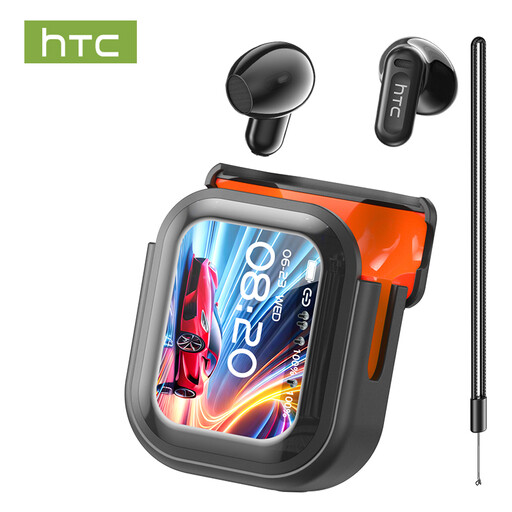 No image available
The product name lists Bluetooth 5.4, a built-in microphone and a translation feature.
Check that the microphone works with your dictation software; translation and call features don’t prove that spoken notes will be recognised accurately.
Select the headset as the recording device on your computer or in your dictation software, then position the microphone boom close to your mouth. Nuance recommends checking the microphone for Dragon when you switch microphones or if the input level isn’t right; also check the guidance for your own software.
Yes, a wireless headset with a battery needs to be charged. Philips lists up to 12 hours of recording time and a charging station for the SpeechOne PSM6000; check which components come with the exact version.
For eligible distance purchases by consumers, the Dutch government says you generally have a 14-day cooling-off period, subject to relevant exceptions. If the headset is faulty, contact the seller to arrange a solution; the cooling-off period and remedies for a fault are separate rights.
That depends on how the data is used and the applicable legal basis under the GDPR. The Dutch Data Protection Authority says organisations need a legal basis to collect and use personal data. Consent is one possible basis, but it isn’t always required.