What should you look for when choosing?
Wired headset
Choose this if: you usually dictate in one place and have a suitable port on your computer.
Trade-off: you don’t need to manage a battery, but the cable limits how freely you can move.
Wireless dictation headset
Choose this if: you want to stand up while dictating or move between workspaces, and can use the required connection or included equipment.
Trade-off: check the stated range and battery life, and remember that you’ll need to charge it.
| What to consider |
What should you check? |
Who is this important for? |
| Recording your voice clearly |
Check whether the microphone boom is adjustable, then make a short recording in a similarly busy space. |
If I’m dictating between conversations, I want to hear whether my voice comes through clearly enough. That’s why around 36% of consumers prioritise clear dictation. |
| Connection and app |
Make a note of your device’s port, check the full variant name and test the microphone in your dictation app. |
If you work across different devices or use a specific app, you’ll want to know in advance whether the connection works. Around 29% of consumers make compatibility their top priority. |
| Comfort and awareness of your surroundings |
Check whether the headset is mono or stereo, and assess the fit during a longer trial session. |
If I’m dictating for a long time, I want a comfortable headset that suits how much I want to hear in the room. Around 21% of consumers prioritise comfort. |
| Freedom to move |
Decide whether you’ll be walking around while dictating. For wireless use, check the stated range, battery life and included accessories. |
If you want to stand up or move around while dictating, freedom of movement may matter more than a simple wired connection. Around 14% of consumers give this need priority. |
Not every headset variant has a 3.5 mm connection. HP lists this option for the 3315 and 3325 models in the Poly Blackwire 3300 series. Also check that your device’s connection supports microphone input. Jabra notes that not all mobile USB-C devices or apps support audio with the Evolve2 30 SE.
Joybuy headset options with a microphone
This selection includes wired headsets and wireless headphones with a microphone. Check the connection for each model and whether its microphone works with your dictation app.
 No image available
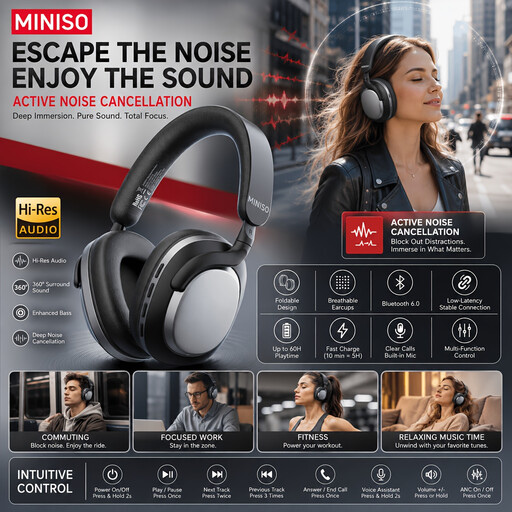
MINISO MG210 wireless over-ear headphones, black
These wireless headphones may suit you if you’d rather not use a cable. Check in advance that they connect to your dictation device.
The product information lists a microphone and a stated battery life of 24 hours.
The product description mentions AI noise cancellation for calls; this doesn’t guarantee clear dictation in a community centre.
View at Joybuy
 No image available
Turtle Beach Atlas 200 PC, wired, 3.5 mm
This wired headset is worth considering if you have a compatible 3.5 mm connection and want to adjust the position of the microphone boom.
The product information lists a microphone boom that flips up to mute, and a USB adapter included in the box.
Check that the connection you choose supports microphone input on your device and in your dictation app.
View at Joybuy
 No image available
Turtle Beach Recon 70, 3.5 mm, Green Camo
This wired headset may suit a fixed workspace where your device has a compatible 3.5 mm connection.
The product information lists a microphone boom that you can position towards your mouth and flip up to mute.
Check that the connection and microphone input work with your device and dictation app.
View at Joybuy
 No image available
Jabra Evolve2 75, USB-A, MS Teams, black
This wireless headset may suit you if you want room to move. Check that the connection and microphone work with your dictation app.
The product information lists Bluetooth, a USB-A Bluetooth adapter and the ability to connect to two devices.
The stated battery life is up to 36 hours. Wireless use means you’ll need to charge it.
View at Joybuy
Frequently asked questions
How do you test your headset before you start taking notes?
Connect the right variant, select the headset as the microphone in your app and make a short test recording with the usual sounds of the room in the background. Microsoft explains how to check microphone access and the selected input in Windows, and how to make a test recording. To open Windows voice typing, press the Windows key and H.
Does Windows voice typing work without online speech processing?
Microsoft states that Windows 11 voice typing uses online speech recognition. If you don’t want online processing, check in advance which other dictation software you plan to use and whether it works with your device. The headset alone won’t determine this.
Can you record other people’s voices in a community centre?
This depends on the purpose, whether people can be identified, what you do with the recording and the venue’s rules. The Dutch Data Protection Authority explains that personal or household use may be treated differently from processing covered by the GDPR. Consent is one possible legal basis, but it isn’t automatically required in every case. Point the microphone towards your own voice, and ask the venue about its recording policy if other people could be identifiable in the recording.
What about returns and the accessories included with a wireless headset?
For eligible online purchases made from a business, the Dutch government says you’ll generally have a 14-day cooling-off period, subject to exceptions and depending on the type of purchase. Before paying, check the delivery and returns information, and see which accessories are included with a wireless headset for connecting and charging it.


