If you dictate while other people are talking, choose a headset with a boom microphone close to your mouth and start by assessing a test recording in the room. A wired USB headset suits a fixed workstation; a wireless dictation headset gives you more freedom to move, but you’ll need to consider its range, charging and the right receiver. Also check that the connection and microphone work with your speech software.
Who is this choice relevant to?
Dictating in a busy room
You’re recording your own report while nearby conversations could interfere with the recording. So assess the recording where you work; Philips, Jabra and EPOS describe dictation or microphone noise-processing features for specific models and product ranges.
Dictating at a laptop
You stay at your computer and want the headset, USB port, microphone settings and speech function to work together. Jabra lists USB-A and USB-C versions, while Microsoft Support explains the requirements for voice typing and how to test a microphone in Windows.
Moving around while recording a report
You want to be able to leave your workstation while dictating. Philips lists a wireless range of 5 metres for the SpeechOne PSM6000; when choosing, also consider charging and the layout of the room.
What should you look for when buying?
A noise-cancelling claim won’t necessarily tell you how a dictation will sound in your room. Start by making a test recording in the intended location, then weigh up the connection, comfort and freedom to move.
| What to consider |
What should you look for? |
Who is this most relevant to? |
| Recording your voice among conversations |
Keep the microphone close to your mouth and listen back to a test recording where you’ll be dictating. |
If I dictate in a room where people are talking, I want to hear whether my voice remains clear at my workstation. Around 36% of consumers rank recording among background conversations as their top priority. |
| Connection and speech input |
Check that the USB-A or USB-C version is compatible with your computer and test that the correct microphone is selected. Windows voice typing requires an internet connection and an active text field. |
If I dictate on a laptop, I want the headset to work straight away as the microphone for my speech function. Around 29% of consumers give connection and speech input the highest priority. |
| Comfort during a longer report |
Assess the fit, adjustability and ear cushions while wearing the headset; comfort varies from person to person. |
If I’m dictating for a long time, I want a comfortable headset. Around 21% of consumers rank comfort above the other considerations. |
| Freedom to move |
Weigh up a cable against wireless range and charging. Philips lists a range of 5 metres for the SpeechOne PSM6000; check whether that suits the route you’ll take. |
If I want to move away from my computer while dictating, I want to know whether the connection will cover my route. Around 14% of consumers rank freedom to move as their top priority. |
Common purchasing mistakes
-
Confusing noise cancellation for your ears with microphone noise processing
Active noise cancellation can reduce the sound you hear as the wearer, while microphone noise processing affects the signal being recorded. A product specification doesn’t tell you how accurately your dictation will be recognised in the room.
Check these features separately and listen to a short test recording against the actual background noise.
Misrecognised text can take extra time to correct.
-
Checking only whether the headset has USB
The Jabra Evolve2 40 SE is available in USB-A and USB-C versions. Your computer must also use the headset microphone as its input.
Compare the connection on the exact version with your computer and test the microphone before an important report.
-
Assuming wireless range means unlimited freedom to move
Philips lists a range of 5 metres for the SpeechOne PSM6000. Whether that’s enough depends on the layout and the route you want to take.
Walk the route you intend to take and charge the headset before use.
Brands to consider
Philips
Philips says the SpeechOne PSM6000 is designed for frequent dictation and speech recognition, making it worth considering if wireless operation is a priority.
- Philips lists an adjustable wearing style, replaceable ear cushions and a 5-metre range for the PSM6000.
- These model specifications don’t guarantee accurate transcription in your community centre; test the recording and check the range and charging requirements.
Jabra
The wired Evolve2 40 SE with a boom microphone is designed for a fixed computer workstation; the range includes mono and stereo versions.
- The manual lists USB-A and USB-C versions and recommends positioning the microphone close to your mouth.
- The microphone performance described is intended for calls. Test the headset with your dictation software and check the connection on the version you choose.
Logitech
The H390 is a wired USB computer headset with in-line controls, suited to anyone working in a fixed location.
- Logitech lists a noise-cancelling microphone and a choice of USB-A or USB-C.
- The product description focuses on calls, not independently measured dictation accuracy in a room. Make a test recording yourself.
EPOS
The wired IMPACT 800 range may be worth considering if you want to weigh up microphone noise processing and reduced background noise for the wearer.
- EPOS describes microphone noise processing and active noise cancellation for the wearer on ANC versions.
- Not every feature is included on every model in the range. Check the exact version and assess separately what the microphone picks up in your room.
Joybuy product picks
These product picks include wireless headsets and earphones with a microphone. For dictating in a community centre, check that the microphone and connection suit your workstation and software; product descriptions don’t prove how clearly a recording will come through in your room.
 No image available
Corsair VOID RGB V2 Wireless Gaming Headset, White
Consider this wireless gaming headset only if wireless operation suits your dictation setup; assess the recording yourself against the room noise.
A compatible NVIDIA GeForce RTX graphics card is required for the NVIDIA Broadcast noise cancellation mentioned.
Joybuy
 No image available
Sennheiser MOMENTUM 4 Wireless, White
These wireless over-ear headphones are an option if you want to work without a cable; test separately whether the microphone is suitable for your dictation.
The product name lists noise cancelling, 60-hour battery life and 4 microphones. These claims don’t prove transcription accuracy in a community centre.
Joybuy
 No image available
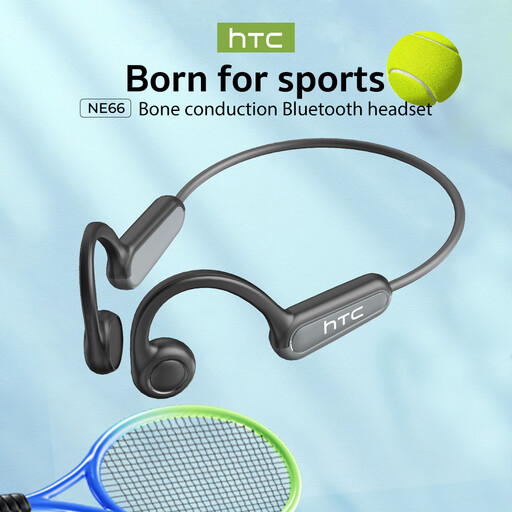
NE66 AI Translation Bone Conduction Headphones, Black
Consider this model only if you’re specifically looking for bone-conduction earphones; before use, check that the recording function works with your dictation software.
Bluetooth 5.4 is listed in the product name. Also check the controls and recording in the place where you plan to dictate.
Joybuy
 No image available
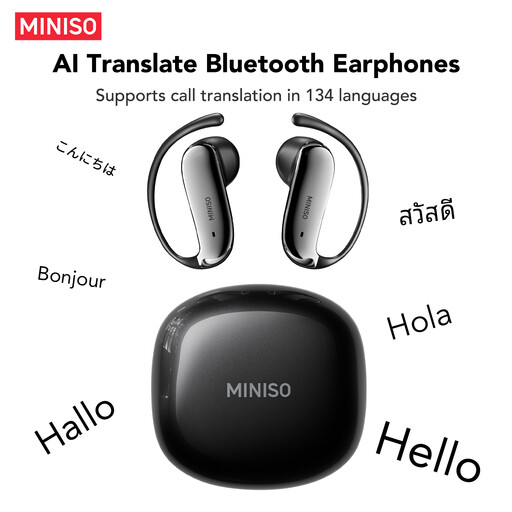
MS218 Open-Ear Bluetooth Earphones, Black
This open-ear model may be worth considering if you’re looking for earphones with an open design; make a test recording to assess what the microphone picks up in the room.
The product name lists Bluetooth 6.0 and AI Noise Cancelling. These terms don’t show that nearby conversations will be removed from your dictation.
Joybuy
 No image available
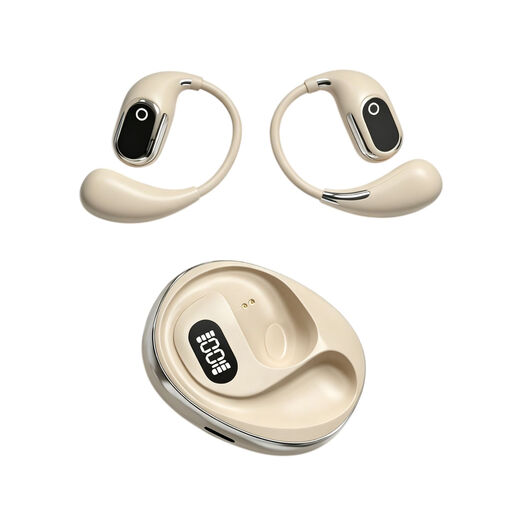
OWS On-Ear Headphones with Built-in Condenser Microphone, Beige
The built-in microphone makes this model worth considering for dictation; check that its recording function fits your way of working.
The product name lists a charging case with Type-C. Test the microphone with your dictation software before relying on it for a report.
Joybuy
Frequently asked questions
How can I check that the right microphone is recording before I start my report?
Select the headset as the input device in Windows, start a microphone test and listen back to the sample recording. Repeat the test where you plan to dictate in the room.
Does Windows voice typing work without an internet connection?
No. The feature described by Microsoft Support requires an internet connection, a working microphone and an active text field. This applies to that specific Windows feature and not necessarily to other dictation software.
How should I care for a headset used by several people?
Follow the cleaning instructions for the exact model and check whether the ear cushions can be replaced. Philips lists replaceable ear cushions for the SpeechOne PSM6000; this doesn’t automatically apply to other headsets.
Who should I contact if a headset bought online is faulty?
Contact the seller. According to the Dutch government, your legal right to a product that works properly remains relevant alongside any commercial warranty. For an online purchase by a consumer from a business, you’ll generally have 14 days to change your mind, subject to applicable exceptions.
Am I allowed to record recognisable voices of other people in the room?
That depends on what you record and who processes the recording. The Dutch Data Protection Authority notes that recognisable audio recordings can constitute personal data; before processing them, an organisation must determine which GDPR legal basis applies. If you’re only dictating your own report, that doesn’t automatically mean you have to record the voices of other people in the room.


