What should you look for when buying?
First, make a test recording where you plan to dictate. Then check that the headset connects to the shared computer and that your dictation software is using the right microphone.
| Buying concern |
What to look for |
Who may prioritise this |
| Picking up your voice during conversations |
Check the microphone boom, mute function and selected input. Make a test recording while the space is being used as usual. |
If I dictate at a shared desk, I want to know whether my words are picked up clearly among conversations. Around 36% of consumers put voice capture first. |
| Connecting to a shared computer |
Check whether the USB-A or USB-C connection matches the computer, and check microphone access, input selection and dictation software. |
If I move between desks often, I want to get started without connection or input problems. Around 29% of consumers prioritise compatibility with their workstation. |
| Comfort during longer dictation sessions |
Consider the fit, ear cushions and easy-to-reach controls; if possible, try the headset during a typical dictation session. |
When I dictate emails for longer periods, I want the fit and controls to remain comfortable. Around 21% of consumers prioritise extended use. |
| Keeping dictated text confidential |
Consider whether others may hear the email and which dictation service your organisation allows. Muting the microphone does not stop colleagues from hearing your voice. |
If I want to dictate confidential content, I want to avoid colleagues overhearing me or using a service that isn’t approved. Around 14% of consumers prioritise confidentiality. |
Joybuy products
This selection includes wired USB headsets and wireless headphones or earbuds with microphones for calls. Check the connection and microphone controls for each model, and test it with your own dictation software.
 No image available
Sennheiser MOMENTUM 4 Wireless, White
Wireless over-ear headphones with microphones for calls; test how your dictation software picks up your voice.
Product information lists noise cancellation, 60-hour battery life, fast charging and 4 microphones.
View at Joybuy
 No image available
Samsung Galaxy Buds4 Pro, Black
Wireless in-ear earbuds with microphones for calls; check the connection to the shared computer and test a recording in your dictation software.
Product information lists six microphones with Deep Neural Network technology and active noise cancellation.
View at Joybuy
 No image available
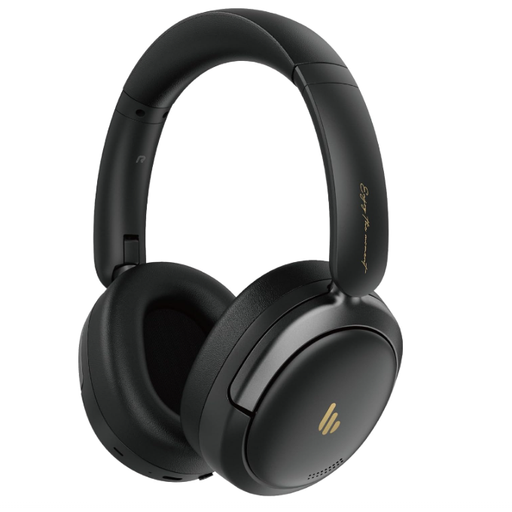
Edifier Atom Max, Black
Over-ear headphones with an integrated microphone and microphone noise cancellation; make a test recording to see how they work with your dictation software.
Product information lists hybrid active noise cancellation, 45 hours of playback time and Bluetooth 5.4.
View at Joybuy
 No image available
Kingston USB Hi-Fi Headphones with Microphone
A wired USB headset with a microphone boom for anyone looking for a direct computer connection; the cable limits your freedom of movement.
Product information lists a 270-degree rotating microphone boom, microphone noise cancellation and compatibility with Windows, Mac and Chromebook.
View at Joybuy
 No image available
Samsung EO-IC100, USB Type-C, Black
A wired in-ear headset with a microphone for calls; check that the shared computer has a compatible USB Type-C connection.
Product information lists a microphone mute function and in-line controls.
View at Joybuy
Frequently asked questions
Will a headset automatically work for dictating emails in Outlook?
No. Outlook dictation uses a microphone and a reliable internet connection, but you should also check the software version, microphone access and selected input. If you have problems, Microsoft Support recommends checking whether the microphone is muted and trying a quieter spot, among other things.
How do I get started with dictation on a shared computer?
Connect a headset that’s compatible with the computer and check that the system is using it as the input device. Start with a short test recording; if you have problems, Microsoft Support recommends checking the connection, microphone settings and mute function.
Is active noise cancellation the same as a microphone that filters out colleagues’ voices?
No. HP lists both active noise cancellation for what you hear and separate noise cancellation in the microphone for the Poly Voyager Focus 2. Test which voices your dictation software actually picks up.
What can I do if my headset doesn’t work properly after purchase?
For a consumer purchase in the Netherlands, the product must be of satisfactory quality; if it isn’t, the seller must offer a solution. According to the Dutch government, the Netherlands has no fixed statutory two-year guarantee period. Online purchases from a business are also covered by a 14-day cooling-off period in many cases; check which terms apply to your purchase.
Can I use a dictation service to process business emails containing personal data?
A headset doesn’t determine that. The processing of personal data is covered by the GDPR; if an organisation uses a service provider acting as a processor, the Dutch Data Protection Authority says a data processing agreement is required. Follow your organisation’s policy on the service you choose, and don’t dictate confidential content where others can hear you.


