
Anyone dictating in a busy room
You want the microphone to pick up mainly your voice when other people are talking. So pay attention to the position of the microphone boom and make a test recording where you plan to dictate.


First, choose a headset that works with your computer or phone, then test it with the dictation feature you actually use. An adjustable microphone boom is a practical starting point when there’s background noise. A wired headset saves you from pairing and charging, while a wireless one gives you more freedom to move around. No headset can stop people nearby from hearing the email you dictate aloud.
You want the microphone to pick up mainly your voice when other people are talking. So pay attention to the position of the microphone boom and make a test recording where you plan to dictate.
You want to get started quickly, but you’ll need to check which microphone the computer and dictation feature are using, and whether the app has permission to access it. Microsoft Support explains how to set up and test the input microphone in Windows.
You dictate on a phone or move between locations. Check that the connection or wireless link is compatible with your device and the app you use to enter text. Google explains how to dictate using Gboard in apps such as Gmail.
First, check that your device and dictation feature can work with the headset. Then test it in the place you intend to use it to see whether the microphone captures what you need.
| What to consider | What should you check? | Who is this important for? |
|---|---|---|
| Background speech | Position the microphone correctly and listen back to a test recording in the place where you’ll be dictating. | If I dictate among people who are talking, I don’t want to have to correct every word afterwards. Around 28% of consumers make voice recording their top priority. |
| Privacy | Consider whether people nearby are allowed to hear the email, and check how the dictation feature you use processes speech. | I don’t want to share a confidential email aloud with people around me, so I’ll need to change my location or input method. Around 22% of consumers put confidentiality first. |
| Connection and input | Check the port, microphone permissions and selected input. Test it in the email app you use. | If I dictate on a particular device, I want to be sure that the headset microphone is the one working. For around 22% of consumers, device compatibility is the top priority. |
| Comfort | Look for adjustability and decide whether you want to cover one or both ears. | If I’m writing for longer and want to remain available to talk to others, comfort matters when I’m choosing. Around 17% of consumers prioritise comfort and staying connected with the room. |
| Freedom to move | Decide whether you’ll be moving around while dictating. If you choose a wireless headset, also check the connection, adapter and battery charge. | If I move around while dictating, a cable can get in the way. Around 11% of consumers put freedom of movement first. |
The earcups and microphone have different functions. A specification for calls doesn’t prove how well speech recognition works when other people are talking in the room.
Look for information about the microphone and make a test recording where you intend to use it.
A recording with lots of background speech can mean more work correcting the text.
People nearby can hear the email you dictate, regardless of what the headset picks up.
Dictate confidential text out of earshot or enter it another way. Also check how the software you use processes speech.
USB-A, USB-C and 3.5 mm are different connections. Versions of the same model can also vary; the Jabra Evolve2 65 and Evolve2 65 Flex, for example, are different models.
Compare the full model variant with your device and check which microphone appears as an input.
An unsuitable connection or a different variant may mean you still need a compatible headset or adapter.
The H390 is designed for a wired USB computer setup, while the H151 uses a compatible 3.5 mm headset connection.
The Blackwire 5200 series offers a wired business headset in mono or stereo versions.
The IMPACT SC 30 USB ML is a single-sided USB headset for computers.
The Evolve2 65 is a wireless business headset with a microphone boom.
This selection includes wired headsets for dictating on a computer. Check each model’s connection for compatibility and make sure its microphone works with your dictation app.
 No image available
A wired USB headset for dictating on a computer. Check that the microphone works as an input in your dictation app.
 No image available
A wired USB headset for a computer. Select and test the headset microphone before dictating an email.
 No image available
A wired USB headset for use with a computer. Check that the dictation feature is using the headset microphone.
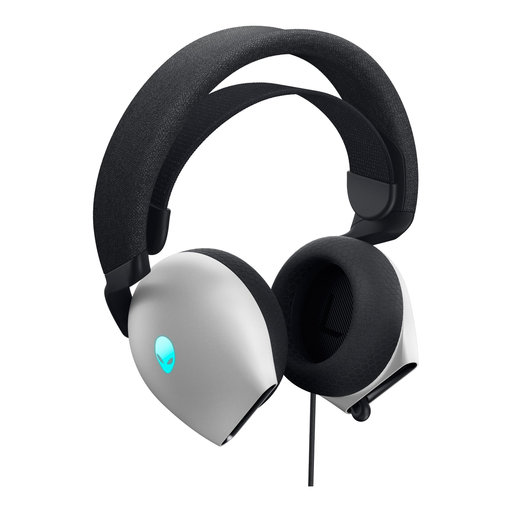 No image available
A wired headset for dictating on a computer. Check the connection on this version and whether your device supports microphone input through it.
 No image available
An option for a device with a compatible headset connection. Check that the connection also supports microphone input.
Yes, if your email app has a text field and a usable dictation feature. On a Windows PC, you can use Windows key + H with a working microphone and internet connection. On Android, Google explains how to dictate using Gboard in apps such as Gmail. Test the feature in the app you use.
Make a test recording where you plan to dictate, then listen back to see whether your words are recognised correctly. An adjustable microphone boom can help you position the microphone near your voice, but it doesn’t guarantee that background speech will be filtered out.
In Windows, go to Sound and Input, select the headset microphone and make a test recording. Also check that the microphone isn’t muted and that the app has permission to use it.
No, people around you can still hear the email you dictate. Dictate confidential text out of earshot or enter it another way. Also check how the dictation feature you use processes speech.
Yes. The Dutch Authority for Digital Infrastructure explains that electrical and electronic equipment, including headphones, must have a valid CE mark. Check that the product has one; it doesn’t tell you how well the headset will work for dictation in your room.