What should you look for in a headset for dictating a diary?
Start with a microphone you can position close to your mouth, and a connection that’s compatible with your device. Then try dictating in your own room and check both the recognised text and your dictation feature’s privacy settings.
| What to consider |
What to look for |
Who should pay particular attention? |
| Clear voice recording |
Choose an adjustable boom arm, position the microphone close to your mouth and test a short recording with the usual household background noise. |
If I dictate in a room with echo or background noise, I want to know how my voice will be recorded in that space. Around 34% of consumers say clear voice recording is their main buying concern. |
| Comfort |
Check the fit, adjustability and whether the microphone stays in place when you move your head. |
For longer diary entries, I want a comfortable fit and a microphone that stays in a useful position. Around 20% of consumers put comfort first. |
| Connection and app |
Check whether it’s USB-A or USB-C, and test the headset with the device and dictation app you plan to use. |
If I need the headset to work with my computer or mobile device, I want to check both the connection and the app. Around 20% of consumers say compatibility is their main concern. |
| Voice and text privacy |
Before dictating, read the information about data processing in your chosen software and settings. |
When I dictate personal diary entries, I want to know how the dictation service processes them. Around 13% of consumers put privacy first. |
| Additional accessories |
Check what’s included with the version you’ve chosen, such as an adaptor or docking station, and whether you need those items. |
If I want a complete, simple set-up, I compare the accessories I’ll need for each version. Around 13% of consumers say additional accessories are their main buying concern. |
Joybuy products for voice recording
This selection includes wired and wireless headsets and earphones with microphones. Check that each model’s connection is compatible with your device, and test the microphone with your own dictation feature in the room where you write.
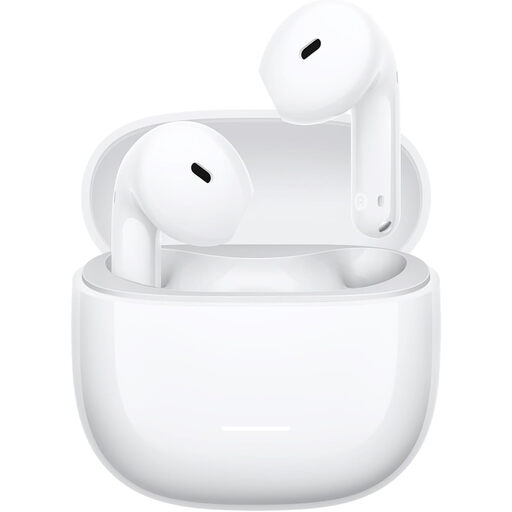 Image unavailable
REDMI Buds 8 Active White True Wireless Semi-In-Ear
Wireless in-ear earphones with a microphone may suit you if you’re not looking for a wired headset; test the recording with your own dictation app.
The product name specifies the colour White and the Semi-In-Ear style.
View at Joybuy
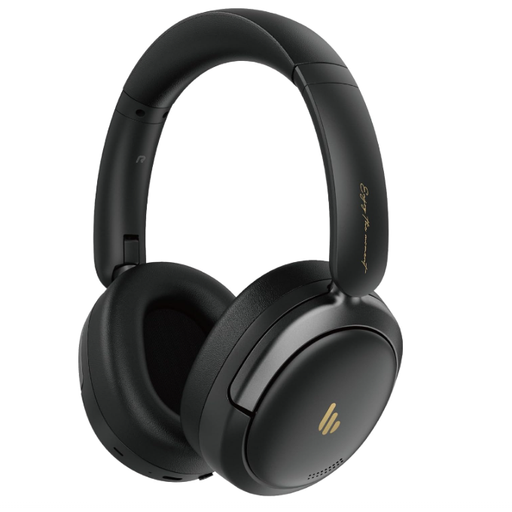 Image unavailable
Edifier Atom Max Black
The over-ear design may be worth considering if you’re looking for a headset that covers your ears; check how the microphone works with your dictation app in your own room.
The product name specifies a foldable over-ear headset, an integrated microphone and Bluetooth 5.4.
View at Joybuy
 Image unavailable
Kingston USB Hi-Fi Headphones with Microphone
The product name describes USB headphones with a microphone for anyone looking for a wired connection. Test the recording with the dictation software you plan to use.
View at Joybuy
 Image unavailable
Samsung EO-IC100 USB Type-C Black
This wired in-ear headset may suit you if you’re looking for a USB Type-C connection; check that your device and dictation app support audio through this connection.
The product name describes a headset for calls and music with a USB Type-C connection.
View at Joybuy
 Image unavailable
Razer BlackShark V2 X 7.1 Wired Gaming Headset
This wired gaming headset is an option if you’re looking for a headset with a microphone; test the recording in your room and with the dictation app you use.
The product name specifies a wired headset and a 7.1 designation. Check that the connection is compatible with your device.
View at Joybuy
Frequently asked questions
How do you set up a headset for your first diary dictation?
Select the headset as your input microphone, choose the right dictation language and make a short recording in the room where you usually write. Keep the microphone close to your mouth, then check the recognised text and background noise before dictating a longer entry.
Is noise cancellation on the ear cups enough for better transcription?
No. According to Jabra, passive isolation from ear cushions reduces the noise you hear, but it doesn’t, by itself, tell you how the microphone records or how dictation software recognises speech. Test the microphone with the software you plan to use in your own room.
What should you check on a wireless dictation headset?
Check the charge and docking connection before a session. Philips lists up to 12 hours of recording time for the SpeechOne PSM6000; accessories vary by version.
If your headset is faulty, are you only entitled to the manufacturer’s guarantee?
No. For consumer purchases in the Netherlands, you have statutory consumer rights as well as any commercial guarantee. ACM ConsuWijzer says that the seller is responsible if a product doesn’t do what you could reasonably expect it to; there isn’t one fixed statutory guarantee period that automatically applies to all headsets.
Does the GDPR apply to a privately dictated diary?
The Dutch Data Protection Authority says that the GDPR doesn’t apply to personal data processed solely for personal or household use. That doesn’t automatically mean that publicly sharing your text or having an online dictation service process it falls under the same exception. Before using the service, check its information and how you share your text.


