Products at Joybuy
This selection includes wired and wireless headsets for one speaker, plus a speakerphone for shared audio around the table.
 No image available
Logitech PC 960 wired USB headset
For a chair who does the talking and wants to use a wired USB headset.
View at Joybuy
 No image available
Logitech H340 black wired USB headset
A wired USB headset for a chair who’ll be doing most of the talking.
View at Joybuy
 No image available
Jabra Evolve2 55 wireless stereo headset
A wireless headset for a chair who does the talking and wants to move around during the meeting.
View at Joybuy
 No image available
Trust Ayda black wired USB Type-A headset
A wired USB headset for a chair who does the talking; check that USB Type-A is compatible with your device.
View at Joybuy
 No image available
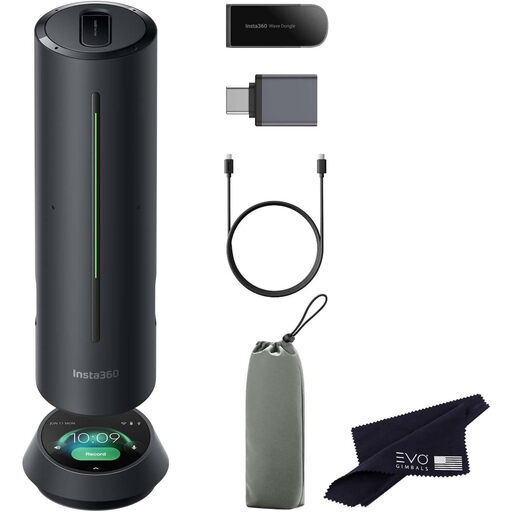
Insta360 Wave AI conference speakerphone with Bluetooth, black
A speakerphone for shared audio when several people around the table need to speak to remote participants.
View at Joybuy
Frequently asked questions
Can everyone at the table join in through your headset?
Don’t assume they can: a headset microphone sits close to the wearer’s mouth. If others around the table need to speak too, compare a shared microphone setup with the seating positions. Jabra states that the Speak2 55 has a range of up to 2.3 metres; check whether that suits your table.
How can you prevent echo if people are also joining on their own laptops?
Decide which device will handle the room’s audio. Zoom lists multiple devices with active audio in the same room as a possible cause of echo and recommends disconnecting the audio on other devices; according to Zoom, muting the microphone alone may not be enough.
What should you check if your microphone doesn’t work when the meeting starts?
Check that your device and browser allow the meeting app to access the microphone, and that the correct microphone is selected in the app. If you’re using a USB-C headset, also check that your device and app support that audio connection.
Who should you contact if a headset breaks unexpectedly during normal use?
Contact the seller. According to ACM ConsuWijzer, your statutory guarantee is in addition to any seller’s guarantee. If a product breaks sooner than you could reasonably expect, the seller must provide an appropriate solution free of charge.
What should you check if a headset doesn’t work with your meeting app?
Check that the app has access to the microphone and speaker, and that the correct devices are selected in the audio settings. Microsoft Support recommends checking the audio settings on both your device and browser; with some USB-C devices, compatibility also depends on the specific device and app.


