
Discussion leader with housemates in the background
You’re the only person joining from home and want online participants to hear mainly your voice. Consider microphone noise cancellation separately from ANC for your own listening.


If you’re the only person joining a book discussion online from home, choose a personal headset that suits your microphone needs, connection and wearing preferences. If housemates at the table also need to join in online, first decide how the group will be picked up: a headset for one speaker won’t necessarily be suitable. Microphone noise cancellation and ANC for your own listening experience are different features.
You’re the only person joining from home and want online participants to hear mainly your voice. Consider microphone noise cancellation separately from ANC for your own listening.
People at the table will be joining in alongside online participants. Look at group audio first, rather than a personal microphone designed to suppress nearby voices.
You’re leading the discussion on your own, but want to move around now and then. Consider the trade-offs between freedom of movement, connectivity and battery use.
Best for: joining from a computer in a fixed spot, when only your voice needs to be heard online.
Trade-off: there’s no battery to run down or Bluetooth connection to set up, but the cable limits how far you can walk. Logitech describes the H390 as a wired headset with microphone noise cancellation and in-line controls.
Best for: speaking on your own and having more freedom to move around while leading the discussion.
Trade-off: check the connection and battery life of the specific version. HP describes the Poly Voyager Focus 2 as a Bluetooth headset with microphone noise cancellation and adjustable ANC for the listener.
Best for: several people in the same room who need to speak to online participants themselves.
Trade-off: a speakerphone shares audio with the room, so placement and echo need consideration. Zoom Support lists multiple devices with active audio in one room as a possible cause of echo.
First decide who needs to speak in the room. Then choose between a personal headset and group audio, and only after that consider the connection, wearing comfort and freedom to move around.
| What to consider | What should you check? | Who is this important for? |
|---|---|---|
| Clarity | Check the microphone and mute controls; test with normal background noise before the discussion starts. | If I’m the only person speaking online while housemates are in the background, I want my voice to come across clearly. Around 36% of consumers put clarity first. |
| People at the table | Work out how many people in the room will be joining in, and test whether their voices can be heard from the relevant seats. Zoom Support warns that multiple active audio connections in one room can cause echo. | If others at the table want to join in too, I need a set-up that picks up more than one voice. Around 29% of consumers put housemates’ participation first. |
| Listening comfort | Compare the style and fit; if you’re looking at ANC, check whether it’s for the listening experience rather than capturing your voice. | If I want to follow the discussion easily and wear my headset comfortably, I’ll consider listening comfort and fit. Around 21% of consumers put these needs first. |
| Freedom to move around | Decide whether you want to walk around while leading the discussion, and check that the connection and power requirements suit the version you choose. | If I want to move around during the conversation, I don’t want to be tied unnecessarily to a fixed computer desk. Around 14% of consumers put freedom of movement first. |
ANC affects what you hear; microphone noise cancellation affects the sound that other participants hear. HP describes these as separate features on the Voyager Focus 2.
Choose according to the issue that matters most for your discussion, and check both features separately.
A personal microphone and a speakerphone for a room serve different purposes. Logitech describes the Zone Wired as a headset for an individual speaker; HP positions the Poly Sync series for small meeting rooms.
Before buying, decide who needs to speak in the room and test the set-up from the relevant seats.
According to Zoom Support, multiple devices with active audio in one room can cause echo.
Decide which device will handle the room audio, and turn off any unnecessary active audio connections.
Logitech describes both wired USB headsets for one speaker and the Zone Wired, a separate model with two microphones designed to help with speech in noisy working environments.
Jabra describes the wired Evolve2 50 as a headset with ANC, available in mono and stereo versions, for people who want to consider their own listening experience as well as speaking.
HP describes the Voyager Focus 2 as a personal wireless headset and the Poly Sync series as speakerphones for small meeting rooms. These are different set-ups.
This Joybuy selection features personal headsets and headphones for one online discussion leader. If several people at the table need to join in, consider a group audio set-up first.
 No image available
Wireless over-ear headphones for a discussion leader who doesn’t want to be tied to a cable.
The product name lists noise cancellation, 60-hour battery life, fast charging and 4 microphones.
 No image available
Wireless in-ear earbuds to consider if you’d rather wear earbuds during a personal online discussion.
The product name lists active noise cancellation.
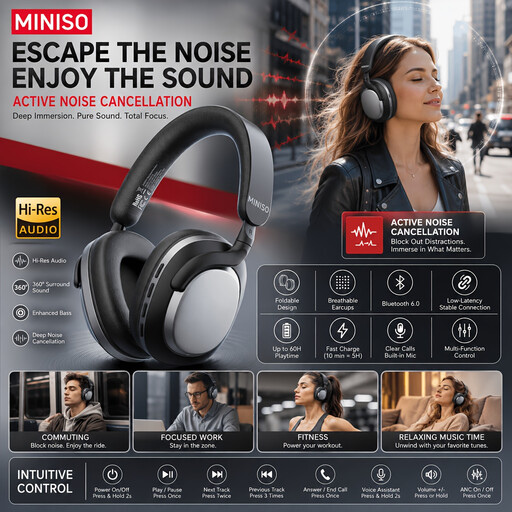 No image available
Wireless over-ear headphones to consider if you don’t want to be tied to a cable while leading the discussion.
The product name lists noise cancellation and 24-hour battery life. Check the product information to see whether they’re suitable for voice calls.
 No image available
A wired over-ear headset to consider if you’ll be joining from a fixed spot.
The cable limits your freedom of movement compared with a wireless version. Check that the connection is compatible with the device you use.
 No image available
A personal headset to consider for an online book discussion where you’re the only person speaking from the room.
Check that the connection and controls on the specific version work with your computer and calling app.
Don’t assume it will. A headset for one speaker and a speakerphone for a room are different set-ups. If other people need to join in, test whether their voices come across clearly from the relevant seats.
Check which microphone and speaker are selected in your calling app, test the mute button and ask someone at the other end to listen while you speak at a normal volume. Zoom Support recommends checking the selected audio devices and connection if you have sound problems; multiple active audio connections in the same room can cause echo.
Not for that reason alone. HP describes ANC on the Voyager Focus 2 as a feature for your listening environment, while its microphones with noise cancellation are designed for the people you’re speaking to. So check which feature matches what you want to improve.
For online consumer purchases in the Netherlands, there is generally a statutory 14-day cooling-off period from delivery, although exceptions apply; ACM ConsuWijzer explains how this period works. The Netherlands Authority for Consumers and Markets also says that the seller is responsible for the statutory guarantee if a product doesn’t meet what you could reasonably expect. Any manufacturer’s guarantee is separate.