For precise reviewing at a fixed, quiet workstation, a well-fitting, wired, closed-back monitoring headphone is a sensible choice. However, a manufacturer's description alone cannot prove how well a model reproduces quiet speech in Dutch. If background noise or switching between devices is a frequent distraction, wireless headphones with active noise cancelling may be more practical. Noise cancelling does not clean up audio in the recording itself.
Who is this buying guide for?
Reviewer assessing quiet speech
You check how intelligible the speech is, as well as breaths and transitions into quiet sections in a presentation recording. Audacity explains how background noise can become audible during quiet sections and how different editing tools handle it.
Reviewer in a noisy environment
You often listen somewhere other than a quiet workspace and want to limit background noise without constantly turning up the volume. VeiligheidNL notes that well-fitting headphones can help you listen at a lower volume.
Reviewer working from home for long periods
You listen to several versions in a row and want headphones that are comfortable and work with your devices. The Consumentenbond assesses headphones on factors including comfort, cable length and ease of connection.
What should you look for when choosing?
Wired, closed-back monitoring headphones
Choose this option if: you work at a fixed workstation, listening back to speech, breaths and transitions into silence, and your device has a suitable audio output. Audio-Technica and Sennheiser describe the models mentioned here as monitoring headphones.
Bear in mind: the fit affects how much background noise is kept out. A cable can restrict your movement, and you may need a suitable adapter.
Wireless headphones with active noise cancelling
Choose this option if: background noise or switching between devices is the main thing getting in the way of your reviewing. Sony describes the WH-CH720N as a wireless model with noise cancelling.
Bear in mind: the headphones need charging, and noise cancelling does not remove noise that is already in your recording.
| What to consider |
What to look for |
Who does this matter most to? |
| Quiet speech and silent sections |
Listen to a clip of your own with quiet words, breaths and silence; check the final export too. |
If I want to hear whether quiet words and silent sections come across well in my presentation, accurate listening is my top priority. Around 36% of consumers say this is their main buying need. |
| Background noise |
Try the fit in the environment where you’ll use the headphones and compare the same clip using the available listening modes. |
When noise in my workspace masks quiet sections, I want to listen more comfortably without constantly turning up the volume. Around 29% of consumers say reducing background noise is their top priority. |
| Comfort |
Assess the fit during a listening session that reflects how you’ll use the headphones; check the returns policy. |
If I listen to several versions in a row, I want the ear cushions and headband to feel comfortable. Around 21% of consumers prioritise comfort for repeated use. |
| Connectivity and freedom of movement |
Check the connections on your devices and which cable comes with the model you choose. |
If I switch between my phone and laptop or want more freedom to move around, the connection needs to work with my devices. Around 14% of consumers say flexible device use is their top priority. |
Common buying mistakes
-
Confusing noise cancelling with cleaning up a recording
Active noise cancelling targets background noise while you listen. Noise that is already in the recording needs to be dealt with separately.
Listen to a quiet section in the final export and assess recorded noise separately in your editing software. Audacity describes noise reduction for constant background noise and a noise gate for quieter parts of a recording.
Background noise you only notice after publishing can mean extra time spent revising.
-
Assuming a monitoring description proves you’ll hear every detail
A manufacturer's description is not a comparative test of headphones using quiet Dutch presentation speech, and it cannot tell you how a model will sound to your ears or through your device.
Compare models using the same recording of your own and pay attention to the fit too.
-
Checking connections and replacement parts only after buying
A connection may require an adapter, and spare parts can vary between versions. Audio-Technica states that M40x replacement cushions are sold individually.
Before ordering, check the connections, included cables and availability of suitable replacement parts.
An adapter or replacement ear cushions may cost extra, depending on the product and seller.
Relevant brands to consider
Audio-Technica
Audio-Technica describes the ATH-M40x as wired monitoring headphones with a flat response.
- Their monitoring response may be worth considering when you need to listen back critically.
- This is the manufacturer's description, not an independent listening test for presentation recordings. Check the fit and connection; M40x replacement ear cushions are sold individually.
Sennheiser
Sennheiser describes the closed-back HD 280 PRO as a model for recording and monitoring.
- The closed-back design is worth considering if you want passive noise isolation.
- The manufacturer's description does not show that this model will feel more comfortable than another one.
beyerdynamic
The DT 770 PRO range includes a closed-back studio model; the manufacturer's version mentioned here is specifically the 80-ohm variant.
- beyerdynamic lists replacement ear cushions for the DT 770 PRO.
- Check the impedance variant and your playback device. Information about the 80-ohm version does not automatically apply to other variants.
Sony
Sony offers both the wired MDR-7506 for recording and studio use, and the wireless WH-CH720N with noise cancelling.
- These models suit different needs: wired studio use and wireless listening with noise cancelling.
- Sony states that the WH-CH720N has a maximum battery life of 35 hours with noise cancelling on and 50 hours with it off. These are manufacturer figures, not results from independent testing.
Joybuy products
These Joybuy products are wireless over-ear headphones with noise cancelling, for anyone who wants to reduce background noise when listening back to a recording.
 No image available
Sennheiser MOMENTUM 4 Wireless, black
An option if you want to reduce background noise when listening back to a recording. Noise cancelling does not remove sound that is already in your recording.
View at Joybuy
 No image available
Bose QuietComfort Ultra Bluetooth Headphones, black
An option if you want to reduce background noise while listening; remember to check that the connections work with your own devices.
Noise cancelling does not clean up noise that is already in your presentation recording.
View at Joybuy
 No image available
Sonos Ace Over-Ear Bluetooth Headset, black
An option if you want to reduce background noise while reviewing and switch between devices.
According to the product information, the Sonos Ace must be registered in the Sonos app to activate Bluetooth Multipoint. Noise cancelling does not remove noise that is already in your recording.
View at Joybuy
 No image available
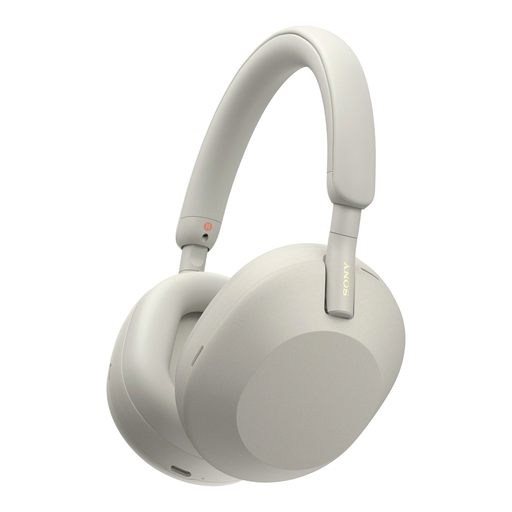
Sony WH-1000XM5 Wireless Headphones with Noise Cancelling, silver
An option if you want to reduce background noise when listening back to a recording. Check that the connection works with the devices you use.
Noise cancelling does not remove sound that is already in your presentation recording.
View at Joybuy
 No image available
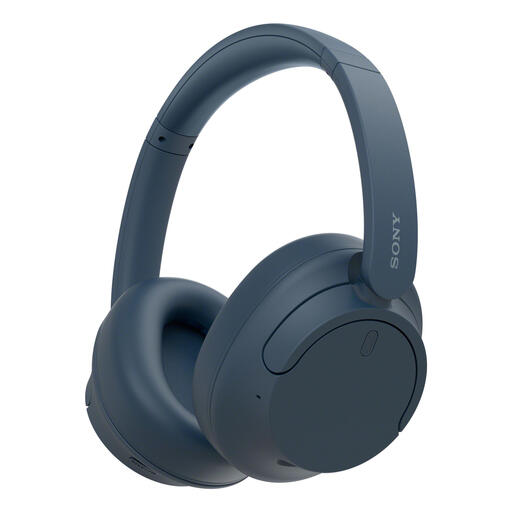
Sony WH-CH720N Noise Cancelling Wireless Bluetooth Headphones, blue
An option if you want to reduce background noise while reviewing and switch between your phone and laptop.
Noise cancelling tackles background noise while you listen, not noise that is already in the recording.
View at Joybuy
Frequently asked questions
Can headphones remove noise from quiet sections of my recording?
No. Headphones play back the recording; removing noise is a separate post-production step. Audacity describes noise reduction for constant background noise and mentions a noise gate as a possible way to process the gaps between spoken sections. After editing, check that quiet words and the ends of sentences are still audible.
How can you avoid turning up the volume for quiet sections?
Start with well-fitting headphones and keep the listening volume down. VeiligheidNL recommends a good fit, which helps reduce sound leakage and means you do not need to turn the volume up as much. Noise cancelling may help if background noise is distracting you.
What should you check when connecting headphones to your laptop or phone?
Before buying, check your devices' audio outputs, whether you need an adapter and which cables are included. Sony lists a connection cable and a USB cable for the WH-CH720N. Test the connection you plan to use with your own presentation recording.
What are your rights when buying online in the Netherlands or if a product is faulty?
According to ACM ConsuWijzer, the statutory cooling-off period for an item bought online usually ends 14 days after delivery; check the applicable exceptions and terms. If a product proves faulty under normal use, the seller is responsible for providing an appropriate solution free of charge under the statutory guarantee. Any manufacturer's guarantee offered does not replace your statutory rights.


