If you’re repeatedly comparing Dutch pronunciation clips at a fixed desk, wired headphones are a sensible choice: there’s no need to charge them, and you avoid a Bluetooth connection, which can add latency. If you often practise somewhere noisy or switch between devices, wireless over-ear headphones with noise cancelling may be more practical. Just check the fit, battery life with your chosen settings, and how the sound changes when you use the microphone. None of the specifications mentioned on its own proves that a pair of headphones makes Dutch sounds easier to distinguish.
Who is this guide for?
Comparing pronunciation at a desk
You play short example clips and your own recordings repeatedly, and want a suitable connection and consistent playback. RTINGS.com describes latency measurements for different connections; Audio-Technica Netherlands and Sennheiser Hearing EU describe wired models and connection options.
Practising in a noisy environment
You want to reduce background noise while listening, but also stay aware of your surroundings when you’re out and about. The Consumers’ Association covers things to consider when choosing headphones; Sony Netherlands describes an Ambient Sound mode for the WH-CH720N, and the Dutch government offers advice on listening while travelling.
Listening while recording your voice
You may use a recording app or headset microphone while playing audio, and want to check whether this changes the playback. Apple Support and Microsoft Support explain how the microphone, device and Bluetooth configuration can affect audio.
What should you look for when comparing?
Wired and closed-back
Choose this if: you mainly replay clips at a fixed desk and don’t want to rely on a charged battery.
Bear in mind: the cable limits your freedom of movement, and the plug needs to fit your device’s output.
Wireless with noise cancelling
Choose this if: background noise interrupts your practice or you want to switch between devices.
Bear in mind: Bluetooth can add latency, and depending on the device and connection, using the microphone may affect playback quality.
| What to consider |
What to look for |
Who this matters to |
| Consistent playback |
Compare an example with your own recording using the same headphones and settings. Check the connection and test what changes when your recording app uses the microphone. |
I want to hear small differences between an example and my own file without unknowingly switching playback modes. Around 36% of consumers give consistent playback top priority. |
| Background noise |
Check whether the model has passive isolation, noise cancelling or an ambient sound mode, and find out how to control these features. |
If background noise disrupts my listening practice, I want to be able to reduce it while still paying attention to my surroundings when I’m out and about. Around 29% of consumers put reducing distracting background noise first. |
| Comfort |
If possible, try the fit for yourself, including with glasses if you wear them. For wireless models, compare the quoted battery life using the same settings. |
I sometimes practise for long stretches and want headphones that feel comfortable. For around 21% of consumers, comfort during longer practice sessions is their most important purchase consideration. |
| Portability and switching between devices |
Check the size and connections, and whether the model works with the devices you want to use. Assess the battery life with the settings you expect to use. |
I practise in different places or switch between my phone and laptop, so the headphones need to suit the way I carry and connect them. Around 14% of consumers give portability and switching between devices top priority. |
Buying pitfalls
-
Assuming the headset microphone won’t affect playback
With some Bluetooth configurations, playback quality can change when the microphone is active. This can make it harder to compare an example with your own recording.
On your own device, test the same example with the microphone on and off while your recording app is open. Check compatibility before buying equipment for this setup.
-
Comparing battery life without taking the settings into account
Quoted maximum battery life can vary depending on whether noise cancelling is on or off. A figure without this information doesn’t necessarily tell you how long the headphones will last in your listening mode.
Compare battery life only when the settings match, and check which mode is best suited to your practice sessions.
-
Not checking the plug
Wired headphones will only work with your device if the supplied plug matches its audio output.
Before buying, check the output on your phone, laptop or recording device, and find out which cable comes with the model.
If the plug doesn’t fit, you may need a suitable adapter or a different cable.
Brands to consider
Audio-Technica
The wired, closed-back ATH-M40x is an option for listening at a fixed desk.
- Audio-Technica describes this model as flat-tuned and isolating; these are the manufacturer’s claims.
- You’ll need a cable and a compatible connection. This product description is not a comparative pronunciation test.
Sennheiser
The wired, closed-back HD 569 is described by the manufacturer as suitable for home use, with a choice of connections.
- Sennheiser says the model comes with a 3 m cable with a 6.3 mm plug and a 1.2 m cable with a 3.5 mm plug and microphone.
- According to the manufacturer, the HD 569 doesn’t have active noise cancelling. Check which cable suits your device and recording setup.
Sony
The WH-CH720N is a wireless over-ear pair of headphones with noise cancelling and the option to listen over a wired connection.
- Sony lists the weight of this model as around 192 g, along with an Ambient Sound mode and a maximum playback time of 35 hours with noise cancelling on and 50 hours with it off.
- Battery life is a quoted maximum, not a measure of typical use. An audio cable doesn’t automatically provide a suitable microphone for recording.
JBL
The foldable Tune 770NC is a wireless over-ear option for anyone who switches between devices.
- JBL lists multipoint connectivity and noise cancelling.
- According to JBL, the maximum battery life of 70 hours applies with Bluetooth on and noise cancelling off. LE Audio is described as becoming available later via an update; check that the feature is active before relying on it.
Joybuy products
This selection includes wired and wireless over-ear headphones for repeated listening, including models with noise cancelling for practising in places where background noise is distracting.
 No image available
Sennheiser MOMENTUM 4 Wireless, white
Wireless over-ear headphones with noise cancelling for listening where background noise is distracting.
The product information lists Bluetooth and wired listening via a 3.5 mm audio cable, as well as a transparency mode. Check that the connection suits your device and compare playback with the microphone on and off.
Joybuy
 No image available
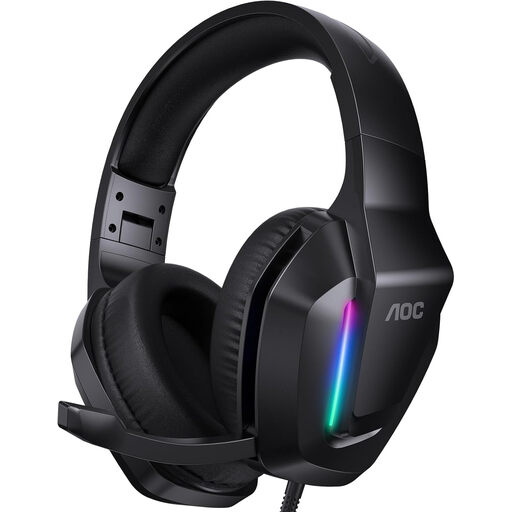
AOC wired gaming headset, black
A wired headset for repeated listening at a fixed desk.
The product information lists a 3.5 mm connection. Check that it matches your device’s audio output.
Joybuy
 No image available
Sony WH-CH720N, black
Wireless over-ear headphones with noise cancelling for listening in places where background noise is distracting.
The product information lists Bluetooth and multipoint connectivity for switching between devices. Sony quotes a maximum battery life of 35 hours for the WH-CH720N with noise cancelling on and 50 hours with it off.
Joybuy
 No image available
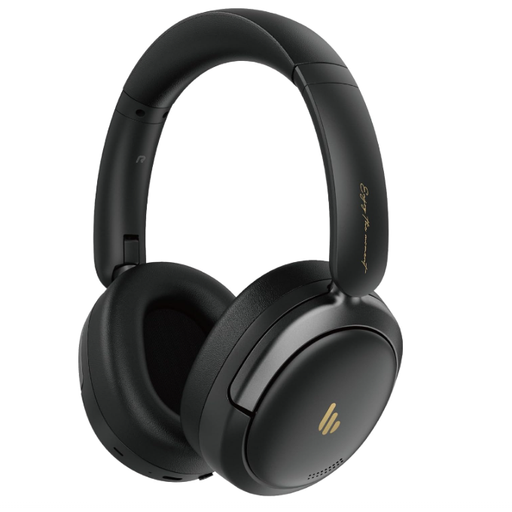
Edifier Atom Max, black
Wireless over-ear headphones with noise cancelling for listening in different places.
The product name specifies a foldable design, Bluetooth and a built-in microphone. Compare playback quality on your own device with the microphone on and off.
Joybuy
 No image available
Razer BlackShark V2 X 7.1, black
A wired headset for listening at a fixed desk.
The product information lists a wired 3.5 mm connection and a microphone. Check that the connection suits your device and test it with your recording app.
Joybuy
Frequently asked questions
Can you record your pronunciation with the headset microphone and listen to examples at the same time with the same sound quality?
It depends on the headset, device and software you’re using, so test the combination before relying on it. Apple Support explains that audio quality may decrease on a Mac when a Bluetooth headset’s microphone is active. Microsoft Support describes the requirements for stereo audio while using the microphone on compatible Windows 11 devices with Bluetooth LE Audio. Compare the same example with the microphone on and off.
How can you listen safely when you replay pronunciation clips often?
Keep the volume low and use the volume limiter if one is available. Thuisarts warns that listening to loud sounds often or for long periods can damage your hearing.
Can you listen through headphones while cycling in the Netherlands?
According to the Dutch government, you can listen to music hands-free while travelling, but you must not hold a mobile device. Make sure you can hear your surroundings; the government advises keeping the volume low or using one earbud. This is not advice to concentrate on comparing pronunciation clips while cycling.
What are your rights if the fit isn’t right or the headphones break soon after purchase?
For an online purchase, ACM ConsuWijzer says you will generally have up to 14 days from delivery to change your mind, with exceptions for certain products, including some unsealed hygiene products. If a product is faulty, your statutory guarantee doesn’t automatically end after two years: what you can expect depends on the product and normal use. Check the specific returns policy before trying the headphones on, especially for earbuds.


