When choosing headphones for listening back to your presentation, consider speech clarity, fit and how much of the shared table’s background noise you want to hear. If you’re also recording your own voice, check the microphone and connection on the exact version you’re considering: noise cancellation for your ears says nothing, by itself, about the quality of your recording.
Who is this for?
Listening back to a presentation
You’re listening to spoken audio again while others work at the same table. Speech clarity, how well the headphones block out sound and the option to switch to ambient sound all matter. Sony and JBL describe ambient sound features on specific models.
Practising your presentation
You’re recording your own presentation or discussing it online. In this case, consider the position of the microphone and whether the connection suits your device. Logitech and Jabra describe wired versions with a microphone boom.
Staying connected at the table
You want to listen to a recording without losing touch with the people at your table. An ambient mode and a comfortable fit are worth considering; Sony and JBL list ambient sound features on specific models.
What should you look for?
Wireless over-ear headphones
A good fit if: you mainly listen back to recordings but want to be able to follow the conversation at the table in between. Sony lists an ambient sound mode for the WH-CH720N; JBL describes Ambient Aware and TalkThru for the Tune 770NC.
Keep in mind: you’ll need to charge them and switch between listening and ambient modes. Check separately whether the microphone recording works well with your device.
Wired USB headset with microphone boom
A good fit if: you often practise on your laptop and want to position the microphone close to your mouth. Logitech describes a microphone boom on the H390; Jabra lists several USB versions of the Evolve2 40 SE.
Keep in mind: the cable limits how much you can move around. Check the USB port and exact version; Jabra describes passive isolation for the Evolve2 40 SE, not active noise cancellation.
| What to consider |
What should you check? |
Who should pay particular attention? |
| Speech clarity |
Try spoken audio with the level of background noise you expect at the table; check how well the headphones block out sound and whether they have an ambient mode. |
If you want to follow your presentation while others are talking, speech clarity comes first. Around 33% of consumers prioritise being able to listen back in peace. |
| Recording your own voice |
Check the microphone position, input source and connection on the exact version; make a test recording first. |
If you want to assess your pronunciation or speaking pace, you’ll need a usable recording and a suitable connection. Around 27% of consumers prioritise recording their own voice. |
| Staying approachable |
Check how you switch between listening and ambient sound, and whether you can hear conversations around you. |
If you want to be able to respond to people at the table in between, easy switching matters. Around 20% of consumers prioritise staying connected at the table. |
| Comfort |
Try on the headband and ear cushions, with your glasses if applicable, and see how they feel during a longer session. |
For longer review sessions, you’ll want headphones that stay comfortable. Around 20% of consumers put comfort first. |
Common buying mistakes
-
Assuming noise cancellation guarantees clear recordings
Noise cancellation for your ears and the microphone used to record you serve different purposes. A description of the microphone doesn’t prove how your voice will sound at your table.
Before an important practice session, make a test recording with the device and microphone you’ll actually be using.
-
Assuming every version in a headset range is the same
The Jabra Evolve2 40 SE range has several USB, mono and stereo versions. The wrong connection may not work with your laptop or practice software.
Before ordering, compare the full variant name and connection with your device.
-
Assuming the maximum battery life applies in every mode
Sony lists different maximum battery lives for the WH-CH720N with noise cancellation on and off. JBL’s stated maximum battery life for the Tune 770NC is with Bluetooth on and noise cancellation off.
Compare the stated battery life for the setting you plan to use while studying.
Brands to compare
Sony
The WH-CH720N is a wireless over-ear option for listening back, with an ambient sound mode.
- Sony specifies a closed-back design, a weight of around 192 g and up to 35 hours of music playback with noise cancellation on for this model.
- These specifications don’t measure speech clarity or recording quality at a shared table.
JBL
The Tune 770NC is a wireless over-ear option for switching between listening and conversation.
- JBL lists Ambient Aware, TalkThru, multipoint connectivity and a foldable design for this model.
- The advertised maximum battery life doesn’t necessarily apply when noise cancellation is switched on.
Logitech
The H390 is a wired USB headset for practising or joining online discussions from a compatible computer.
- Logitech lists an adjustable microphone boom and in-line controls.
- Check whether you need the USB-A or USB-C version. The cable limits how much you can move around, and the product description can’t predict how a recording will sound in your room.
Jabra
The Evolve2 40 SE is a wired headset range with a microphone boom and several connection, mono and stereo versions.
- Jabra describes passive noise isolation and separate USB and platform versions.
- Choose based on the full version name; manufacturer claims aren’t an independent assessment of performance in your situation.
Products at Joybuy
This selection includes wireless headphones and headsets for listening back or practising. For each version, check that the listening features, connection and fit suit your shared study table.
 No image available
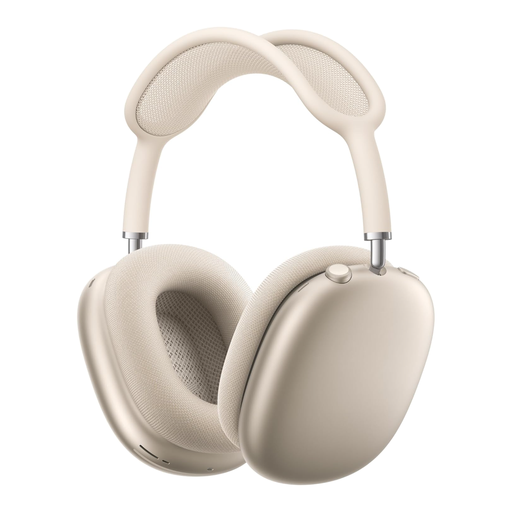
AirPods Max 2, Starlight
If you want to respond regularly while listening back, check that the available listening modes and controls suit the way you study at the table.
View at Joybuy
 No image available
Sennheiser MOMENTUM 4 Wireless, black
Worth comparing if you switch between different listening conditions while reviewing a recording; try the modes in your own space.
The product name lists noise cancellation, 60-hour battery life, fast charging and 4 microphones.
View at Joybuy
 No image available
Jabra Evolve2 30 SE
If you want to practise on your computer with this headset, check that the connection and microphone input on this version are suitable for your device.
View at Joybuy
 No image available
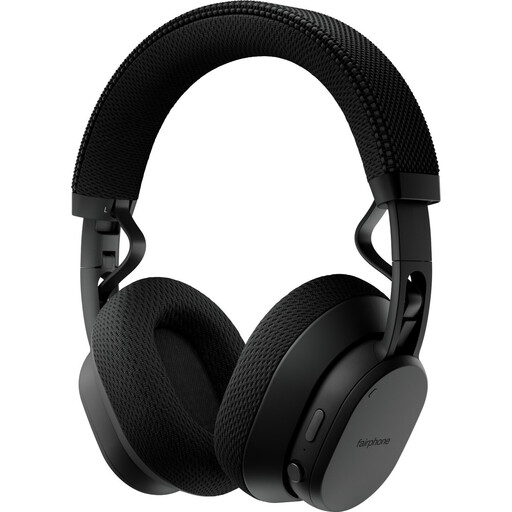
Fairphone Fairbuds XL 2025 Black
If you sometimes want to let in ambient sound, check that the listening modes on this version suit your needs. Try the headphones on, too, to see how they feel during longer sessions.
View at Joybuy
 No image available
AOC wired gaming headset for PS5, Xbox and PC
If you’re recording your presentation on a PC, check that the connection and microphone input suit your device and practice software.
The product name lists a wired headset with microphone, compatible with PS5, Xbox Series X|S, Xbox One and PC.
View at Joybuy
Frequently asked questions
Do I need active noise cancellation to listen back to my presentation?
Not necessarily. Start with speech clarity, fit and how much table noise you want to hear, then compare how well the headphones block out sound and whether they have an ambient mode. Try them with spoken audio in your own surroundings.
How do I set up a headset for a practice recording?
Select the microphone you want to use as the input source on your device, position an adjustable microphone boom close to your mouth and make a short test recording first. If you’re using a wired version, check that the connection is compatible.
What should I bear in mind if I listen to recordings repeatedly?
The World Health Organization points out that both volume and listening time affect your exposure to loud sounds. Well-fitting or noise-cancelling headphones can reduce the temptation to turn up the volume in a noisy environment.
What are your rights in the Netherlands if you’re unhappy with headphones bought online or they break too soon?
According to ACM ConsuWijzer, for a standard online purchase you generally have a statutory cooling-off period of up to 14 days after delivery; check whether an exception applies. Your statutory guarantee is separate from a manufacturer’s warranty: if a product is faulty despite normal use, the seller is responsible for providing an appropriate solution.


