In a suitable, noisy place, a well-fitting pair of over-ear headphones with noise cancellation can help you listen back to a presentation recording. A compact on-ear model may be better for short breaks, while open-ear headphones suit anyone who wants to stay aware of surrounding sounds. Use your own phone or laptop to check that your recording app is using the microphone you intend it to. A headset microphone designed for calls doesn’t guarantee this. Keep surrounding sounds audible when cycling.
Who is this advice for?
Students who want to listen closely to speech
You want to understand short practice recordings and care about fit, how voices sound and noise reduction. The Consumers’ Association highlights speech clarity and noise cancellation as factors to consider in headphones for studying or working.
Students who want to stay alert on the move
You alternate listening with walking or cycling and want to stay aware of surrounding sounds. The Dutch government allows hands-free listening while driving, but you must not hold an electronic device.
Students who record their own presentations
You want to listen back to a recording straight away and check that your phone or laptop is using the intended microphone with your chosen app. Apple Support lists the built-in microphone, a supported headset or an external microphone as possible recording sources in Voice Memos.
What should you consider when choosing?
Over-ear with noise cancellation
Choose this when: you want to listen back to your pronunciation, pace and pauses in a suitable, noisy place.
Trade-off: closed-back headphones let in less surrounding noise and generally take up more space in your bag. Bear in mind that you may need to hear what’s going on around you when you’re outside.
Compact on-ear
Choose this when: you mainly have short breaks and want headphones that are easy to take with you.
Trade-off: on-ear headphones may put more pressure on your ears. Fit and comfort vary between models.
Open-ear
Choose this when: you want to stay aware of surrounding sounds as you move between places on campus.
Trade-off: distracting sounds from your surroundings can still get through, making quiet speech harder to follow. Open-ear headphones don’t guarantee road safety.
| What to consider |
What to look for when buying |
Who is this important for? |
| Understanding speech against background noise |
Listen to one of your own recordings in a suitable place. Compare fit, noise cancellation and any ambient sound mode. |
If I want to assess my pronunciation, pace and pauses in my own recording despite background noise, I prioritise speech clarity. Around 33% of consumers say being able to understand their own recording is their top buying priority. |
| Staying aware of surrounding sounds |
Think about where you’ll be listening and check whether an open design or ambient sound mode is suitable for that setting. |
When I move between places on campus, I want to stay aware of my surroundings without losing track of quiet speech. Around 27% of consumers prioritise awareness of their surroundings when choosing. |
| Recording your own presentation |
Make a short test recording with your own app and check which microphone it actually uses. |
If I record my presentation and listen back straight away, I want to know whether my app is using the microphone I intended. Around 27% of consumers prioritise their recording set-up. |
| Taking them between lectures |
Compare size and fit; only compare battery life when the usage mode is the same. |
If I often take my headphones with me for short practice sessions, I mainly consider their size and comfort. Around 13% of consumers prioritise portability when choosing. |
Pitfalls to avoid when choosing
-
Assuming a call microphone is compatible with recording apps
A recording app may use a different microphone from the one you expect it to use for calls.
Before buying, make a short recording with your device and app, then check which microphone input was used.
-
Comparing maximum battery life across different modes
Sony quotes up to 35 hours for the WH-CH720N with noise cancellation on and 50 hours with it off. JBL quotes up to 70 hours for the Tune 770NC with noise cancellation off and up to 44 hours in another usage mode.
Only compare quoted battery life when the usage mode is the same. One maximum figure isn’t automatically comparable with another.
-
Expecting open-ear headphones to block noise as well as closed-back headphones
An open design lets surrounding sounds in, which can make quiet passages in a recording harder to follow.
Listen to one of your own recordings in the place where you plan to use the headphones, and don’t automatically turn up the volume to drown out noise.
-
Confusing a returns policy with all your legal rights
The statutory cooling-off period and any exception for hygiene products are separate from your rights if a product is faulty or supplied incorrectly.
ACM ConsuWijzer lists an exception for hygiene products that have been removed from their packaging. Check in advance whether this exception applies to the item; your rights if a product is faulty are separate.
Brands to compare
Sony
The WH-CH720N is an over-ear model with noise cancellation; the WH-CH520 is an on-ear alternative.
- According to Sony Netherlands, the WH-CH720N offers up to 35 hours of music playback with noise cancellation on and 50 hours with it off. The model also has a 3.5 mm cable input.
- According to Sony Netherlands, the WH-CH520 has no cable input or ambient sound mode. These specifications alone say nothing about speech clarity or comfort.
JBL
The Tune 770NC is an over-ear model with noise cancellation and ambient modes; the Tune 520BT2 is an on-ear alternative.
- JBL lists Ambient Aware, TalkThru and the ability to connect to two Bluetooth devices for the Tune 770NC. For the Tune 520BT2, JBL lists a voice EQ setting and two call microphones.
- JBL quotes up to 70 hours for the Tune 770NC with noise cancellation off and up to 44 hours in another usage mode. A microphone for calls doesn’t prove that your recording app will use it as a source.
Shokz
The OpenRun Pro 2 is an open-ear alternative for anyone who wants to stay aware of surrounding sounds while on the move.
- Shokz describes the OpenRun Pro 2 as an open-ear model. This design may suit listening sessions where you want to stay aware of your surroundings.
- An open design also lets distracting sounds through. Try it out to see whether quiet speech remains clear in your surroundings and whether the fit is comfortable.
Joybuy products
This selection features wireless over-ear headphones for listening back to presentations. For each model, consider whether its stated features, fit and controls suit your practice space.
 No image available
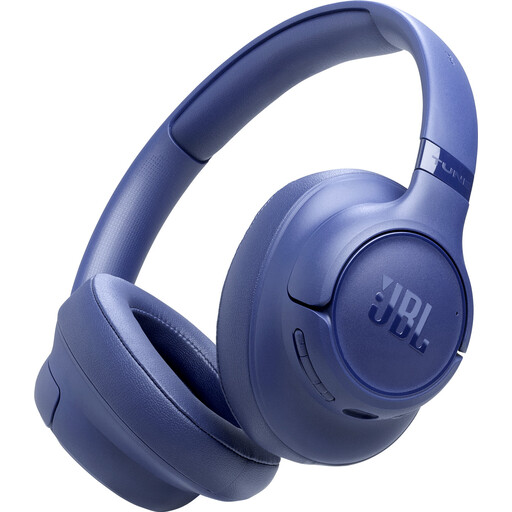
JBL Tune 730BT wireless noise-cancelling headphones, blue
May suit anyone who wants to listen back to speech in a suitable place with background noise.
Wireless; noise cancellation; blue finish.
Joybuy
 No image available
Sennheiser MOMENTUM 4 Wireless, black
An over-ear option for listening back to speech. Try the fit and see how clearly you can hear your own recording.
Wireless; over-ear; noise cancellation; four microphones; the product name states 60 hours of battery life. Check which usage mode this figure applies to.
Joybuy
 No image available
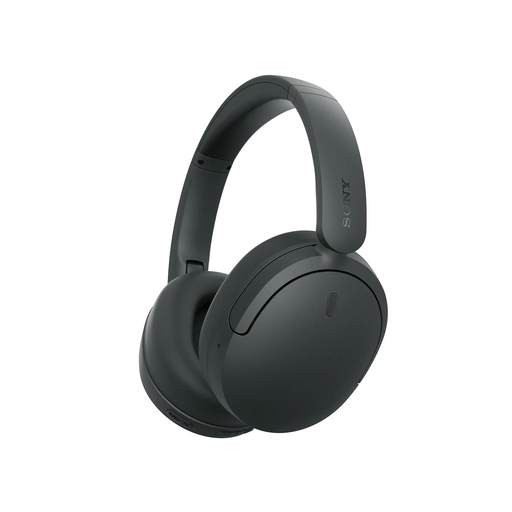
Sony WH-CH730 wireless headphones, black
A wireless option for short practice sessions between lectures. Check whether its features suit your recording and listening needs.
Wireless; black finish.
Joybuy
 No image available
Bose QuietComfort Ultra Bluetooth headphones, black
May suit anyone looking for Bluetooth headphones to listen back to speech in a suitable listening space.
Bluetooth; black finish.
Joybuy
 No image available
Sonos ACE over-ear Bluetooth headset, black
An over-ear Bluetooth option for anyone who wants to listen back to a presentation recording in a suitable place.
Over-ear; Bluetooth; black finish.
Joybuy
Frequently asked questions
Can I use my headset microphone to record my presentation?
It depends on your headset, device and recording app. For Voice Memos, Apple Support lists the built-in microphone, a supported headset or an external microphone as possible sources. Make a test recording and check which microphone was actually used; a specification for calls doesn’t confirm this.
Can I listen on headphones while cycling?
According to the Dutch government, you can listen to music hands-free while driving, but you must not hold an electronic device. Keep surrounding sounds audible and don’t operate your phone by hand while cycling.
How can I listen repeatedly without turning the volume up unnecessarily?
Adjust your headphones so they fit properly, keep the volume at a manageable level and take listening breaks. The World Health Organization gives the following examples: a maximum of 40 hours a week at an average of 80 dB, and four hours a week at 90 dB. These are not measured sound levels for the headphones mentioned here.
Can I return headphones bought online if I don’t like the fit?
For online purchases from a business, there is generally a statutory cooling-off period of 14 days from delivery. ACM ConsuWijzer lists an exception for hygiene products that have been removed from their packaging. Check whether this exception applies to the item; your rights if a product is faulty or supplied incorrectly are separate.
Is a manufacturer’s warranty the same as your statutory rights?
No. According to the Dutch government, you’re entitled to a product that meets the terms of your agreement; a manufacturer’s or seller’s warranty is in addition to this. There is no fixed statutory warranty period for all products in the Netherlands. If a product is faulty, contact the seller.


