First, check how the museum provides its audio tour. A mobile tour accessed via QR code may have different storage requirements from one that requires an app. Then choose well-fitting, noise-isolating earbuds if clear speech is your priority, open-ear headphones if you want to stay aware of those around you, or wired headphones if you don’t want to carry a charging case. Always check the tour instructions and make sure your phone supports the connection you’ve chosen. Headphones won’t remove the need for a required tour app.
Who should consider these options?
Visitor with limited free phone storage
You want to follow the audio tour without installing another app unnecessarily. Wereldmuseum Amsterdam describes a mobile tour accessed via QR codes as well as loan devices, while the Rijksmuseum offers tours through an app. So check the instructions for the specific tour.
Visitor who wants to hear the commentary clearly
You’re listening among other visitors, so a secure fit is especially important. It can help you avoid turning up the volume unnecessarily to drown out background noise.
Visitor who wants to stay in touch with their group
You want to hear the commentary while still being able to respond to your group or museum announcements. Open-ear headphones leave your ear canal unobstructed, but block out less background noise.
What should you look for in headphones for a museum audio tour?
First, check how your museum tour is played. Then consider speech clarity, awareness of your surroundings and the connection type to find headphones that suit the way you’ll use them.
| What to consider |
What should you check? |
Who should give this more weight? |
| Tour and phone storage |
Check the instructions for the specific tour and whether it requires an app. Also check which headphone features work without an additional app. |
If I have limited free storage, I want to know before setting off whether the tour uses a QR code, an app or a loan device. Around 33% of consumers prioritise the playback method and storage. |
| Speech clarity |
Look for a secure fit and try listening to speech at a modest volume. |
If I want to follow commentary in English among other visitors, a secure fit matters more to me than open ears or the smallest possible design. Around 27% of consumers make speech clarity their top priority. |
| Awareness of your surroundings |
Decide whether you’ll mainly be listening in quiet galleries or during conversations too. If there’s an ambient sound mode, check how to use it. |
If I want to talk to my group while listening, staying aware of them and my surroundings matters more to me than noise isolation. Around 20% of consumers put staying in touch with their group and surroundings first. |
| Connection and portability |
Check that your phone supports audio through your chosen connection. If you’re using wireless headphones, charge them before you leave. |
If I don’t want to plan time to charge or have limited space in my bag, I focus on the connection, power source and comfort when carrying them. Around 20% of consumers consider these practical points decisive. |
Common mistakes when choosing headphones for museum audio
-
Assuming headphones mean you won’t need a tour app
Headphones play the audio, but they don’t determine whether the museum requires an app or a download. The options described vary from museum to museum.
Check the instructions for the specific tour before you buy. If you have limited free storage, also see whether a mobile option or loan device is available.
-
Assuming open-ear headphones block noise or protect your hearing
An open design lets in background noise, which can make tour commentary harder to follow in a busy gallery. VeiligheidNL has found no evidence that open-ear listening alone reduces the risk of hearing damage.
Choose open-ear headphones if staying aware of your surroundings is important, not to block out noise in a busy gallery. Keep the volume at a sensible level.
-
Assuming a USB-C port or stated battery life is proof enough
A phone with USB-C doesn’t automatically support audio through that connection. And maximum battery life doesn’t guarantee how long the headphones will last with your usage.
Check that your phone is compatible with the exact wired model, and charge wireless headphones before you leave.
Brands and models to consider
Sony
The WF-C710N combines noise cancelling with an ambient sound mode, while the WH-CH520 is a compact wireless on-ear headphone.
- Sony states that the WF-C710N offers up to 8.5 hours of listening per charge with noise cancelling on. The WH-CH520 is rated for up to 50 hours of battery life.
- According to Sony, the WH-CH520 has no ambient sound mode and cannot be used passively with a wired connection. For the WF-C710N, check whether you can use your preferred settings without an additional app.
JBL
The Tune 520C USB-C is wired and folds flat, while the Tune 520BT is a foldable wireless on-ear headphone.
- JBL lists in-line controls for the Tune 520C USB-C and up to 57 hours of battery life for the Tune 520BT.
- JBL advises checking USB-C audio compatibility with your own device. According to VeiligheidNL, on-ear headphones provide a less secure seal than well-fitting in-ear or over-ear models.
Shokz
The OpenFit Air is an open-ear model for anyone who wants to stay aware of their surroundings while listening.
- Shokz states that the OpenFit Air works without the Shokz app.
- With an open design, background noise can more easily drown out spoken tour audio. According to VeiligheidNL, open-ear listening alone has not been shown to protect against hearing damage.
Philips
The wired TAE4105WT/00 is a compact in-ear option with in-line controls.
- Philips describes three sizes of interchangeable ear tips.
- Check which type of plug you need for the version you choose and whether the model works with your phone.
Joybuy products for museum audio
This selection includes wired USB-C earbuds, wireless noise-cancelling in-ear earbuds, open-ear models and on-ear headphones.
 Image unavailable
JBL Tune 305C USB-C earbuds, blue
A wired option if your phone supports audio via USB-C.
The product description lists a microphone, in-line controls and a flat cable. Check USB-C audio compatibility with your phone.
View at Joybuy
 Image unavailable
Samsung Galaxy Buds4 Pro, black
A wireless in-ear option if you’d prefer to listen to spoken tour audio with noise cancelling.
The product description mentions active noise cancelling. The setup steps also mention the Galaxy Wearable app, so check which features you want to use and whether you need to install the app for them.
View at Joybuy
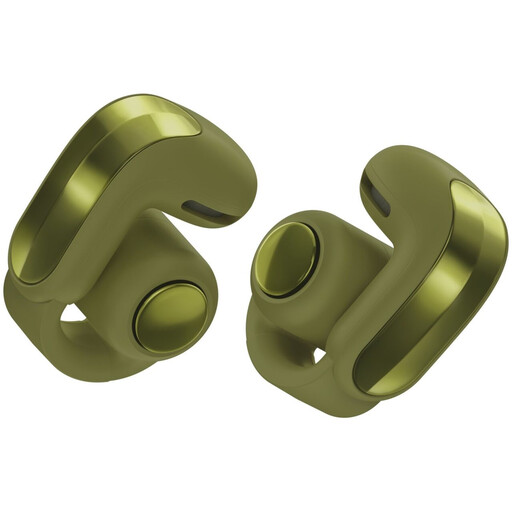 Image unavailable
Bose Ultra Open Earbuds 2nd Gen, olive green
An open-ear model if you want to stay aware of your surroundings while listening.
The product description lists an open design, so background noise remains audible and may make the tour commentary harder to hear in a busy gallery.
View at Joybuy
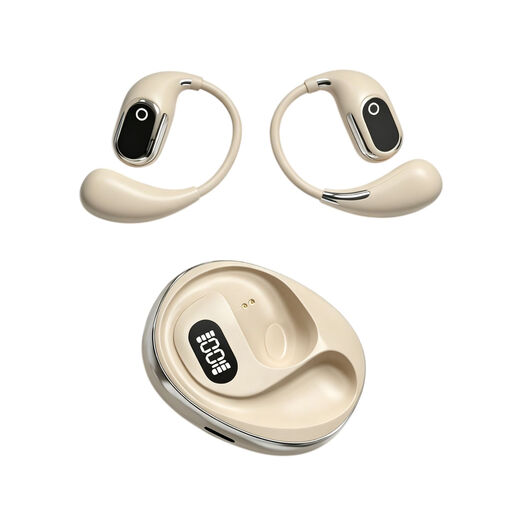 Image unavailable
OWS on-ear headphones with Type-C charging case, beige
An on-ear option if you’d rather not wear earbuds in your ear canals.
The product name lists a built-in microphone and a Type-C charging case.
View at Joybuy
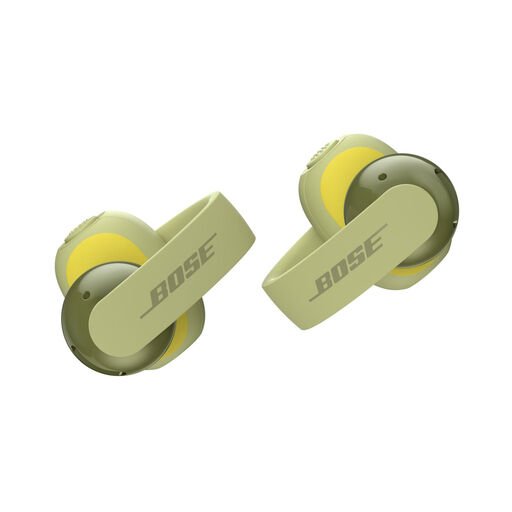 Image unavailable
Bose Sport Open Earbuds, eucalyptus green
An open-ear option if you want to remain available to talk during a museum visit.
The product description lists an open design, flexible ear hooks and a compact build. Background noise remains audible and may make the tour commentary harder to hear in a busy gallery.
View at Joybuy
Frequently asked questions
Do you always need to download an app for a museum audio tour?
No, playback options vary from museum to museum. Wereldmuseum Amsterdam describes a tour accessed via QR codes on a compatible mobile phone and also mentions loan devices; the Rijksmuseum describes tours through its app. Check the instructions for your tour: headphones won’t remove the need for a required app.
How can you listen without turning the volume up unnecessarily?
Start at a low volume and turn it up only as much as you need to. VeiligheidNL explains that well-fitting headphones or earbuds let in less background noise, so you have less reason to raise the volume to drown it out.
What should you check when buying USB-C earbuds?
Check that your phone supports audio via USB-C with the model you’ve chosen. JBL specifically recommends checking compatibility for the Tune 520C USB-C, so having a USB-C port on your phone alone doesn’t confirm that audio will work.
Who should you contact if your headphones break soon after purchase?
For a consumer purchase in the Netherlands, contact the seller if the product doesn’t meet the standards you could reasonably expect under normal use. ACM ConsuWijzer explains that a manufacturer’s warranty doesn’t replace your statutory warranty rights.
Can you change your mind after buying headphones online?
When you buy from a business online, you’ll often have 14 days to change your mind, according to the Dutch government. Conditions and exceptions may apply, so check what’s relevant to the specific product.


