If you’re listening on your own phone or tablet, choose comfortable headphones that let you assess both the noise cancellation and how clearly you can hear your own recordings. If you also want to use the in-flight entertainment system, check what connections are available on your flight and bring a suitable cable or Bluetooth adapter if needed. Also consider comfort, battery life and how much space they’ll take up in your luggage.
Who are these options for?
Listeners of audio lessons
If you want to follow recordings in a noisy cabin, test how clearly you can hear them using your own learning materials, and don’t automatically turn the volume up. The WHO recommends well-fitting, noise-cancelling headphones to reduce the need to increase the volume in noisy environments.
Those who wear headphones for long periods
If you’re planning several listening sessions, consider how the headband, ear cushions or earbuds feel, and remember to take breaks. A model’s maximum battery life alone doesn’t tell you how comfortable it will be to wear on a long flight.
Users of in-flight entertainment
If you also want to use the screen on board, check what connections are available on your flight. KLM recommends using wired headphones or a Bluetooth adapter with your own wireless headphones for its Economy entertainment system.
What should you look for in headphones for a long flight?
Over-ear headphones take up more space in your luggage than earbuds, so weigh that difference alongside the points below.
The WHO recommends well-fitting, noise-cancelling headphones in noisy environments. The Dutch Consumers’ Association also assesses how well headphones reduce background noise, such as the sound of aircraft engines.
| What to consider |
What to look for |
Who this matters to |
| How clearly you can hear your lessons |
Assess the fit, seal and noise cancellation using your own recordings at a moderate volume. |
If I want to follow spoken lessons over cabin noise without constantly turning up the volume, I focus on clarity; around 28% of consumers put this first. |
| Comfort |
Try the headband, ear cushions or earbuds, and check how they feel during longer listening sessions. |
If I plan to listen for a long time, I want to know whether the headband or earbuds feel comfortable; around 22% of consumers give comfort top priority. |
| Connection to your audio source |
Check the connections on your device and headphones, and whether you’ll need an adapter for the in-flight entertainment system. |
If I want to use both my own device and the screen on board, I check in advance which connection will work on my flight; around 22% of consumers put connectivity first. |
| Listening time per charge |
Compare battery life with noise cancellation on against your planned listening time, and allow for charging breaks. |
If I want to listen to my lessons for as long as possible in one sitting, I compare the stated battery life with the settings I’ll use; around 17% of consumers put battery life first. |
| Model version and features |
Check the full model version and which cables or other accessories are included. |
If I mainly want to listen to spoken lessons, I want to pay for features that suit how I’ll use the headphones; around 11% of consumers give this top priority. |
Common buying points that are easy to overlook
-
Assuming noise cancellation guarantees clear language lessons
Reducing background noise doesn’t prove that your recordings, pronunciation details or the fit will work well for you.
Before you travel, listen to your own learning materials at a moderate volume and assess clarity and fit separately.
-
Assuming Bluetooth will automatically work with the aircraft seat
Headphones that connect wirelessly to your own device won’t necessarily connect directly to the in-flight entertainment system. KLM recommends using wired headphones or an adapter with your own Bluetooth headphones for its Economy entertainment system.
Check the connections and facilities available on your flight before choosing a cable or adapter.
Depending on the source and connection, you may need a suitable cable or adapter.
-
Treating the JBL Tour One M3 and M3 Smart Tx as the same version
JBL lists a 3.5 mm cable for the Tour One M3; the Smart Tx is a separate version with a transmitter.
Check the full model name and what’s included in the box before relying on a particular connection.
-
Confusing total battery life with the charging case for a single listening session
Bose specifies up to 6 hours per charge for the QuietComfort Ultra Earbuds (2nd Gen) with Immersive Audio off. Time spent charging in the case isn’t uninterrupted listening time.
Compare the battery life per charge with your planned listening session, and allow for a charging break if it’s shorter.
A longer listening session may require a break to charge the earbuds.
Brands to compare
Sony
The WH-1000XM6 is an over-ear option to compare if you’re weighing up noise cancellation, an audio cable and passive operation.
- Sony specifies up to 30 hours of playback with NC on, a detachable cable and passive operation for the WH-1000XM6.
- These specifications don’t tell you how clearly you’ll hear your language lessons or how well the headphones will fit you.
Sennheiser
The MOMENTUM 4 Wireless is an over-ear model to compare if stated listening time and an ambient mode matter to you.
- Sennheiser lists up to 60 hours of playback and adaptive noise cancellation for the MOMENTUM 4 Wireless.
- The manufacturer’s maximum figure depends on usage conditions, so be sure to assess the fit for yourself too.
JBL
Compare the Tour One M3 with the separate Tour One M3 Smart Tx version if a cable or an extra transmitter would suit your connection needs.
- JBL lists a 3.5 mm cable for the Tour One M3; the Smart Tx version comes with a transmitter.
- Don’t assume the transmitter is included with every Tour One M3 version or in every box.
Bose
The QuietComfort Ultra Headphones (2nd Gen) are an over-ear option, while the QuietComfort Ultra Earbuds (2nd Gen) are a more compact in-ear version.
- Bose specifies up to 30 hours for the over-ear version and includes an audio cable.
- For the QuietComfort Ultra Earbuds (2nd Gen), Bose lists up to 6 hours per charge with Immersive Audio off; time in the case isn’t uninterrupted listening time.
Headphones and earbuds on Joybuy
This Joybuy selection includes wireless over-ear headphones and noise-cancelling in-ear earbuds for listening on your own device.
 No image available
Sennheiser MOMENTUM 4 Wireless, white
An over-ear option if you want to combine noise cancellation with a long stated listening time.
Sennheiser lists up to 60 hours of playback and adaptive noise cancellation; check the conditions that apply to the maximum battery life.
Joybuy
 No image available
Samsung Galaxy Buds4 Pro, black
A wireless in-ear option if a compact design matters more to you than the larger shape of over-ear headphones.
Check that the listening time per charge suits your planned session; extra playback time from a charging case isn’t the same as uninterrupted listening.
Joybuy
 No image available
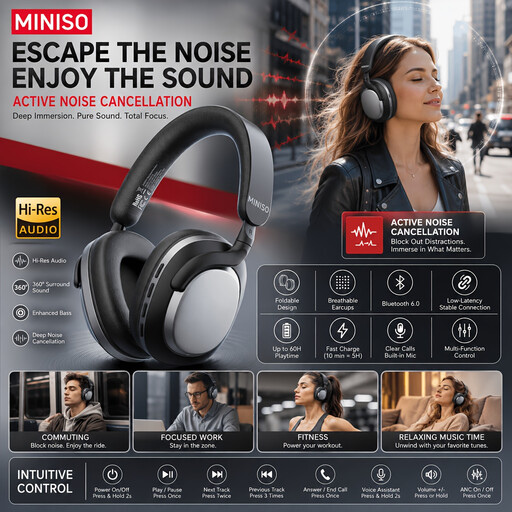
MINISO MG210, black
Wireless over-ear headphones with noise cancellation to compare for lessons on your own device.
The product name lists a stated battery life of 24 hours.
Joybuy
 No image available
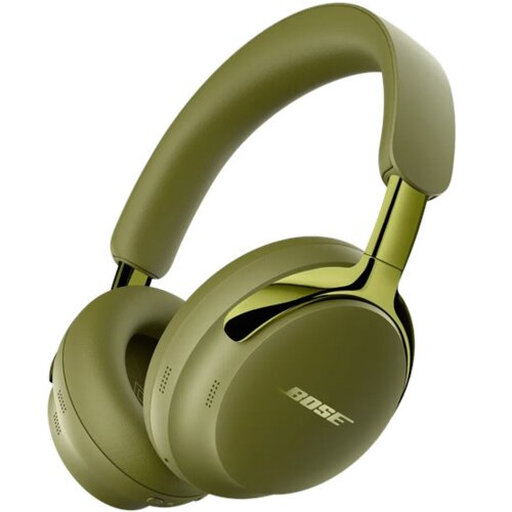
Bose QuietComfort Ultra Headphones (2nd Gen), Olive Green
An over-ear model to consider if you want to combine wireless listening with the option of a wired connection.
Bose specifies up to 30 hours of playback and includes an audio cable; check that the connection works with your audio source.
Joybuy
 No image available
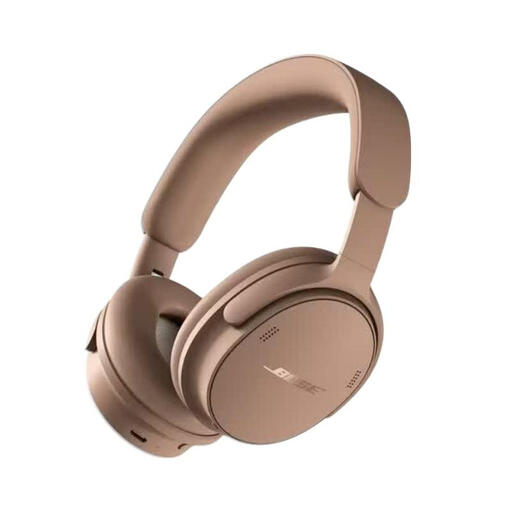
Bose QuietComfort Headphones (2nd Gen), Hazelnut Taupe
An over-ear version to compare with other options if you’re looking for headphones with a headband for listening to spoken lessons.
Before buying, check that the connection and cable for your chosen version work with your audio source.
Joybuy
Frequently asked questions
Can I connect my Bluetooth headphones directly to the in-flight entertainment system?
Don’t assume this will be possible on every flight. KLM recommends using wired headphones or a Bluetooth adapter with your own wireless headphones for its Economy entertainment system; check what’s available on your flight and at your seat.
Does noise cancellation help you understand language exercises?
Noise cancellation can reduce the need to turn up the volume in noisy surroundings, but it can’t guarantee that every recording will be clear to you. The WHO recommends well-fitting, noise-cancelling headphones in noisy environments; try your own learning materials at a moderate volume.
How long do the Bose QuietComfort Ultra Earbuds (2nd Gen) last on a single charge?
Bose specifies up to 6 hours per charge with Immersive Audio off, and up to 4 hours with Immersive Audio on. Extra listening time from the case isn’t uninterrupted listening time.
Are wireless headphones allowed on every flight?
Follow the latest instructions from the airline operating your flight and the crew. KLM’s advice on connecting to its in-flight entertainment system isn’t a general rule for Bluetooth use on all flights.


