
The attentive listener
You want to follow names and dates, and easily replay a section you missed. Assess speech quality and controls separately: product features don’t automatically mean every recording will be easy to understand.


Start with natural-sounding speech and controls that make it easy to pause and rewind on your playback device; then consider the fit for longer listening sessions. Choose noise cancellation mainly for noisy places, but prioritise being able to hear traffic or announcements when listening on the move. A manufacturer’s noise-cancellation or battery-life specifications alone don’t tell you how clearly you’ll hear your podcast.
You want to follow names and dates, and easily replay a section you missed. Assess speech quality and controls separately: product features don’t automatically mean every recording will be easy to understand.
You listen to several episodes in a row, so you’ll want to consider pressure on your ears, fit and battery life in the mode you use. The Consumers’ Association notes that over-ear models are often comfortable for long listening sessions, but take up more room in a bag.
You need to balance reducing background noise with being able to hear traffic or announcements. Which matters more depends on where you listen.
First, assess speech and controls with your own playback device. Then consider the fit and how much outside noise you want to block out or keep hearing.
| What to consider | What should you check? | Who should pay extra attention? |
|---|---|---|
| Speech clarity | Listen to a familiar Dutch-language clip at your usual volume. Assess speech separately from noise cancellation. | If I want to follow names and dates, I’ll first check how clearly a spoken clip comes through. Around 31% of consumers put speech clarity first when buying. |
| Rewinding | Test with your phone and podcast app to see whether the controls skip back a short interval; don’t assume a button for skipping tracks will do this. | If I want to quickly replay a sentence I missed, the controls need to work with my app and device. Around 25% of consumers put replaying sections first. |
| Comfort over long periods | If possible, try the fit for longer than a brief demonstration, including with glasses if you wear them. For wireless models, compare battery life using the same noise-cancellation setting. | If I listen to several episodes in a row, I don’t want uncomfortable pressure on my ears or head. Around 19% of consumers give long-term comfort their top priority. |
| Noise reduction in a noisy place | Assess the fit and noise cancellation with speech in a setting similar to where you’ll listen. Compare battery life only using the same setting. | In a place where background noise often interrupts an episode, I may value noise reduction more than hearing what’s around me. Around 13% of consumers choose noise reduction as their top buying priority. |
| Staying aware of your surroundings | Check whether an open design or the exact model’s ambient mode suits where you’ll listen. Pause when you need to focus on traffic or announcements. | If I want to keep noticing important sounds around me when I’m out and about, an open design or ambient mode matters more to me than sound isolation. Around 12% of consumers put awareness of their surroundings first. |
Claimed playback time can vary depending on the setting. A maximum figure with noise cancellation off doesn’t describe the same conditions as one with it on.
Compare manufacturers’ figures only when the stated settings match, and remember that these are claimed, not measured, usage times.
Speech quality and noise cancellation are separate features. A sound setting doesn’t prove that every Dutch recording will sound clearer to you.
Listen to a familiar speech clip first, then assess noise cancellation or a sound profile.
An open design lets in surrounding noise, which can make spoken names and dates harder to follow in busy places. Strong sound isolation, in turn, isn’t necessarily right for somewhere you need to hear traffic.
First decide which sounds you need to hear where you’ll listen, then choose a fit or mode to suit.
A control for skipping tracks may not skip back a short interval in your podcast app.
Before buying, test the combination of headphones, device and app. Also check that the app’s controls are easy enough for you to access.
These examples showcase different types of headphones and features. They’re not an overall judgement of a brand or an indication of availability.
The WH-CH720N is an over-ear model with noise cancellation and an ambient sound mode. The wired MDR-ZX110 is another option for a device with a compatible connection.
According to JBL, the Tune 770NC combines a foldable over-ear fit with noise cancellation and switchable ambient modes.
According to Sennheiser, the ACCENTUM Wireless has hybrid noise cancellation, a transparency mode, an equaliser and a podcast mode.
The TAH6509BK/00 is a closed-back over-ear model with noise cancellation; the TAA6709BK/00 is a separate open-ear model.
This selection of Joybuy products includes wireless over-ear models and earbuds, including open-ear styles for anyone who wants to stay aware of surrounding sounds.
 Image unavailable
Wireless over-ear headphones to consider if you’re looking for a headband-style model with noise cancellation.
The product name mentions noise cancellation and up to 60 hours of battery life; check which usage mode that figure applies to.
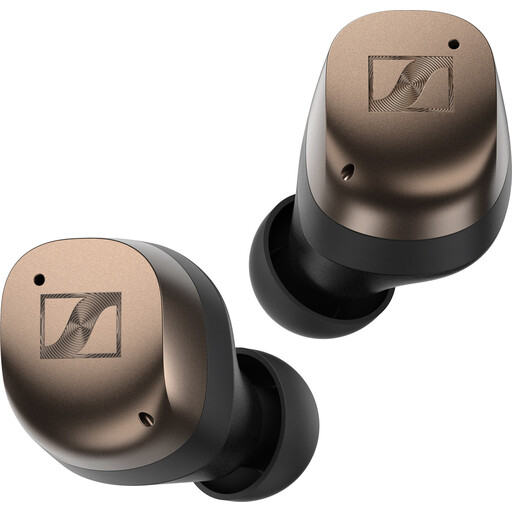 Image unavailable
Wireless earbuds to consider if you’d rather not wear over-ear headphones with a headband.
The product information mentions touch controls for pausing and skipping tracks. Separately test whether they also let you skip back a short interval in your podcast app.
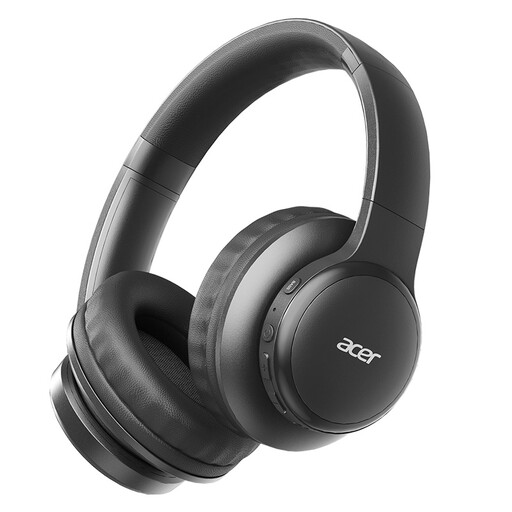 Image unavailable
A wireless, foldable model to take with you if you listen to podcasts on the go.
The product name mentions Bluetooth 5.3 and a low-latency mode. Check that the controls work with your podcast app.
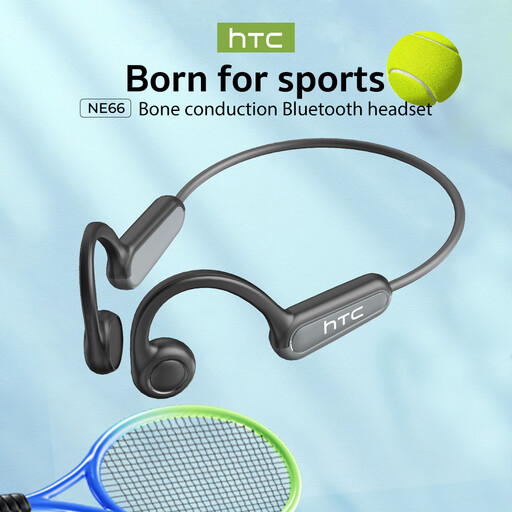 Image unavailable
An open-ear style to consider if you want to stay aware of surrounding sounds while listening; the open design isn’t intended to block out noise.
The product name mentions Bluetooth 5.4 and IPX5 water resistance. Check that the controls work with your device and podcast app.
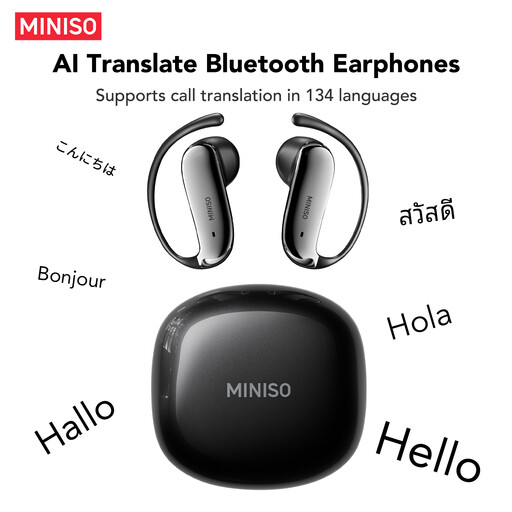 Image unavailable
An open-ear style to consider if you want to stay aware of your surroundings while listening; bear in mind that surrounding noise can also drown out your podcast.
The product name mentions Bluetooth 6.0. Test your podcast app’s controls with your chosen device.
Not necessarily. First, check whether speech is easy to follow at a low volume. Noise cancellation can help with certain types of background noise, but assess speech and noise reduction separately.
Check in your podcast app whether the headphone controls skip back a short interval. If rewinding with the headphones is important to you, test that combination of headphones, device and app before buying.
No. Podcast mode is a sound setting, not proof that every Dutch recording will sound clearer. If possible, listen to a familiar speech clip and judge the sound for yourself.
An open design lets in surrounding sounds, which may suit you if you want to stay aware of what’s around you. In busy places, though, it can also make speech harder to follow. Stay alert when you’re out and about, and pause when you need to focus on your surroundings.
Compare figures only when the settings match, such as noise cancellation being on or off. Manufacturers sometimes give different maximum figures for different modes, so those numbers don’t describe the same usage conditions.