
Vandaag of morgen in huis

Kwaliteit gegarandeerd

Welkomstaanbiedingen ontgrendelen: GRATIS bezorging | Tot 80% korting | Gratis 30 dagen JoyPlus-proefperiode
Download de app
Choosing new headphones and earbuds seems straightforward, until you have to decide between wireless, wired, in-ear, open-ear or a model with noise cancelling. Marketing copy often focuses on impressive features, while everyday usability mainly depends on fit, connectivity, battery life and microphone quality.
The following pitfalls are common:
Wireless headphones or Bluetooth earbuds are convenient when travelling and at the office. For wireless models, check:
Wired headphones or USB-C earbuds do not require a Bluetooth battery. This is practical for long online meetings or devices without a wireless connection. However, pay attention to the connection on your laptop, tablet or smartphone. A 3.5mm jack and USB-C are not automatically interchangeable.
The Logitech H150 uses a 3.5mm jack, has a 180 cm cable and includes a microphone. The Samsung EO-IC100 is a wired model with USB Type-C, inline controls and a stated frequency range of 20 to 20,000 Hz.
In-ear earbuds partially seal the ear and are compact. Ideally, choose a model with multiple ear-tip sizes so you can adjust the fit. If the fit is too loose, the sound may lack fullness; if it is too tight, it can become uncomfortable over time.
An over-ear or on-ear model distributes its weight differently. Check the weight, headband adjustability and the material used for the ear cushions. For working and studying, headphones with a microphone may be more comfortable than separate earbuds.
Open-ear and bone-conduction headphones leave most of the ear canal unobstructed. This can be useful when walking or running and you want to remain aware of your surroundings. The listening experience is different from that of sealed in-ear models.
If you make calls regularly, you should look beyond the speakers. Check the number and positioning of the microphones, as well as any microphone noise reduction. According to the product description, the Soundcore Liberty 4 Pro has six microphones and is designed for calls, music and sport.
For sports, a secure fit and an appropriate IP rating are important. The Soundcore AeroFit 2 has an IP55 rating and an open-ear design. This makes it suitable for situations where you want to stay connected to your surroundings, but the rating does not mean the product can be submerged.
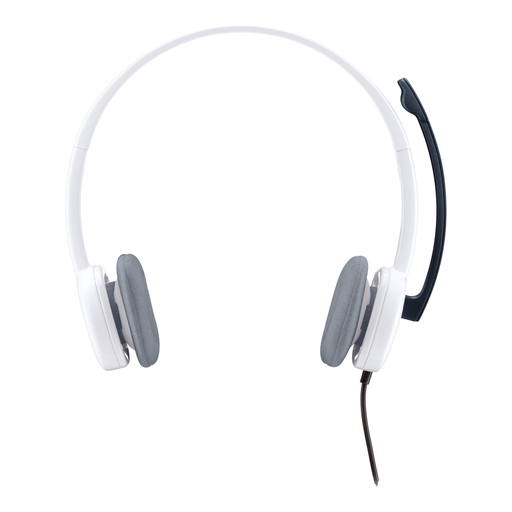
Why it suits this profile: This wired on-ear model is designed for calls, music and multimedia, with no charging or Bluetooth settings required.
The 3.5mm connection removes the need to rely on a battery. However, check that your device has a suitable connection.
80 grams, adjustable headband, microphone and 180 cm cable according to the product specifications.
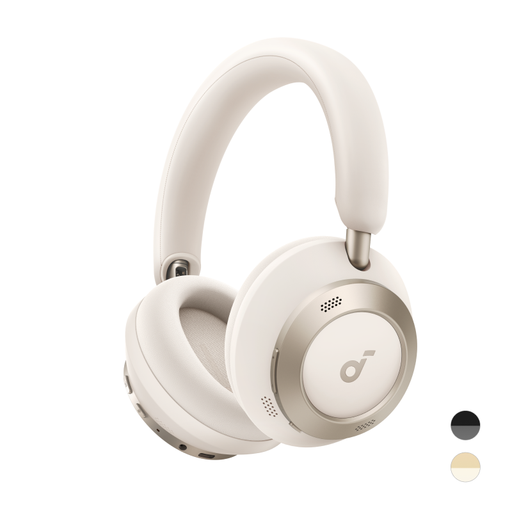
Why it suits this profile: Foldable wireless headphones for travelling, working and listening in environments with lots of background noise.
The product specification states a battery life of 40 hours with ANC and 60 hours without ANC; compare this difference with your own usage.
Foldable design, LDAC support and, according to the product description, 5 minutes of fast charging for up to 8 hours of playback.
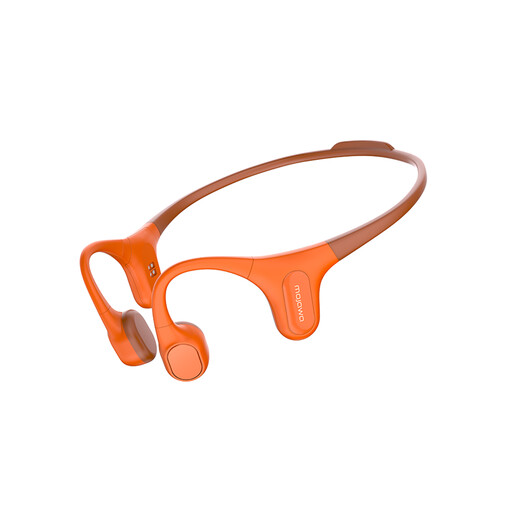
Why it suits this profile: Designed for running, cycling, swimming and training where an open design is preferred.
The product listing mentions IP68 and built-in storage. Before use, check the official instructions and dry the charging contacts thoroughly.
Bone-conduction design, Bluetooth and 32 GB of internal MP3 storage according to the product information.
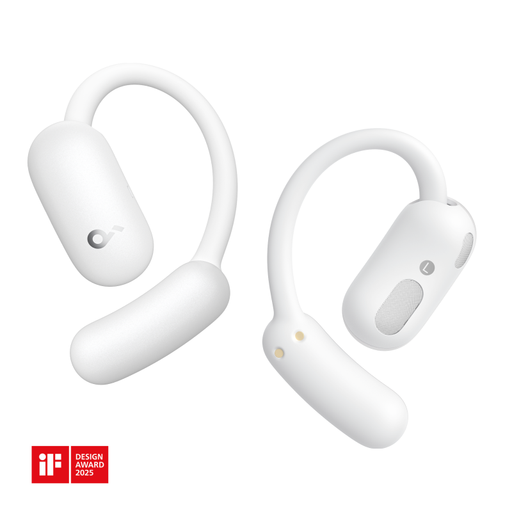
Why it suits this profile: An open-ear model for calls, music and everyday use without completely covering the ears.
The open-ear design means you do not have to rely solely on ANC. However, the stated IP55 rating is limited to water and dust protection.
Bluetooth 5.4, two microphones, button controls and a charging station according to the product specifications.
We have put together a complete, up-to-date list of products that fully meet these strict selection criteria and the applicable European safety regulations.
That depends on the microphones, the Bluetooth connection and your surroundings. Look at the number of microphones, call noise-reduction features and multipoint if you want to switch between a laptop and smartphone. Headphones with a microphone may be more comfortable for long meetings because the microphone can sit further from your mouth.
Their lifespan depends on charging habits, usage, storage and the built-in battery. Keep the earbuds in the charging case, avoid extreme heat and use a suitable USB-C charger. Stated playback time is not a guarantee of the battery’s total lifespan. With intensive daily use, battery capacity may noticeably decline over time.
The electricity cost of charging is usually limited. Pay particular attention to additional costs, such as a replacement charging case, extra ear tips or a cable that is not included. Wired headphones do not need a battery, but the cable and connection can wear out with daily use. Therefore, check in advance which parts can be replaced and which warranty applies according to the seller.
