First, decide whether you want to speak during the lesson and which connections your device supports. For live conversation practice, a suitable headset with a microphone is practical. If background noise distracts you, well-fitting headphones can help, optionally with active noise cancellation. This won’t completely block out nearby voices, and a microphone that reduces background noise won’t automatically reduce the noise you hear.
Who is this relevant to?
Learners who take part in live conversations
You listen to your teacher and answer using your computer. So look for a good microphone, an easy-to-use mute control and a connection that works with your device. Jabra and Logitech describe models with a boom microphone or mute control.
Learners in a shared space
You want to follow the lesson privately without room speakers, but sounds around you may be distracting. VeiligheidNL, the Consumentenbond and Sony outline things to consider when it comes to fit and noise cancellation. Nearby voices may still be audible.
Learners with long listening sessions
If you wear headphones for a long time, a comfortable fit and a manageable volume are important. The Consumentenbond discusses fit and comfort, while the World Health Organization offers advice on safe listening.
What should you look for?
Wired USB headset with microphone
Choose this if: you answer live using a computer and the USB version is compatible with its port.
Bear in mind: the cable limits your freedom of movement, and microphone noise reduction doesn’t cancel noise for your ears.
Wired closed-back over-ear headphones
Choose this if: you mainly want to listen to lesson audio and have a compatible 3.5mm connection.
Bear in mind: the cable limits your freedom of movement. Check separately whether any microphone works with your device.
Wireless over-ear headphones with noise cancellation
Choose this if: you use a compatible Bluetooth device and are mainly bothered by steady background noise.
Bear in mind: you’ll need to charge the headphones, and noise cancellation won’t completely block out changing voices.
Wireless on-ear headphones
Choose this if: a more compact model matters to you and you find it comfortable to wear.
Bear in mind: on-ear ear cups can put more pressure on your ears than over-ear models.
| What to consider |
What to check before buying |
Who is this important to? |
| Hearing lesson audio clearly |
Check that the ear cups fit well. Compare noise cancellation separately if steady background noise is a problem. |
If noise in the room distracts you, you’ll want to follow the lesson without constantly turning up the volume. Around 36% of consumers say clear sound in noisy surroundings is their top priority. |
| Answering questions yourself |
Check the microphone, mute control and connection. Also make sure the lesson app can use the headset for both input and output. |
If you speak during a conversation exercise, your microphone needs to work with your lesson device. Around 29% of consumers prioritise having a usable microphone. |
| Comfort during longer lessons |
Check the fit, including with glasses if you wear them. Keep the volume at a manageable level and take listening breaks. |
If you have several exercises in a row, you’ll want comfortable headphones and a listening volume you can control. Around 21% of consumers prioritise wearing comfort and listening volume. |
| Connection to your device |
Check whether your device supports Bluetooth, the right type of USB or a 3.5mm output. Check microphone input separately. |
When connecting headphones to your own lesson device, you’ll want to know in advance whether the connection will work. Around 14% of consumers prioritise a compatible connection. |
Common buying mistakes
-
Confusing a noise-cancelling microphone with noise cancellation for you
A microphone feature can reduce background noise in your speech, but it doesn’t tell you how quiet the headphones will sound to you.
Check separately what the microphone does and whether the headphones themselves have active noise cancellation.
-
Looking only at the model name
A model may be available in several versions. A USB-A, USB-C or 3.5mm connection won’t necessarily fit every lesson device.
Compare the connection on the exact version with your device. For interactive lessons, test the microphone input too.
-
Expecting noise cancellation to block out every voice
Sony says that active noise cancellation works better with steady, low-level noise than with changing voices.
If you’re in a room with people talking, pay attention to the fit too, and don’t simply keep turning up the lesson volume.
Brands to consider
Jabra
The Evolve2 40 SE range is designed for computer use and is available in versions with different connections and mono or stereo sound.
- Jabra lists a boom arm with three microphones and passive noise isolation.
- Passive noise isolation isn’t active noise cancellation. Check which USB version and Teams or UC model you need.
Sony
The WH-CH720N is a wireless over-ear model with noise cancellation, designed for listening in surroundings where background noise is a factor.
- Sony lists active noise cancellation, a 3.5mm connection and a quoted battery life of up to 35 hours with noise cancellation switched on.
- Sony says voices may still be audible despite noise cancellation. The quoted battery life is a model specification, not a measured lesson duration.
Sennheiser
The HD 400S is a wired over-ear option for devices with a compatible 3.5mm connection.
- Sennheiser lists a detachable cable with a 3.5mm plug and a one-button control for calls.
- Active noise cancellation isn’t listed for this model. Check whether the microphone is compatible with your device.
Logitech
The H390 range is a wired computer headset for interactive lessons.
- Logitech lists an adjustable boom microphone, volume control and an in-line mute button.
- The listed noise reduction applies to the microphone during calls, not active noise cancellation for the listener. Check whether the version you choose uses USB-A or USB-C.
Philips
The TAH4500BK/00 is a wireless on-ear option where compactness and replaceable parts may be worth considering.
- Philips lists active noise cancellation, plus replaceable ear cushions and battery.
- The Consumentenbond notes that on-ear models can put more pressure on your ears than over-ear models. Check the fit and whether replacement parts are available.
Headphones and headsets at Joybuy
This Joybuy selection includes wireless headphones and headsets for listening to lesson audio privately. For live conversation practice, check that the microphone and connection on your chosen model work with your lesson device.
 No image available
Sennheiser MOMENTUM 4 Wireless, black
Wireless over-ear headphones for listening to lesson audio privately. Check microphone compatibility if you want to speak too.
The product name mentions noise cancellation, a quoted battery life of 60 hours and four microphones.
Joybuy
 No image available
Sonos ACE Over-Ear Bluetooth Headset, black
An over-ear Bluetooth headset for anyone who wants to listen to lesson audio wirelessly. If you want to join in, check that the microphone and connection work with your lesson app.
Joybuy
 No image available
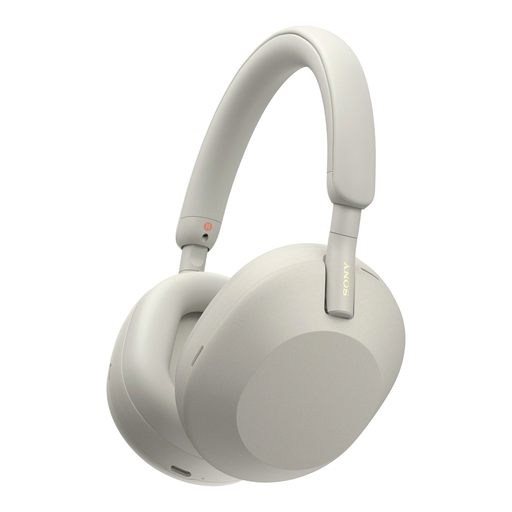
Sony WH-1000XM5, silver
Wireless noise-cancelling headphones for listening in peace and quiet. Check separately whether the microphone meets your needs for a live lesson.
Joybuy
 No image available
Jabra Evolve2 55 Wireless Stereo Headset, black
A wireless stereo headset for lessons where you may want to speak too. Check that the microphone and connection work with your lesson device.
The product name mentions ANC and noise-cancelling microphones.
Joybuy
 No image available
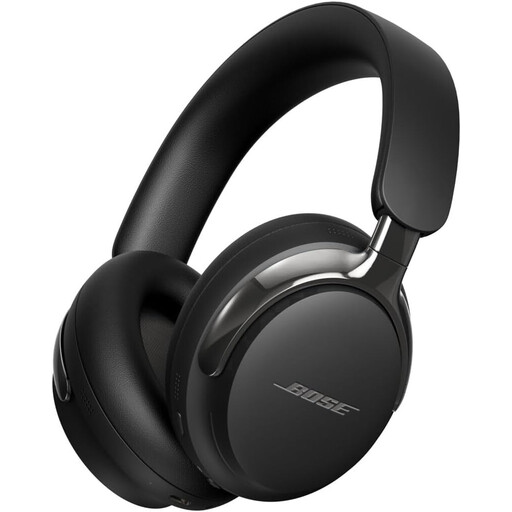
Bose QuietComfort Ultra Headphones (2nd Gen), black
An option for listening to lesson audio privately. Check that it has the connection you want to use and that the microphone is suitable for your interactive lessons.
Joybuy
Frequently asked questions
Do I need noise cancellation to hear my teacher clearly?
Not always. Start with well-fitting headphones and a working audio connection. Active noise cancellation can be especially helpful with steady background noise, but it won’t necessarily block out nearby voices.
How do you set up a headset for an interactive lesson?
In your lesson app or operating system, select the headset for playback and, if you’re joining in, the right microphone for input. Position a boom microphone close to your mouth and check that it isn’t muted. For the Evolve2 40 SE, Jabra recommends keeping the microphone close to your mouth.
How can you listen safely during longer exercises?
Keep the volume at a manageable level, take listening breaks and choose a good fit so you don’t have to turn the volume up to drown out background noise. The World Health Organization gives an average of 80 dB for up to 40 hours a week as an example of safe exposure. This isn’t a product specification or a guarantee for every individual situation.
What can you do if headphones bought online don’t fit or break quickly?
According to ACM ConsuWijzer, online consumer purchases come with a statutory 14-day cooling-off period after delivery, with some exceptions. Products must also meet what you could reasonably expect from them. If a product doesn’t meet that expectation under the terms of the statutory guarantee, the seller is responsible for providing a solution at no cost to you. Check the applicable returns policy before unpacking the product.


