When listening back to recordings of Dutch conversations, a comfortable fit and clear speech matter more than a long list of features. If possible, try your own lesson recordings. Choose wired headphones for straightforward playback, a headset with a microphone if you speak live, or a wireless model with noise cancelling if background noise distracts you. Noise cancelling does not guarantee silence when people are speaking, and having a microphone does not prove that your own pronunciation recordings will sound good.
Who is this guide for?
Language learners who listen to recordings repeatedly
You replay different Dutch conversations to pick out words and pronunciation. A comfortable fit and easy-to-use pause and replay controls can make a difference. The Consumentenbond includes speech clips in its listening test.
People taking part in live conversation practice
You listen and speak during the lesson. Check that the connection is compatible with your device and that the microphone and mute controls suit your lesson set-up. Logitech describes these features for the H390.
Listeners in a shared space
Background noise can distract you from a lesson recording, but you may also want to hear someone else in the room. Compare passive isolation, noise cancelling and any ambient sound mode as separate features.
What should you consider?
| What to consider |
What to look for |
Who this matters to |
| Speech clarity |
Compare the same lesson recordings at a comfortable volume and check that pausing and replaying is easy to do. |
If I want to distinguish words and pronunciation clearly across different recordings, this comes first. Around 36% of consumers in this preference breakdown prioritise speech clarity. |
| Comfort |
Check the fit of the headband and ear cushions, including if you wear glasses. Take breaks during longer listening sessions. |
When I listen to several recordings in a row, I mainly want a model that stays comfortable. Comfort is the top priority for around 29% of consumers in this preference breakdown. |
| Microphone and connection |
Check whether your device needs USB-A, USB-C or 3.5 mm, and test the microphone in your lesson app. |
If I actively take part in live exercises, I need a compatible microphone connection and easy-to-reach call controls. Around 21% of consumers in this preference breakdown put this need first. |
| Background noise |
Try a speech recording with noise cancelling switched on and off. Also check whether an ambient sound mode is easy to use. |
When noise where I listen disrupts the lesson, I mainly want a way to reduce distractions without expecting voices to be filtered out completely. Around 14% of consumers in this preference breakdown name background noise as their top priority. |
Common mistakes when choosing
-
Assuming noise cancelling guarantees silence
Noise cancelling does not work in the same way for every sound. Sony says it works best with constant, low- to mid-pitched noise; voices that change in volume or pitch may still be audible.
Listen to one of your own lesson recordings with the feature switched on and off, at the same comfortable volume.
-
Confusing a noise-cancelling microphone with noise cancelling for listening
For the Logitech H390, the noise cancelling described applies to the microphone used by the person you are speaking to. It does not mean that background noise is actively reduced for you.
First decide whether you mainly want to listen more clearly, speak yourself or do both. Then check which features the model offers for each purpose.
-
Choosing the wrong connection or battery-life variant
The Logitech H390 comes in USB versions, while the Sennheiser HD 400S uses a 3.5 mm connection. For wireless models, the stated battery life may also vary depending on whether noise cancelling is switched on or off.
Check the port on your lesson device and read the battery life alongside the settings it applies to.
Brands to consider
Logitech
The H390 is a wired computer headset for anyone who also speaks during online lessons.
- Logitech describes USB-A and USB-C versions, an adjustable microphone boom, and in-line volume and mute controls.
- Check the connection on the version you choose. The manufacturer's description is not an independent assessment of recording quality.
Sony
The WH-CH720N is a wireless, closed-back over-ear headphone with noise cancelling and an ambient sound mode.
- Sony states that it offers up to 35 hours of continuous music playback with noise cancelling on, and up to 50 hours with the feature off.
- These are stated figures for different settings, not real-world test results. You will need to judge the fit and clarity of your own lesson material for yourself.
JBL
According to JBL, the Tune 770NC is a wireless over-ear headphone with multipoint connectivity and Ambient Aware and TalkThru modes.
- JBL states that battery life is up to 70 hours with Bluetooth on and ANC off, and up to 44 hours with a different setting.
- These battery-life figures are based on different settings, and do not in themselves say anything about speech playback or personal comfort.
Sennheiser
The HD 400S is a wired, closed-back over-ear headphone for listening back through a compatible 3.5 mm connection.
- Sennheiser lists a 1.4 m cable with a one-button remote and microphone.
- Check that your device has a 3.5 mm connection. This wired option does not give you the freedom of movement you get with Bluetooth.
Joybuy product picks
These Joybuy product picks include wireless headphones with noise cancelling and a wired headset for lessons. Check that the features and connection listed for each model suit your needs.
 No image available
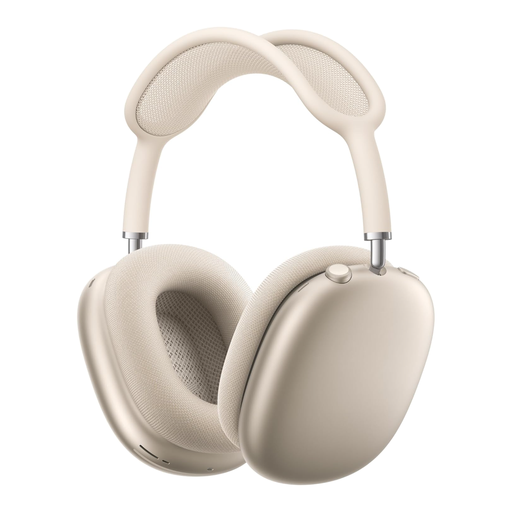
AirPods Max 2 – Starlight
An option to consider if background noise distracts you when listening back.
The product description mentions active noise cancelling and a Transparency mode.
Joybuy
 No image available
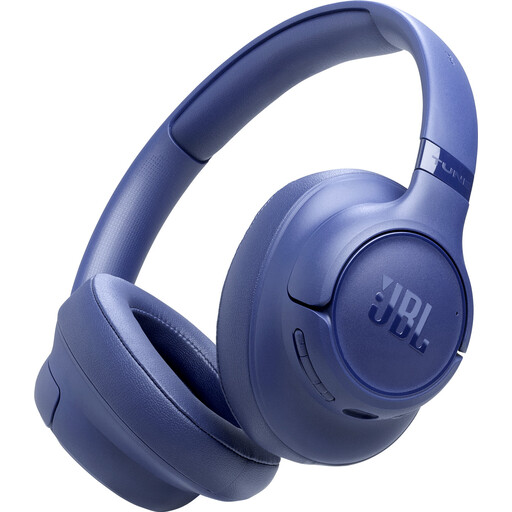
JBL Tune 730BT – blue
A wireless option to consider if you also have conversations during lessons.
The product information mentions noise cancelling, two microphones and connections to two Bluetooth devices. According to the description, the charging cable is not included.
Joybuy
 No image available
Sennheiser MOMENTUM 4 Wireless – white
A wireless over-ear option to compare if you also want to make calls during lessons.
The product title mentions noise cancelling, 60-hour battery life, fast charging and four microphones for calls.
Joybuy
 No image available
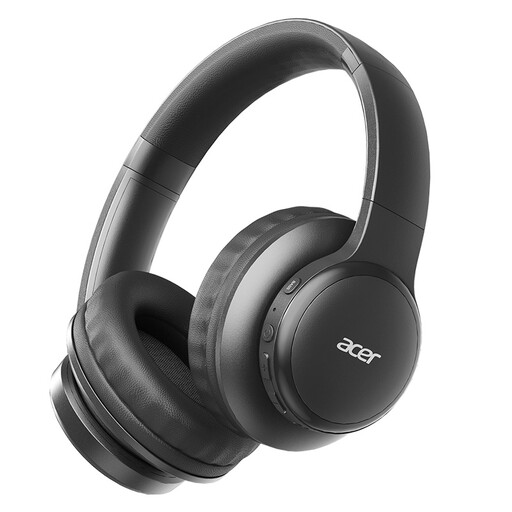
Acer OHR559 OWS
A wireless option to consider if you want to use Bluetooth and make calls during lessons.
The product title mentions Bluetooth 5.3, HD voice calls, a foldable design and a USB-C charging port.
Joybuy
 No image available
Turtle Beach Airlite Fit – blue and red
A wired headset to consider if your device has a compatible 3.5 mm connection and you also speak live.
The product title mentions a flip-to-mute microphone and compatibility with devices including PCs and mobile devices. The cable limits your freedom of movement.
Joybuy
Frequently asked questions
Do you need a microphone to listen back to conversation recordings?
No, not if you only want to play them back. If you also speak live or record yourself, check the microphone connection and make a test recording in your lesson app. A manufacturer's description does not prove how your own recording will sound.
How do you set up a headset for an online conversation exercise?
First, choose a version with a connection that works with your computer. Then select the headset as the output device in your lesson app and, if you are speaking, choose the intended microphone. Test the volume, mute control and a short recording before the lesson starts. Logitech describes the H390 as having a USB connection and in-line controls.
How can you listen safely when playing several recordings in a row?
Keep the volume low, take regular breaks and avoid automatically turning it up to drown out noise. The World Health Organization (WHO) identifies sound level, listening duration and frequency of exposure as factors. The WHO guideline of an average of 80 dB for a maximum of 40 hours a week is not a guarantee for every person or listening situation.
What cooling-off period and legal protections apply to online purchases in the Netherlands?
According to ACM ConsuWijzer, online purchases generally come with a 14-day cooling-off period from delivery, subject to legal exceptions. This is separate from your statutory rights if a product is faulty, damaged or not as described. Before unwrapping your purchase, check the returns terms that apply to it.
What rules apply to Bluetooth headphones sold in the Netherlands?
The Radio Equipment Directive applies to radio equipment placed on the EU market. The European Commission describes requirements covering areas including safety, electromagnetic compatibility and the efficient use of the radio spectrum. This does not in itself say anything about the listening quality of a particular model.


