Who is this choice relevant to?

Listener in a shared study space

Wants to avoid disturbing others and first checks whether the headphones are selected as the audio output and how much sound they leak. Audio-Technica points out that sound leakage matters when people are sitting nearby.

Listener without a suitable laptop output

Has wired headphones but needs to check that the USB connection, headphone plug and any headset microphone are compatible. Creative specifies a four-pole CTIA connection for headphones and a microphone on the Sound Blaster PLAY! 4 (SB1860).

Listener with hard-to-drive headphones

Finds the sound too quiet at a comfortable volume or wants more precise control. Compare the specifications for the exact headphones and amplifier rather than looking at just one output figure.

What should you look for when choosing?

Connect your headphones directly to your laptop

Choose this if: your laptop has a suitable connection and your headphones sound good at a comfortable volume. Select your headphones as the audio output before buying any extra equipment.

Bear in mind: this option won’t solve the problem if you’re missing a connection or the output is demonstrably inadequate. How much sound leaks also depends on the headphones.

A compact USB DAC with a headphone amplifier

Choose this if: you want to connect wired headphones via USB, have limited space or need to take your setup with you.

Bear in mind: connections and controls vary by model. Check separately whether the version also works with your headset microphone; a DAC won’t prevent sound leaking from open-back headphones.

A desktop DAC with a headphone amplifier

Choose this if: you listen at a fixed spot and need features such as a volume control, suitable amplification or extra connections.

Bear in mind: a desktop model takes up space and may need a separate power supply. The FiiO K11, for example, requires a separate 12 V/2 A power supply.

Concern What to look for Who it matters to
Listening privately without disturbing others Select the correct audio output. Audio-Technica explains that closed-back headphones generally leak less sound than open-back models; also check the fit and listen at a comfortable volume. When I listen in a shared study space, I want to make sure others don’t hear music through the laptop speakers or my headphones. Around 36% of consumers prioritise listening privately without disturbing others.
Connections and audio path Check the USB port, the exact headphone output and whether you also need headset microphone support. Microsoft Support recommends selecting your preferred output when multiple audio devices are available. With wired headphones, I want to make sure the laptop, plug and any microphone function are compatible. Around 29% of consumers give a suitable connection top priority.
Usable volume and drive capability Compare output figures with the same headphone load and check whether you can adjust the volume precisely. A higher maximum volume isn’t, by itself, a reason to choose an amplifier. If my headphones sound too quiet at a comfortable volume or are difficult to adjust, I want to know whether a specific amplifier is suitable. Around 21% of consumers prioritise suitable drive capability.
Space, power and controls Balance portability against controls and extra connections. For a desktop model, check how much space the cables take up and what power supply it needs. For a fixed study space, I want convenient controls and connections, while for changing workspaces I’d rather keep things compact. Around 14% of consumers give a practical setup top priority.

Common buying mistakes

  • Buying an amplifier when the wrong audio output is selected

    Your laptop may keep playing sound through its speakers if they’re selected as the output device.

    First select your headphones as the output and test the sound. Only buy extra equipment once you’ve identified a specific connection or drive issue.

  • Assuming a more powerful amplifier will stop sound leakage

    An amplifier doesn’t change the design of your headphones, so it won’t stop sound leaking to people nearby.

    In a shared space, check how much sound your headphones leak and keep the volume at a sensible level. If this remains a problem, look for headphones that are better suited to that environment.

    You may need different headphones if your current pair lets too much sound through.

  • Assuming every USB connection also supports microphone audio

    A headphone output doesn’t prove that a headset microphone is supported. Specifications can also vary between versions with similar model names, such as the Fosi Audio DS2-2024 and another DS2 version.

    Compare the full model name, USB connection, headphone plug and microphone function with the information for the exact version.

    An unsuitable plug may require an adaptor; the wrong version may not offer the connections you need.

  • Assuming every desktop DAC is powered only via USB

    FiiO says the K11 requires a separate 12 V/2 A power supply. According to its manual, the iFi ZEN DAC 3 can be powered via USB or with a separate 5 V power supply; the separate supply isn’t included.

    Before setting up your desk, check what power supply the exact model needs and what’s included.

    A separate power supply takes up space and needs an available socket; for the iFi power option mentioned, bear in mind that the power supply isn’t included.

Brands to consider

Creative

The Sound Blaster PLAY! 4 (SB1860) is a compact USB-C audio adaptor for use with a compatible wired headset.

  • Creative specifies a four-pole 3.5mm CTIA connection, USB power and support for headphones rated at 16–150 Ω.
  • Creative describes its noise cancellation as being for calls; this doesn’t mean the adaptor prevents sound leaking to people in a study space.

FiiO

The compact KA11 and desktop K11 suit different setups: take the KA11 with you, or choose the K11 for fixed controls and extra connections.

  • FiiO specifies USB, optical and coaxial inputs, a volume control, and 6.35 mm and 4.4 mm headphone outputs for the K11.
  • The K11 requires a separate 12 V/2 A power supply. These K11 specifications don’t automatically apply to the KA11.

iFi audio

The ZEN DAC 3 is a desktop DAC/amplifier with volume control and line outputs for a fixed laptop setup.

  • The manual lists a USB-C input, 6.3 mm and 4.4 mm headphone outputs, and a fixed or variable line output.
  • It can be powered via USB or with a separate 5 V power supply; according to the manual, the separate supply isn’t included. A stated output power is a manufacturer’s figure, not the result of an independent listening test.

Fosi Audio

The DS2-2024 is a compact USB-C DAC/amplifier with 3.5 mm and 4.4 mm headphone outputs.

  • The DS2-2024 product specifications list volume buttons, plus a USB-C cable and USB-A adaptor in the box.
  • Fosi lists different chip and power specifications on a separate DS2 page. Check the full model version and don’t combine details from different versions.

Headphones and headsets at Joybuy

These Joybuy products are wired headphones and headsets that connect directly to a compatible laptop, without a separate desktop amplifier.
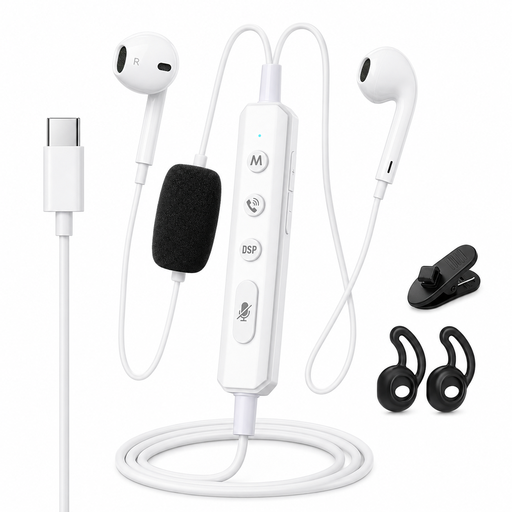
VoxorAI KM08 White wired headphones with sound card

VoxorAI KM08 White wired headphones with sound card

A wired option for a laptop with a suitable USB-C connection.

The product title mentions a sound card for real-time monitoring; check that your laptop’s USB-C connection is compatible.

Joybuy

Samsung EO-IC100 wired in-ear headset, USB Type-C, black

Samsung EO-IC100 wired in-ear headset, USB Type-C, black

A wired in-ear option for devices with a suitable USB-C connection.

The product title lists a USB Type-C connection; check that it’s compatible with your laptop’s audio output.

Joybuy

Trust GXT 490 FAYZO over-ear USB gaming headset

Trust GXT 490 FAYZO over-ear USB gaming headset

A wired over-ear headset for a computer with a suitable USB connection.

The product title lists USB and 7.1; check that it’s compatible with your laptop and supports the audio features you want.

Joybuy
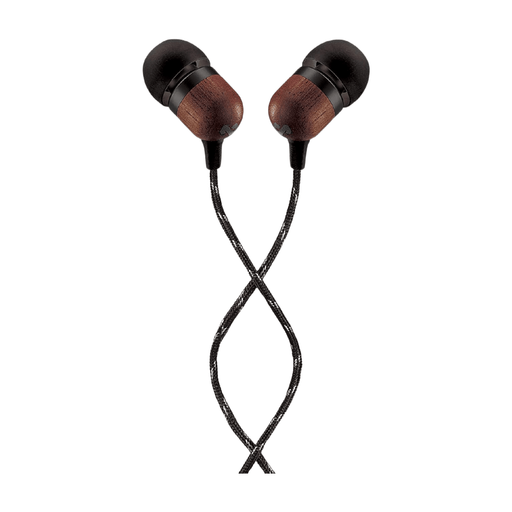
House of Marley Smile Jamaica wired USB-C earphones, 9.2 mm

House of Marley Smile Jamaica wired USB-C earphones

A wired in-ear option for a device with a suitable USB-C connection.

The product title lists a 9.2 mm driver, an in-line microphone and a tangle-resistant cable.

Joybuy
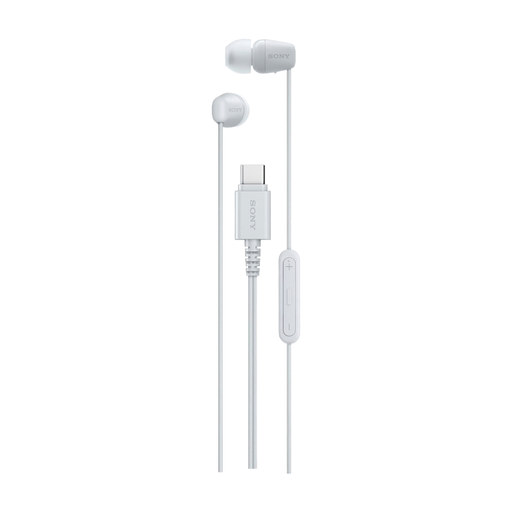
Sony IER-EX15C wired in-ear earphones, USB Type-C, white

Sony IER-EX15C wired in-ear earphones, USB Type-C, white

A wired in-ear option for a laptop with a suitable USB-C connection.

The product title lists USB Type-C; check that the connection works with your device’s audio output.

Joybuy

Frequently asked questions

Why does my laptop still play sound through its speakers after I connect a USB DAC?

Check which audio output device is selected. Microsoft Support recommends choosing your preferred device when multiple output devices are available; also check the cable and volume.

Will my wired headset’s microphone work with every USB headphone amplifier?

No. Don’t assume microphone support just because there’s a headphone output. Creative specifies a four-pole CTIA connection and microphone recording for the PLAY! 4 (SB1860); for another model, check the specifications for the exact version.

Will a headphone amplifier stop other people hearing my music?

No, an amplifier doesn’t change the design of your headphones. Audio-Technica highlights sound leakage as something to consider when others are sitting nearby, so check the headphones themselves too and select the correct audio output.

What are my rights when buying online in the Netherlands?

When you buy from a business online, you generally have a 14-day cooling-off period, subject to legal exceptions; the Dutch government explains these rules. Products must also conform to the contract. According to ACM ConsuWijzer, if there’s a fault, the seller is your point of contact for an appropriate solution.
