For a growing RAW archive that you mainly want to store, a compact HDD powered by USB is often the better fit. If you regularly transfer or edit files on the go, a portable SSD may be a better choice. Choose based on the size of your archive, the dimensions of the exact model and your computer’s connection. And don’t keep important originals on just one drive.
Who is this choice relevant to?
A photographer with a growing RAW archive
You want to keep your originals without a bulky enclosure or separate power adapter. Seagate and Toshiba list compact models powered by USB, but compare the dimensions of the capacity you’ve chosen with the space you have available.
A photographer who takes projects on the go
You take your drive with you regularly and want an enclosure and connection that suit your devices. Samsung and SanDisk offer portable SSD models; check the exact connection and model before buying.
A photographer who edits directly from the drive
You regularly open RAW projects directly from external storage and want a speed that matches your computer’s port. Samsung and Crucial quote maximum sequential speeds, but your computer’s connection and capabilities also play a part.
What should you consider?
Portable HDD
Best for: storing a growing RAW archive, especially when capacity matters more than frequent active editing.
Bear in mind: choosing a drive focused on capacity means putting less emphasis on speed. PCWorld describes HDDs as the option for capacity and SSDs as the option for speed.
Portable SSD
Best for: regularly copying files, taking projects with you or frequently working from the drive.
Bear in mind: quoted maximum speeds depend on the connection and computer. An SSD is also no substitute for a separate back-up.
First decide whether you mainly need archive space, a drive that fits in a small space, a second copy or speed for active work. The percentages below indicate the share of consumers for whom each priority is their main concern.
| What to consider |
What should you check? |
Who is this important for? |
| Capacity for a growing archive |
Count your current RAW folders and expected projects, then compare the total with the capacity of the exact model. Leave room for a second copy, too. |
If your archive is growing, you won’t want to run out of space again soon. Around 31% of consumers say capacity for a growing archive is their main priority. |
| Limited physical space |
Compare the length, width and thickness of the model you’ve chosen. Also check whether the drive is powered by USB. |
If you have a shallow shelf, you’ll want to know whether the enclosure will really fit and whether it needs a separate adapter. Around 25% of consumers prioritise the space available. |
| Keeping a separate copy |
Decide where you’ll keep the second copy and how often you’ll update it. |
If you want to be able to recover your originals if one drive fails or goes missing, you’ll need a separate copy. Around 25% of consumers say keeping a second copy is their main concern. |
| Frequent transfers or editing |
Check your computer’s USB port and cable. Don’t assume quoted sequential speeds are a guarantee of performance in your own workflow. |
If you regularly transfer large RAW files or edit from the drive, the connection can affect performance. Around 19% of consumers prioritise working speed. |
Common buying mistakes
-
Moving the only copy of your RAW originals to the new drive
If the drive is lost or stops working, you won’t have a second copy to restore your files from. VeiligInternetten recommends keeping a recent back-up and suggests an external drive or cloud storage as possible locations.
Make a separate copy and check it before deleting the originals from their current location.
A separate back-up requires extra storage space or another storage service.
-
Assuming an advertised SSD speed is your guaranteed working speed
Manufacturer figures are maximum sequential performance. What you can achieve in practice depends on your computer and connection.
Check your computer’s port and cable, and don’t choose a drive based only on a higher quoted speed.
-
Assuming every model is equally compact or ready to use with a Mac
Dimensions and formatting can vary by capacity and model. Toshiba says the Canvio Basics model mentioned here is formatted as NTFS and needs reformatting for macOS.
Check the dimensions and file system of the exact model. Copy your files somewhere else before reformatting.
Brands to compare
Seagate
The Expansion Portable range includes HDDs powered by USB, for anyone looking for archive space without a separate power adapter.
- For the Expansion Portable 5 TB, model STKM5000400, Seagate specifies dimensions of 115,3 × 80,0 × 20,9 mm.
- Compare these measurements with the space you have available; dimensions alone don’t tell you anything about speed or durability.
Toshiba
Canvio Basics includes portable HDD models for straightforward storage.
- For the Canvio Basics 4 TB, model HDTB540EK3CA, Toshiba specifies dimensions of 78 × 109 × 19,5 mm and USB-powered operation.
- Toshiba says the drive is formatted as NTFS and needs reformatting for macOS. Make sure your files are safely stored elsewhere before reformatting.
Samsung
The portable T7 range includes SSD models for working on the go; the T7 and T7 Shield are different models.
- Samsung Netherlands quotes maximum sequential speeds of 1.050 MB/s for reading and 1.000 MB/s for writing for the T7 2 TB via USB 3.2 Gen 2.
- These are Samsung’s figures, not guaranteed speeds on every computer. Check the exact model, too: the T7 Shield has its own specifications.
Crucial
The X9 is a compact USB-C SSD for anyone with limited space for a drive.
- Crucial gives the X9 2 TB dimensions of 65 × 50 mm and read speeds of up to 1.050 MB/s.
- Crucial says performance may depend on your computer and connection. Reformatting erases any data already on the drive.
SanDisk
The Extreme Portable SSD range includes portable models for storage you regularly take with you.
- For model SDSSDE61-1T00-G25, SanDisk lists a capacity of 1 TB and a quoted sequential read speed of 1.050 MB/s.
- Check the full model number: the product name is used for different generations and capacities.
External drives at Joybuy
This selection includes portable HDDs for RAW archives and portable SSDs for anyone who regularly transfers or takes files with them.
 No image available
WD Elements Portable 5 TB USB-C
A good fit for a growing photo archive you want to store on a portable HDD.
WD lists 5 TB of storage, a 2.5-inch form factor, USB-C and a weight of 240 g.
View at Joybuy
 No image available
Toshiba Canvio Basics 4 TB
A portable HDD option for anyone who wants to store a photo archive in a compact space.
Toshiba lists dimensions of 109 × 78 × 19,5 mm, USB 3.2 Gen 1 and USB-powered operation. The model is pre-formatted for Windows; it needs reformatting for macOS.
View at Joybuy
 No image available
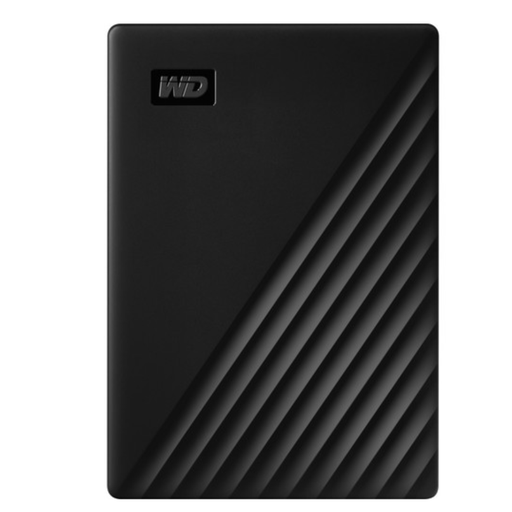
WD My Passport 5 TB USB 3.0
A good choice if you’re looking for a portable HDD for photos and other files.
WD lists a 5 TB capacity, bus-powered operation, USB 3.2 Gen 1, password protection and 256-bit AES hardware encryption.
View at Joybuy
 No image available
Samsung Portable SSD T7 2 TB, blue
A portable SSD option for regular transfers or working with RAW projects directly from the drive.
Samsung lists USB 3.2 Gen 2 and maximum sequential speeds of 1.050 MB/s for reading and 1.000 MB/s for writing. The quoted dimensions are 85 × 57 × 8 mm; performance also depends on your computer and connection.
View at Joybuy
 No image available
Samsung MU-PG2T0B 2 TB portable SSD
For anyone who regularly transfers large RAW files and wants to take a compact SSD with them.
Samsung lists USB 3.2 Gen 2x2 and maximum read and write speeds of up to 2.000 MB/s. The description gives a weight of 122 g; achieving the quoted speed depends on your connection and computer.
View at Joybuy
Frequently asked questions
Should I back up an external drive containing RAW files?
Yes, if you want to be able to recover the files if the drive is lost: keep a separate copy. The Dutch information website VeiligInternetten recommends keeping a recent back-up and suggests an external drive or cloud storage as possible locations.
Can I use a Canvio Basics formatted for Windows with my Mac straight away?
Check the file system first. Toshiba says the Canvio Basics model mentioned here is formatted as NTFS and needs reformatting for macOS. Copy any existing files somewhere else before reformatting the drive.
Do I still have consumer rights after the manufacturer’s warranty expires?
For a consumer purchase in the Netherlands, statutory warranty rights may still apply after the manufacturer’s warranty expires if a product fails to meet reasonable expectations under normal use. ACM ConsuWijzer says the seller is responsible; the precise assessment depends on the circumstances.
Do privacy rules apply to photos of identifiable people?
According to the Dutch Data Protection Authority, identifiable people in photos count as personal data. The authority describes an exception for strictly personal or household use that remains private; the GDPR may apply to business use or wider publication. Whether it applies depends on who takes the photos and what happens to them.


