
Moving house with irreplaceable photos
You want to make an extra copy before packing, check that you can open the files and avoid having all your copies travel together. Dutch Photo Academy recommends keeping at least one backup outside your home.


The right drive is large enough for all the files you want to keep and works with the computer you’ll use to check the copy. A portable HDD could be a good choice if storage capacity is your priority; an SSD with clearly stated protection features may suit you if you carry it around often. Keep the originals available until you’ve checked the copy, and store another copy elsewhere. Adobe states that a Lightroom Classic catalogue backup contains only the catalogue file: you’ll need to copy your photos and exports separately.
You want to make an extra copy before packing, check that you can open the files and avoid having all your copies travel together. Dutch Photo Academy recommends keeping at least one backup outside your home.
You want to work out how much space your entire collection needs and compare it with the capacity of a portable HDD or SSD. Toshiba, Seagate and Crucial list a range of capacities for the product lines reviewed.
You use your copy in different places, so you want to compare each model’s connections, stated speed and any protection features. Samsung and Crucial’s specifications apply to the stated models and conditions.
Good for: anyone looking for plenty of space for a large photo collection who can transport the drive with care.
Bear in mind: check the connection and formatting for your computer; the Toshiba Canvio Basics reviewed comes preformatted for Windows.
Good for: anyone who takes their drive with them often or regularly transfers large files, and wants to match the exact model’s specifications to their computer.
Bear in mind: maximum speeds depend on the connection and computer; drop and water protection vary by model.
| What to consider | What should you check? | Who is this important for? |
|---|---|---|
| Restorable copy | Copy your photos, exports and, if needed, catalogue separately. Check that you can open the files you need from the copy. | If I want to be able to recover both my photos and my catalogue after the move, I want to check both. For around 40% of consumers, the ability to restore files is the main priority. |
| Capacity | Compare the total size of the files you want to keep with the stated capacity. Formatting can use up some space. | I want to make sure my entire archive, including any exports, will fit on the drive. Capacity is the main priority for around 30% of consumers. |
| Protection during transport | Check the claims for the exact model and the conditions, such as the stated drop test. An SSD isn’t automatically protected against every drop or immersion in water. | If the drive will travel with me often during the move, I want to know what protection this specific model offers. This is the top priority for around 20% of consumers. |
| Connection and copying time | Check the ports, cables and file format. Maximum speeds apply under stated conditions and don’t directly predict how long your full backup will take. | I want to use the drive without connection issues and make the copy within the time I have available. For around 10% of consumers, connection, file format or speed is the main priority. |
If that drive becomes your only copy, you won’t have a separate backup.
Copy the files rather than moving them, check the copy and keep another copy in a separate location.
Adobe states that a backup from Lightroom Classic contains only the catalogue file, not the photos themselves.
Also make separate copies of the photos and any export files you want to keep.
A manufacturer’s stated speed depends on factors including the connection and computer.
Check your USB port and cable. Don’t choose a drive just because it has a higher speed rating if your setup may not be able to make use of it.
Connections and default formats vary by model; some computers may require the drive to be reformatted.
Before copying, check the ports, supplied cable and formatting. Secure any existing data first if you’re going to reformat the drive.
You may need another cable or allow time for reformatting.
The portable T7 SSD is a compact storage option; the T7 Shield is a separate, ruggedised product line. The Shield’s features don’t automatically apply to the standard T7.
Canvio Basics is a range of USB-powered portable HDDs for anyone comparing capacity for a backup.
Expansion Portable is a USB-powered portable HDD, so it doesn’t need a separate power supply.
The X9 Pro is a range of portable SSDs; compare connection requirements and protection claims for each version.
This selection includes portable SSDs and HDDs for making and carrying an extra copy of your photo archive.
 No image available
A portable SSD with 1 TB of storage for an extra copy of your photos and files.
Read speeds of up to 800 MB/s; the description states drop protection up to 2 metres.
 No image available
This 1 TB SSD is an option if you want a portable backup and this model’s protection and connection requirements suit the way you’ll use it.
The description states IP65 and drop protection up to 3 metres. The maximum read speed of 2.000 MB/s requires a compatible USB 3.2 Gen 2x2 host; write speeds are lower. Clean and dry the casing after exposure to water before using the drive.
 No image available
A portable HDD with 1 TB of storage for an extra copy of your photos and other files.
The description lists USB-C and plug-and-play use. Avoid dropping, shaking or subjecting the drive to strong impacts.
 No image available
A portable SSD with 1 TB of storage for an extra copy of your photos and other large files.
According to the description, the maximum read speed of 1.000 MB/s requires a compatible USB 3.2 Gen 2x2 host; write speeds are lower. The available storage is less than 1 TB because of formatting and system functions.
 No image available
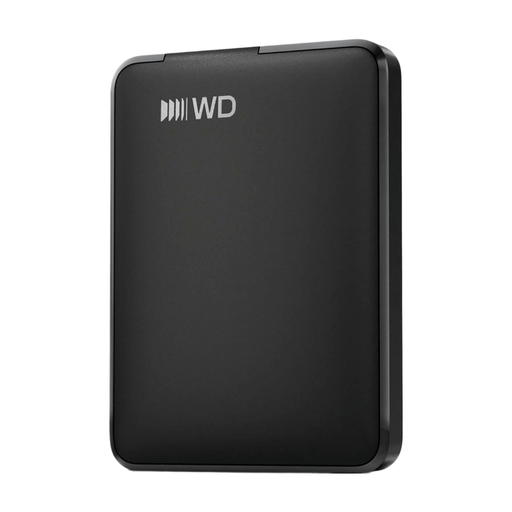
A 1 TB portable external HDD for an extra copy of your photos and files.
The description lists USB 3.2, USB 2.0 compatibility and plug-and-play use. It states that the drive is preformatted for Windows; it needs to be reformatted for use with a Mac.
No. Adobe states that a catalogue backup contains only the catalogue file. Copy your photos and any exports separately, and check that you can open the files you need before deleting the originals.
It depends on the exact model and your computer. Toshiba states that the Canvio Basics reviewed is formatted for Windows and needs to be reformatted for the macOS versions listed; Crucial lists exFAT for the X9 Pro reviewed. Reformatting erases any existing data on the drive.
Don’t keep all your copies in the same place. Transporting a drive separately or keeping a copy elsewhere reduces the risk of one problem affecting several copies at once.
No. According to the Dutch government, the Netherlands has no fixed legal guarantee period. If a product doesn’t perform as you could reasonably expect under normal use, the seller must offer a solution in line with the applicable terms; the manufacturer’s guarantee is separate.