Choose an external HDD if you mainly store large project folders; a portable SSD is a better fit if you often move files or work from the drive. Choose a capacity based on your own folders, and check the connections and file system. Keep a separate, up-to-date backup too. If your recordings contain personal data, the right level of protection depends on the risks of the project.
Who is this choice relevant to?
Manager of a growing interview archive
You store lots of completed projects and want to know how much space your existing and future folders will take up. The capacities available for HDD models can help you compare options; Seagate and Western Digital, for example, describe portable models with 5 TB and 4 TB of storage.
Interviewer or editor on the move
You move recordings between locations or regularly work with large project folders. In that case, connectivity, portability and the time transfers take up in your workflow are all worth considering.
Manager of confidential recordings
You consider access and protection as well as how to keep files safe, particularly when recordings contain personal data. The Dutch Data Protection Authority describes a risk-based approach for organisations that process personal data.
What should you consider when choosing?
Start by assessing your storage and backup needs, then compare how often you move folders and which devices you want to use the drive with.
External HDD for archiving
A good fit if: you mainly store project folders and don’t work from the drive all the time.
Keep in mind: the Consumers’ Association describes HDDs as more susceptible to impact than SSDs, so take care when transporting an HDD.
Portable SSD for moving files and working
A good fit if: you often take project folders with you, copy them or work from the drive.
Keep in mind: check that the capacity of your chosen model is sufficient and that your computer and cable support the specified interface.
| What to consider |
What to look for when buying |
Who is this important for? |
| Space for project folders |
Compare the capacity of the exact model with your current folders, expected growth and the space needed for backups. Not all advertised capacity is available for files. |
I want to plan storage around complete project folders and future growth, not just the number of interviews. Around 25% of consumers prioritise having enough storage space. |
| A recoverable copy |
Plan a separate, up-to-date copy and check that you can restore a project folder. |
I want to be able to recover files if the working or archive copy is lost. Around 20% of consumers prioritise recoverability. |
| Confidentiality |
Assess access rights and risks; check that any security feature works with your devices and recovery process, and that it has actually been set up. |
If recordings contain identifiable people, I want to assess access and appropriate protection carefully. Around 20% of consumers give confidentiality top priority. |
| Transfers and transport |
Check the USB port and cable when considering the specified SSD speeds. A stated maximum does not guarantee the same speed with every computer and transfer. |
I regularly move large project folders and want a drive that suits my workspace and how I transport it. Around 20% of consumers prioritise transfers and transport. |
| Working across different devices |
Check the ports, cable and file system. Apple lists exFAT as an option for an external drive larger than 32 GB that you use with Mac and Windows; formatting erases existing files. |
I switch between computers and want to be able to open and save files on the devices I use. Around 15% of consumers prioritise device compatibility. |
Common pitfalls
-
Moving the only copy of a project and calling it a backup
A backup is a separate copy. If the drive holding your files is the only one left, there is no second copy to fall back on.
Keep the originals and an up-to-date copy on separate storage, and test that you can restore a project folder.
-
Assuming a stated top SSD speed is a fixed transfer speed
The maximum speeds quoted by Samsung and Kingston are not guaranteed with every computer, cable or transfer.
Check the USB connection and cable supplied with the exact model before taking speed into account.
-
Formatting without securing your files first
Apple warns that formatting erases all files on the selected volume.
First, make a copy somewhere else, then check which file system you need.
-
Assuming a firmware notice applies to an entire product range
SanDisk’s firmware notice names specific models and capacities, including a 4 TB Extreme Portable SSD. This does not mean the notice automatically applies to every model.
Check the full model number with the manufacturer. Before updating, make sure you have a verified copy of your files.
Relevant brands to consider
Western Digital
My Passport is a portable HDD range designed, among other things, for project storage. The manufacturer documents a black 4 TB model, number WDBPKJ0040BBK-WESN.
- For this model, Western Digital lists password protection and hardware encryption.
- Check the setup and file system: the documentation mentions Windows compatibility and a separate write process for macOS.
Seagate
Expansion Portable is a portable HDD range offering extra capacity; the 5 TB model described has the model number STKM5000400.
- Seagate lists USB 3.0, power via the USB cable, and use with Windows and Mac.
- For use with Time Machine, Seagate says the drive needs to be reformatted. First, make a copy of any files already on the drive.
Samsung
The T7 Shield is a portable SSD range; the black model described has 2 TB of storage and the model number MU-PE2T0S/EU.
- For this model, Samsung specifies sequential read and write speeds of up to 1.050/1.000 MB/s and lists IP65 protection.
- These are Samsung’s figures under applicable conditions of use, not a measure of your transfer speed or a guarantee against data loss.
Kingston
The XS1000 is a compact external SSD range available in 1 TB and 2 TB models.
- Kingston specifies USB 3.2 Gen 2 and maximum speeds of 1.050/1.000 MB/s; the cable described is USB-C to USB-A, with an adapter.
- Check the capacity of the exact model: a range that goes up to 2 TB does not make a 1 TB model any larger.
SanDisk
Extreme Portable SSD is an alternative portable SSD range. The Dutch product information identifies, among others, a 2 TB model, number SDSSDE61-2T00-G25.
- For this model, SanDisk lists sequential read speeds of up to 1.050 MB/s.
- A SanDisk firmware notice names specific models, including a 4 TB model. Check the model number before applying the notice to a product.
Joybuy products for storage and project work
This selection includes portable HDDs for storage and archiving, a desktop HDD for a fixed workspace, and portable SSDs for regularly moving project files.
 No image available
WD Elements Portable 5TB USB-C Graphite Black
A portable HDD option for storing large project folders.
5 TB storage capacity; USB-C and USB 3.2 Gen 1.
The model described is 2.5 inches and weighs 240 g. Handle an HDD carefully when transporting it.
Joybuy
 No image available
My Passport 6TB White
A portable HDD option if you mainly need space for large project folders.
6 TB storage capacity. The product description lists password protection and 256-bit AES hardware encryption.
The software described offers automatically scheduled backups. Security features do not replace a project-specific assessment of access and risks.
Joybuy
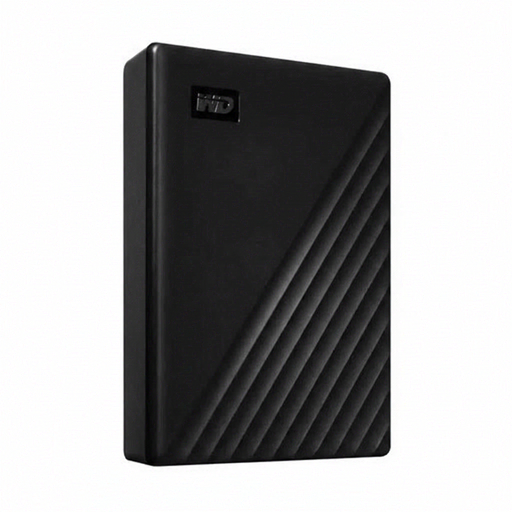 No image available
WD Elements Desktop 24TB
A desktop HDD option for a fixed workspace where you store a large project archive.
24 TB storage capacity, USB 3.2 Gen 1 and a 3.5-inch drive.
This model has an external power adapter, making it less practical to take with you.
Joybuy
 No image available
Samsung Portable SSD T9 4 TB Black MU-PG4T0B
A portable SSD option for anyone who regularly moves large project folders.
4 TB storage capacity and USB 3.2 Gen 2x2. The product description lists sequential speeds of up to 2.000 MB/s and 256-bit AES hardware encryption.
The specified top speeds depend on the computer and connection used; they do not guarantee the speed of every transfer.
Joybuy
 No image available
Samsung Portable SSD T7 2TB Blue
A portable SSD option for project files you regularly take with you or transfer.
2 TB storage capacity and USB 3.2 Gen 2. The product description lists sequential read and write speeds of up to 1.050/1.000 MB/s and AES 256-bit encryption.
The specified top speeds are not guaranteed for every transfer. Compare 2 TB with the space your own project folders need.
Joybuy
Frequently asked questions
Is an external drive, by itself, a backup of my interviews?
Only if the drive contains a separate copy of files that you also keep elsewhere. Keep an up-to-date copy and check that you can restore a project folder; encryption can provide an extra security measure.
Can I write to the same project drive on a Mac and a Windows computer?
That depends on the file system. Apple describes exFAT as an option for an external drive larger than 32 GB that is used with both systems; a Mac may be able to read an NTFS drive but not write to it. Make a copy before formatting, as formatting erases the files on the drive.
What should I consider for service and use, beyond the purchase itself?
Work out whether you need a separate backup drive or a suitable cable or adapter. Check the warranty and software terms for the exact model with the retailer and manufacturer.
Is a drive with hardware encryption automatically enough to comply with the GDPR?
No. According to the Dutch Data Protection Authority, an organisation that processes personal data must assess the risks and determine appropriate security measures. Whether interview recordings contain personal data and which measures are suitable depends on the specific project; a product specification cannot determine that.
Is consent always the required lawful basis for storing an interview recording?
No, consent is not automatically the required lawful basis. The Dutch Data Protection Authority lists six possible GDPR lawful bases and describes consent as one of them. Assess which lawful basis applies to the processing in your project.


