
Creator with a growing archive
You store completed work and project versions, and need space for both your archive and a separate copy.


Choose a high-capacity HDD if you mainly store completed work and project versions; a portable SSD is a better fit if you regularly open or move large files. Neither is a complete backup plan on its own: keep a separate copy, don’t store all your copies in one location, and test that you can restore your files.
You store completed work and project versions, and need space for both your archive and a separate copy.
You regularly open or move large files, and are weighing up a portable SSD’s speed and connectivity against archive capacity.
You take projects with you and consider protection, physical access and recovery options. The Digital Trust Center advises against relying on a single location for backups.
First decide whether archive capacity or working directly from the drive matters most. Then make room for a separate, recoverable copy.
| Consideration | What to look for | Who considers this important? |
|---|---|---|
| Space for a growing archive | Count your files and estimate future growth; check the capacity of the specific model, and allow space for a separate copy too. | If I want to keep completed work and several versions of each project, archive capacity comes first. Around 26% of consumers put space for a growing archive first. |
| Recoverability without the cloud | Keep a separate copy, don’t store all your copies in one location, and periodically restore files to check that recovery works. | I want to be able to recover my work without the cloud if one storage location fails. Around 26% of consumers prioritise keeping a separate, recoverable copy. |
| Working quickly with large files | Check that your computer, port and cable are compatible with the stated speed; don’t assume the maximum sequential MB/s is guaranteed for every task. | If you regularly open, edit or move large project files, pay particular attention to the connection and transfer speeds. Around 21% of consumers put working speed first. |
| Portability and protection | Check the size, power requirements and limits of any protection claims for the specific model. | If I take the drive with me, I want a size that suits where I work and to know the limits of its protection. Around 16% of consumers prioritise portability and protection. |
| Confidentiality of stored work | Consider whether you process personal data, what security measures suit your use and how you’ll retain access to encrypted copies. | For confidential or personal files, I want to limit unauthorised access while retaining access to my copy. This is the main priority for around 11% of consumers. |
If your work is stored on just one drive, it still depends on a single storage location.
Keep a separate copy and regularly try restoring a file. This requires extra storage and periodic maintenance.
A stated maximum doesn’t tell you how quickly every project will transfer in your working environment. Kingston recommends a suitable USB 3.2 Gen 2 host for optimum speed; Crucial notes that performance depends on the host.
Check your computer’s port and cable, and compare the stated maximum sequential speed for the specific model.
A protection claim applies within the limits of the model and won’t prevent every incident. Seagate also notes that its Rescue service isn’t available in every country.
Check the terms for the specific model and any service separately. Set up your archive with recoverable copies rather than relying on a single drive as your only copy.
The Expansion Portable 5TB is a portable HDD for large archives; the Expansion desktop range is an alternative for a fixed workstation.
The My Passport 5TB is a portable HDD worth comparing if you want to take a large archive with you.
The portable T7 Shield 2TB is an SSD worth comparing for active projects and working on the go.
The compact XS1000 2TB is a portable SSD worth comparing for taking projects with you and transferring them.
The portable X9 Pro 2TB is an SSD worth comparing for work files and use on the go.
This selection includes portable and desktop HDDs for archive capacity, plus portable SSDs for moving active project files.
 No image available
A portable SSD worth comparing if you regularly move large project files or work on the go.
1TB storage; the product description lists USB-C and read speeds of up to 2.000 MB/s. A suitable USB 3.2 Gen 2x2 host is required to reach the stated maximum.
The description also lists IP65 and drop protection claims; check the terms for the specific model.
 No image available
A portable HDD worth comparing if you want to store lots of files and be able to take the drive with you.
5TB storage; the model described has a portable 2,5-inch design and a USB-C connection.
 No image available
A desktop HDD worth comparing if you have a fixed workstation and need more space for a larger archive.
6TB storage; the description lists USB 3.0, a 3,5-inch design and a power adapter.
 No image available
A portable SSD worth comparing if you regularly transfer large project files or work in more than one place.
2TB storage; the description lists USB 3.2 Gen 2 and maximum sequential read and write speeds of 1.050/1.000 MB/s. Actual speed depends on the connection and equipment you use.
The description lists USB-C to USB-C and USB-C to USB-A cables.
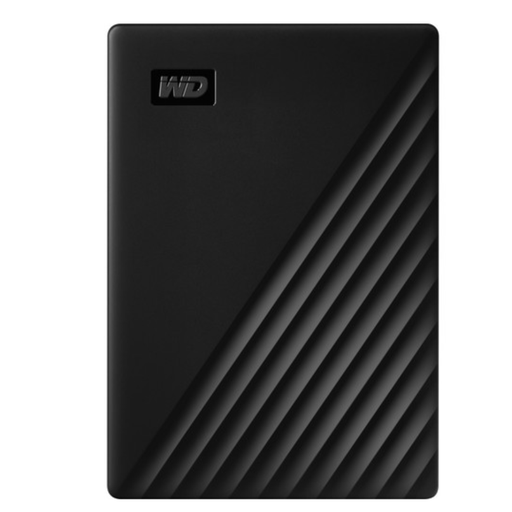 No image available
A portable HDD worth comparing if you want to take a large archive with you without a separate power adapter.
5TB storage; the description lists USB 3.2 Gen 1, bus-powered operation and 256-bit AES hardware encryption.
Not if that drive contains the only saved version of your work. Keep a separate copy, avoid relying on a single location, and regularly test that you can restore your files. You don’t need to include the cloud in your archiving routine to do this.
First check that your computer and backup software support the file system. Crucial lists exFAT for the X9 Pro and warns that reformatting erases the data on the drive; Seagate says the relevant Expansion Portable needs to be reformatted for Time Machine.
Periodically restore files to test your copy, and choose a backup frequency that reflects how much work you could afford to lose between backups. The Digital Trust Center gives this advice to businesses; it isn’t a mandatory frequency for every creator.
No. According to the Dutch government, statutory warranty in the Netherlands has no fixed duration; what you can expect from a product depends, among other things, on the product itself. If a product is faulty, contact the seller. A warranty claim doesn’t replace keeping a separate copy of your files.
There’s no general requirement for every art archive to use a specific drive model or encryption method. If an organisation processes personal data, it must protect it appropriately in light of the risks. The Dutch Data Protection Authority notes that the GDPR doesn’t apply to processing carried out solely for personal or household use.