
Creator with a growing archive
You keep lots of completed projects and mainly need space for regular backups, rather than a drive to work from all the time. VeiligInternetten describes a backup as a copy that lets you restore files.


An external HDD is a good fit for a portfolio you back up periodically and keep in one place. A portable SSD makes more sense if you regularly move large projects or need to take the drive with you. Before buying, check the capacity, connection, format and access arrangements on the shared workstation. A drive only makes a useful backup if you copy files regularly and can find them again.
You keep lots of completed projects and mainly need space for regular backups, rather than a drive to work from all the time. VeiligInternetten describes a backup as a copy that lets you restore files.
You take large work files with you or transfer them frequently. Check that the port and cable on the shared workstation are compatible with your chosen portable SSD. Stated speeds don’t automatically tell you how quickly your files will copy.
Your portfolio may contain client information that could identify them, and you want to control who can open the backup. The Dutch Data Protection Authority explains that organisations processing personal data must take appropriate security measures. What is appropriate depends on the processing and the risks involved.
| Priority | What to look for | Who should prioritise this? |
|---|---|---|
| Capacity and recovery | Compare the space you need with the size and expected growth of your project folders. Also check how you’ll make copies and find files again. | If I want to be able to restore my portfolio later, I’ll start with enough space and a regular backup routine. Around 31% of consumers give capacity and recovery top priority. |
| Transferring large projects | Check the USB connection and cable on both the drive and the workstation. Maximum speeds don’t guarantee how long your copies will take. | If you often move large files between workstations, transfer speed and portability matter more. Around 25% of consumers give frequent project transfers top priority. |
| Access to files | Check that encryption works on the computers involved and find out how to store recovery details securely. | If my portfolio contains client data, I want to know in advance who can open the copy and how I can access it myself. Around 25% of consumers put confidentiality first. |
| Compatibility | Check the operating system, port, file system and permissions required to use your preferred backup method. | If you work on a shared computer, first check that the drive and backup method will work with it. Around 19% of consumers make compatibility their top buying priority. |
An HDD may suit a growing archive that you mainly want to store, while a portable SSD is better suited to frequent transfers. In the July 2022 issue of its Digitaalgids magazine, the Dutch Consumers’ Association said that an HDD is more susceptible to wear and shocks than an SSD. This makes careful handling and storage important, but you should still check what works for your own setup.
If you only move a folder, you don’t automatically have a separate copy to restore if the original is lost.
Keep the original, make a separate copy and check that you can find the files you need.
The workstation’s connection, an adapter or hub, the cable and the files themselves can all affect transfer speeds.
Check the whole connection and don’t treat the stated maximum speed as a prediction of your own copying time.
Formatting can erase files on the drive. Apple warns that Time Machine may ask you to erase the selected drive during setup.
Check what’s on the drive first and, if necessary, make a copy elsewhere before reformatting it.
Western Digital warns that data may be lost if you forget a WD Security password. Losing a recovery key can also make it difficult to access an encrypted backup.
Decide who should be able to unlock the copy and store any recovery details separately and securely.
Canvio Basics is a compact range of USB-powered HDDs for anyone mainly looking for backup capacity.
The T7 and T7 Shield are portable SSDs for frequent transfers, with Samsung positioning the Shield range as more rugged.
The X9 Pro is a portable SSD option if you use the drive with multiple devices.
Supported My Passport and My Book models may be worth considering if access through WD Security is one of your selection criteria.
This selection includes external HDDs for storage and archiving, and portable SSDs for frequently transferring projects.
 Image unavailable
An option for anyone who wants to back up a growing portfolio periodically and needs extra archive space.
4 TB; 2.5-inch; USB Type-A/Micro-USB B; USB 2.0/3.2 Gen 1. For macOS, the Windows-formatted drive needs to be reformatted; back up any existing files first.
 Image unavailable
A portable SSD for anyone who regularly moves large project files.
2 TB; USB Type-C 3.2 Gen 2. Check that the connections and cables are compatible with the shared workstation.
 Image unavailable
A portable SSD option for anyone who wants to take a backup with them or transfer projects regularly.
1 TB; USB Type-C 3.2 Gen 2. Check the workstation’s ports and cables. Protection against prolonged immersion is not listed as a use case.
 Image unavailable
A portable SSD option for anyone who regularly moves large projects between workstations.
2 TB; USB Type-C 3.2 Gen 2x2. Check in advance that the shared workstation’s connection is compatible with this USB specification.
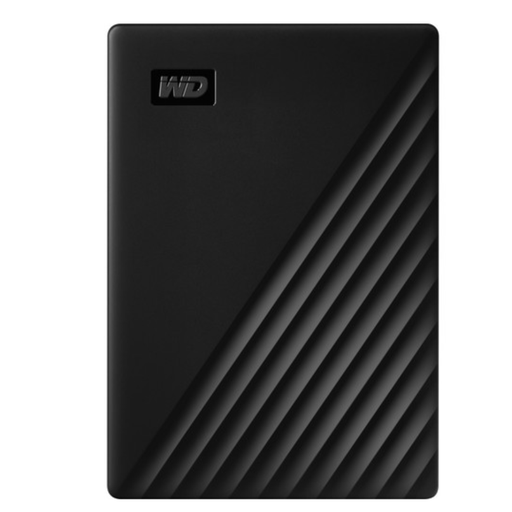 Image unavailable
A portable HDD option for anyone who wants to back up a growing portfolio regularly.
5 TB; USB 3.2 Gen 1. Before use, check compatibility with the workstation and with your chosen backup and security software.
Start by adding up the files you want to be able to restore, and allow for future growth. For Time Machine on a Mac, Apple recommends a backup device with at least twice the storage capacity of that Mac. This is Apple’s recommendation for that use, not a general minimum for every portfolio.
Make an up-to-date copy regularly and check that you can find the files you need. VeiligInternetten describes a backup as a copy you use if the original data is lost.
Set up a compatible external device through Time Machine, but check what’s on it first. Apple warns that you may be asked to erase the selected drive during setup.
No. According to Microsoft, BitLocker drive encryption, which can be managed manually, is available for Windows Pro, Enterprise and Education, but not Windows Home. Check the workstation’s edition before choosing this method; other encryption options are outside the scope of this answer.
The Dutch Data Protection Authority does not set out a general requirement to use one specific drive model or encryption method. If an organisation processes personal data, the GDPR requires appropriate security measures based on the risks. So consider the files you have and how they are being processed.