What should you look for when buying?
Check how much space your folders take up, decide how often you’ll work with them, then choose how to make a separate backup. HDDs and SSDs suit different uses, but neither replaces a backup on its own.
Portable external HDD
Best for: a large archive that you mainly store and move or edit less often.
Bear in mind: an HDD has moving parts; the Consumers’ Association says HDDs are more susceptible to shocks than SSDs.
Portable external SSD
Best for: project folders that you often take with you, copy or use directly from the drive.
Bear in mind: the maximum sequential speed quoted by Samsung or Crucial doesn’t automatically predict performance on your computer; the port and cable matter too.
| What to consider |
What should you check? |
Who is this important for? |
| Space for large folders |
Check the combined size of your folders and allow for formatting and other files on the drive. |
If I want to store a growing recipe archive, I need enough space for my current folders and expected growth. Around 36% of consumers put space for a growing archive first. |
| Keeping recipes safe |
Check which folders are included in your backup and test that you can restore a file. |
If my recipes are difficult to replace, I want to be able to restore a backup or an earlier version. Around 29% of consumers prioritise keeping their files safe. |
| Speed when working on projects |
Check the USB port and cable; compare read and write speeds only under the same conditions. Samsung and Crucial quote manufacturer maximums for specific connections. |
If I often copy or edit large project folders, I want to know whether my computer and cable can make use of the chosen connection. Around 21% of consumers put work speed first. |
| Connection and formatting |
Check the ports on your devices and decide before copying whether you’ll use the drive for general storage or Time Machine. Apple recommends APFS or encrypted APFS for Time Machine, and formatting may be required. |
If I want to use the drive with different devices, I want to avoid connection and formatting issues. Around 14% of consumers prioritise compatibility. |
Joybuy products for recipes and project folders
This selection includes portable SSDs for storage on the go, portable HDDs for archive folders and a desktop HDD for a fixed workstation.
 No image available
SanDisk Portable SSD 1TB
This 1 TB SSD is a good choice for portable storage of files you want to take with you.
The product description lists read speeds of up to 800 MB/s and drop protection from a height of up to 2 metres.
Joybuy
 No image available
WD Elements Portable 5TB USB-C, Graphite Black
This 5 TB portable HDD is a good fit for an archive of large files that you also want to take with you.
The product description lists USB-C, USB 3.2 Gen 1, a 2.5-inch design and a weight of 240 g.
Joybuy
 No image available
Western Digital My Passport USB-C 4TB, Black
This 4 TB external HDD is an option for a growing archive that you want to connect to compatible devices.
The product description lists USB-C, USB 3.2 Gen 1, USB bus power and AES 256-bit hardware encryption.
Joybuy
 No image available
My Passport USB-C 2TB, Black
This 2 TB HDD is well suited to an archive of files and project folders.
The product description lists USB-C, USB 3.2 Gen 1, scheduled backups and password protection.
Joybuy
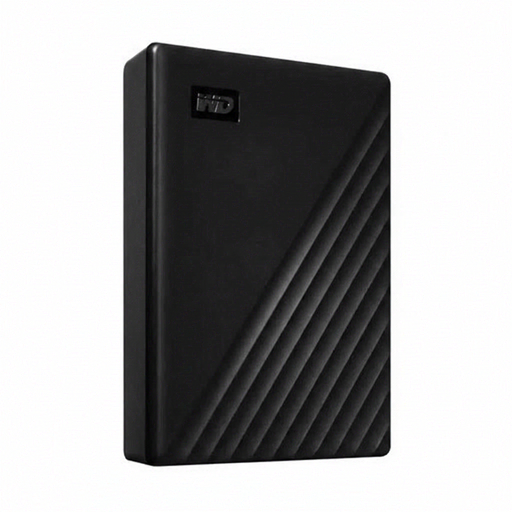 No image available
Western Digital WD Elements Desktop 24TB, USB 3.2 Gen 1, 3.5-inch, Black
This 24 TB desktop HDD is a good fit for a large archive kept at a fixed workstation.
The product description lists a 3.5-inch HDD, USB 3.2 Gen 1 and an external power adapter; this is not a bus-powered portable drive.
Joybuy
Frequently asked questions
How do I back up recipe folders on Windows?
File History lets you save copies and earlier versions to a connected external drive. Check that your recipe folders are in the libraries included in the backup; Microsoft Support explains how to add other folders to an existing or new library. Then test that you can restore a file.
Can I use a drive for Time Machine and regular recipe files?
According to Apple Support, you can do this on the same physical drive using separate APFS volumes. Apple recommends APFS or encrypted APFS for Time Machine; the volume set aside for it is reserved for backups. Reformatting may erase existing data.
What should I check about the cable and speed before buying?
Check that your computer has the required USB port and find out which cable is included. Crucial lists a USB-C-to-USB-C cable and a device with USB 3.2 Gen 2 as requirements for the highest X9 speeds; this manufacturer figure doesn’t guarantee the same speed for your files.
Am I always entitled to exactly two years’ statutory warranty on an external drive in the Netherlands?
No. According to the Dutch Government, the Netherlands has no fixed statutory warranty period. You’re entitled to a product that does what you can reasonably expect when used normally. If a product is faulty, the seller is responsible for providing an appropriate solution; any manufacturer’s warranty is separate.
Where can I take an old external drive for recycling?
For electrical appliances from private households, the Dutch Government lists options including returning the old item when buying a similar new one, taking it to a collection point or using your local council’s recycling centre. Before handing it in, check whether the drive still contains personal documents.


