What to look for in a backup drive
First, check how much space your archive and any previous versions will need. Then decide whether capacity or the convenience of frequent transfers and carrying the drive matters more. In 2022, the Consumers’ Association of the Netherlands noted that HDDs are more susceptible to shocks than SSDs, which is worth bearing in mind if you’re taking the drive with you when you move.
| Concern |
What to check before buying |
Who is this important for? |
| A recoverable backup stored separately |
Check which folders have been copied and test that you can restore your files; keep another copy elsewhere too. |
I want to check that I can restore my photos before packing, without relying on a single location. Around 31% of consumers prioritise recoverability and a separate copy. |
| Space for your whole archive |
Check the size of your photo folders and decide how much room you want for growth and version history. |
I want the drive to hold my entire archive and the older versions I want to keep. Around 25% of consumers prioritise capacity for their archive and planned growth. |
| Portability and transfer speed |
Check that the USB port and cable are compatible with the drive. Treat quoted speeds as manufacturer figures, not as a guarantee of transfer time. |
I need to transfer large photo folders before the move and carry the drive between work locations. Around 19% of consumers prioritise portability and transfer. |
| Compatibility with the computer used for backups |
Check the operating system, USB connection and drive format required by your backup method. |
I want to set up the drive on the computer I use to make the copy, without discovering a formatting issue after the files have been copied. Around 13% of consumers choose primarily for compatibility with their computer and backup method. |
| Access to sensitive photos |
Decide whether you need access protection and how to store a password or recovery details securely. |
I want to prevent unauthorised access to the copy, without locking myself out when I need the drive. Around 12% of consumers prioritise access protection. |
Joybuy products for photo storage and backups
This selection includes portable HDDs for photo storage and backups, plus a portable SSD for transferring large files before the move.
 No image available
Western Digital My Passport USB-C 4TB Black
A portable HDD option for storing photos and backups.
The product description lists USB-C and exFAT; password protection and hardware encryption are listed as separate features.
View at Joybuy
 No image available
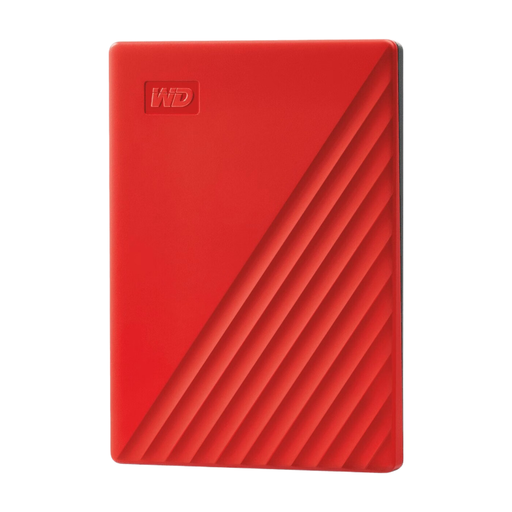
Western Digital My Passport 4TB Red
A portable HDD option for photo storage and backups.
The product description lists 4 TB, password protection and software for automatic backups.
View at Joybuy
 No image available
Western Digital My Passport 2TB Red
A portable HDD option if you want to keep your photos on an external drive.
The product description lists 2 TB, password protection and hardware encryption. WD software for automatic backups needs to be set up.
View at Joybuy
 No image available
DigiEra LPS2000M-3 1TB Portable SSD, Pink
A portable SSD option for storing and transferring large files.
The product name lists 1 TB, USB-C, USB 3.2 Gen 2×2 and a quoted speed of up to 2000MB/s. Model LPS2000M-3.
View at Joybuy
 No image available
Western Digital My Passport 2TB Black
A portable HDD option for photo storage and backups.
The product description lists 2 TB, password protection, hardware encryption and backup software.
View at Joybuy
Frequently asked questions
What should I do before sealing the moving boxes?
Make a copy, check that it contains the photo folders you want and test that you can restore your files. Keep another copy elsewhere too; the Digital Trust Center advises against relying on a single location for backups.
Can I use the same drive for a separate photo copy and Time Machine?
Don’t assume that you can. Apple recommends using a Time Machine drive only for Time Machine, says it should have at least twice the storage capacity of your Mac and warns that setting it up may require the drive to be erased.
Does Windows File History include photo folders outside Pictures?
According to Microsoft, default libraries such as Pictures are included. If your photo folders are elsewhere, add them to an existing or new library and check that you can restore them.
Who can help if a newly purchased drive fails too soon?
For a purchase made by a consumer in the Netherlands, you can contact the seller about your statutory guarantee. According to the Dutch government, there is no fixed statutory time limit; what you could reasonably expect from the product and the cause of the fault both matter. A guarantee is no substitute for keeping a backup of your photos.
Do historical photos of identifiable people need to be protected under the GDPR?
Photos of identifiable people may count as personal data. Organisations that process personal data must decide on security measures based on the risks, according to the Dutch Data Protection Authority. Whether and how this applies to a particular archive depends on the photos and how they are used; there is no single prescribed brand or external drive.


