Brands to consider
These examples apply to the product lines and configurations mentioned; a brand name alone doesn’t tell you whether every configuration is available or suitable.
HP
The HP OmniBook 3 17-dp0660nd is an example of a Windows laptop with a 17.3-inch screen.
- For this configuration, HP lists Windows 11 Home, an FHD screen and USB-C, USB-A and HDMI connections.
- HP states that the charger for this configuration is sold separately. A large screen alone doesn’t prove that text will be comfortable to read at your preferred magnification.
Lenovo
The IdeaPad Slim 3 Gen 10, configuration 83K8009YMH, is a Windows option with a 16-inch screen.
- Lenovo specifies a 1920 × 1200-pixel anti-glare IPS screen for this configuration.
- The keyboard layout is English (EU). Check whether it suits you for entering recipe names and making corrections.
Acer
The Acer Chromebook Plus 515, configuration CB515-2H-32UH, is a ChromeOS option for working with a browser, photos and files.
- For this configuration, Acer lists a matte 1920 × 1080-pixel IPS screen.
- This configuration doesn’t have a touchscreen. Google Drive conversion has requirements for the photo, and the OneNote web version doesn’t offer OCR.
Apple
The MacBook Air range includes a 15-inch M5 configuration for those who prefer macOS.
- Apple documents text magnification and Live Text in Photos for supported features.
- Microsoft Support warns that handwritten text doesn’t work well in OneNote for Mac; a different laptop configuration won’t remove this software limitation.
ASUS
The Vivobook 16 OLED (M1605) is a 16-inch Windows product line with an OLED screen.
- ASUS lists a screen resolution of 1920 × 1200 pixels for the range.
- The range includes several configurations. Check the full model number and screen specification before attributing features to a particular laptop.
Windows laptops at Joybuy
The Joybuy options below are Windows laptops for capturing and organising recipe photos with enlarged text. For the exact configuration, check the screen display, the connections you need and which power adapter is included.
 No image available
HP OmniBook 3 AI PC 17-dg0005ndx
The 17.3-inch screen gives you space to view recipes with enlarged text; try it yourself to see whether the workspace suits your settings.
Windows 11 Home; Full HD IPS screen with anti-glare finish; 12 GB RAM and 512 GB SSD. Supplied without a power adapter; check which one you need.
View at Joybuy
 No image available
HP OmniBook 3 17-dp0050ndx
This 17.3-inch Windows laptop could suit you if you want plenty of screen space for recipes and typed text; try the magnification in your own app.
Windows 11 Home; Full HD IPS screen with anti-glare finish; AMD Ryzen 5, 8 GB RAM and 512 GB SSD. The product information doesn’t state whether a power adapter is included.
View at Joybuy
 No image available
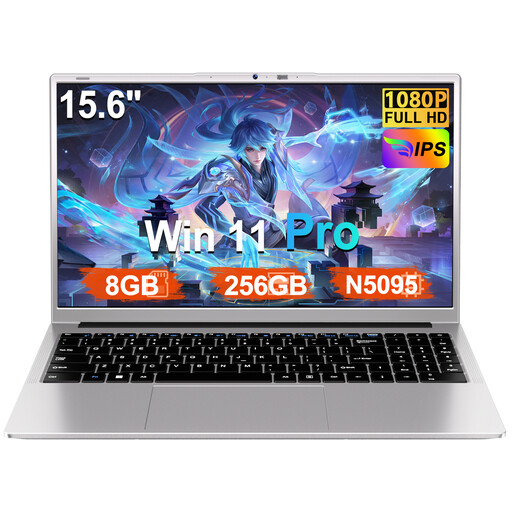
Ruzava 15.6-inch laptop, 8 GB RAM and 256 GB SSD
A 15.6-inch Windows option for organising recipe photos and titles you’ve entered yourself on a laptop; check that the screen size works with your magnification settings.
Windows 11 Pro; FHD screen; Intel N5095 processor; 8 GB RAM and 256 GB SSD. The product name states that storage is expandable up to 1 TB.
View at Joybuy
 No image available
HP OmniBook Ultra Next Gen AI 16-bk0004nd
The 16-inch touchscreen may be useful if you want to view and touch recipes on screen; check readability at your chosen magnification.
Windows 11 Pro; 3K 120 Hz OLED touchscreen; 128 GB RAM and 2 TB SSD.
View at Joybuy
 No image available
MSI Venture 16 AI A2HMG-068NL
The 16-inch screen is an option for reading and editing recipes; weigh the size against how often you’ll take the laptop with you.
Windows 11 Pro; anti-glare 1920 × 1200-pixel 144 Hz screen; Intel Core Ultra 7 255H, 32 GB RAM and 512 GB SSD. The stated weight is approximately 1.9 kg. Check which power adapter is included.
View at Joybuy
Frequently asked questions
Can a laptop reliably index my handwritten recipe cards automatically?
No. Don’t expect perfect recognition without checking it. Take a clear photo, add a recipe name and keywords yourself, and compare the recognised ingredients and quantities with the original. Microsoft Support warns that handwriting doesn’t work well in OneNote for Mac.
Do I need the desktop app for OneNote OCR?
Yes. According to Microsoft Support, you need the desktop app to copy text from images in OneNote; the web version doesn’t have this OCR feature. Google Drive offers another way to convert images, where photo sharpness and lighting matter.
How can I make text larger?
Windows has settings for text size and Magnifier, ChromeOS has screen magnification, and macOS offers text magnification in supported components. Also test the app where you save your recipes, as magnification and the way that app displays content aren’t the same thing.
What should I look out for when it comes to product safety?
Check that the exact laptop configuration carries the required CE marking. The Dutch government states that electronic products placed on the market in the EU must meet the applicable requirements and carry the required marking; this says nothing about the quality of handwriting recognition.
What consumer rights apply when buying online in the Netherlands?
The Dutch government states that a 14-day cooling-off period applies in many cases to distance purchases. Statutory guarantee rights also apply: if there’s a problem with a product, the seller must provide a solution. Check who the seller is and which terms apply to your specific purchase.


