What should you look for?
Screenless pen tablet
A good choice if: you already have a compatible computer and can look at its screen while you write.
Bear in mind: you write on the tablet but see your input on another screen; the software and connection also need to be compatible.
Pen display
A good choice if: you want to see the line appear directly beneath the pen and your computer can connect to and power the specific display.
Bear in mind: the active screen area is not the same as the display’s overall size; you’ll also need room for cables.
Standalone digital note-taking device
A good choice if: you want to write without connecting a computer.
Bear in mind: search and cloud storage features may require a subscription.
At a small desk, the space available, connection, writing display and ability to use a device independently can all be deciding factors.
| What to consider |
What should you check? |
Who is this most important for? |
| Taking up little desk space |
Compare the overall dimensions with the active writing area, and leave room for your hand and the cable. Huion lists the HS64 as measuring 200 × 166 mm overall, with a 160 × 102 mm working area; XPPen lists the Deco mini7 as measuring 260.2 × 162.2 mm overall, with an active area of 177.8 × 111.1 mm. |
If I want to put the device beside a laptop or keyboard, the space it actually takes up matters most. Around 36% of consumers prioritise a compact fit above all else. |
| Compatibility with your device and note-taking app |
Check the operating system, port or adapter required for each model, and whether your app accepts pen input. For Android use with the HS64, Huion specifies that USB OTG support is required. |
If I want to keep using my existing computer or Android device and note-taking app, I want to know in advance whether I can connect and write with them. Around 29% of consumers prioritise connectivity and app compatibility. |
| Seeing the line beneath the pen |
Compare the active screen area with the overall dimensions, and check the cable and power requirements for the exact model. Wacom lists an active area of 257 × 145 mm for the One 12. |
If I want to look directly at the pen tip as I write, that matters more to me than having the smallest possible writing surface. Around 21% of consumers prioritise writing directly on screen above all else. |
| Taking notes without a computer |
Check whether the features you use are available without a subscription. reMarkable requires Connect for searching handwritten notes and unlimited cloud storage. |
If I want to keep my laptop off the desk, I’m looking for a device I can write on independently, and I check which features I need. Around 14% of consumers prioritise standalone writing above all else. |
Joybuy products for handwritten notes
This selection includes both pen tablets that connect to a computer and tablets with a stylus for taking notes on their own screen. First decide whether you want a separate computer display or a standalone device.
 No image available
Wacom Intuos Pro Pen Tablet Small
Write with a pen via a connected computer, with the choice of a wired or wireless connection.
Overall dimensions: 215 × 163 × 7 mm. Active area: 187 × 105 mm. Connects via USB-C or Bluetooth; the pen does not need a battery.
Joybuy
 No image available
Wacom One pen tablet small - S
A compact pen tablet for taking notes via a connected Windows or macOS computer.
The description refers to a compact A6 format as the active area category, not the overall dimensions. Connects via USB-C or Bluetooth.
Joybuy
 No image available
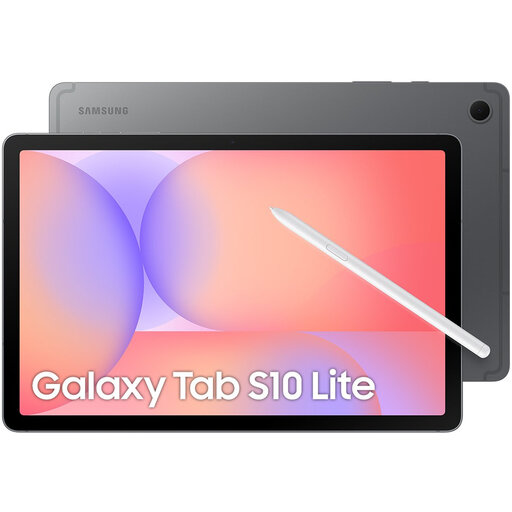
Samsung Galaxy Tab S10 Lite - WiFi - 128GB - Grey
A tablet with a stylus for taking handwritten notes on its own screen, without needing a separate computer while you write.
Screen: 10.9 inch. Dimensions: 254.3 × 165.8 × 6.6 mm. The description lists 128 GB storage, Wi-Fi 6 and an S Pen included.
Joybuy
 No image available
TECLAST ArtPad Pro, 12.7 inch, with T-Pen
For taking notes or sketching with a stylus on the tablet screen; the description specifies a pressure-sensitive T-Pen.
Screen: 12.7 inch. Storage: 256 GB. Operating system: Android 15.
Joybuy
 No image available
TECLAST ArtPad Pro, 12.7-Inch 2K Display, with stylus
For handwritten notes and sketches on the tablet screen; the product description lists a stylus included.
Screen: 12.7 inch, 2K. Storage: 256 GB.
Joybuy
Frequently asked questions
Can I take notes with a screenless pen tablet without a laptop or another device?
No, not with the screenless pen tablets discussed here on their own: they send pen input to a suitable connected device and an app you can write in. If you want to work without a computer, compare standalone digital note-taking devices.
What should I check before connecting a pen display?
Check your computer’s ports and power supply, along with the cable requirements for the exact model. Wacom lists specific cable and power requirements for the One 12, as well as a driver for full pen functionality; these requirements do not automatically apply to other displays.
Do I always need a subscription to take notes on a reMarkable?
No. reMarkable describes note-taking and document features available without Connect, but features including searching handwritten notes and unlimited cloud storage require that subscription. If you need these features, check the terms that apply to your purchase.
What rights do I have in the Netherlands when I buy a pen tablet online?
According to the Dutch government, when you buy online from a business, you will often have 14 days to change your mind; exceptions and the type of seller matter. You are also entitled to a product that is fit for purpose. The Netherlands has no fixed statutory guarantee period; if a product is faulty, the seller is responsible for helping you. These are your legal rights, not a voluntary manufacturer’s warranty.


