
Preserving delicate letters
You want to capture fragile paper, folds or delicate bindings without putting unnecessary strain on the original. Assess the condition of the items before choosing your equipment.


A flatbed scanner is a good choice for individual letters that can safely be laid flat; a contactless book scanner is worth considering for bound or larger items that won’t lie flat easily. Also consider the condition of the paper, the scan size, the space available on your desk and the software. Make a test scan and check that it’s legible before relying on automatic handwriting recognition.
You want to capture fragile paper, folds or delicate bindings without putting unnecessary strain on the original. Assess the condition of the items before choosing your equipment.
You mainly scan loose sheets and want to check the detail and page order. An A4 flatbed scanner is a suitable option to consider alongside a book scanner.
You want to find passages later, but your originals are handwritten. Keep a legible image scan separate from any automatically generated transcript.
Choose this option: if you mainly have loose letters that can safely lie flat on the glass and A4 is large enough.
The trade-off: you’ll need to position and turn each sheet yourself; delicate, folded or bound items may not be suitable for laying flat.
Choose this option: if your letters are in an album or notebook, can’t safely lie flat or are larger than A4.
The trade-off: allow space for the scanner and work surface, and check the lighting, crop and any distortion in a test scan.
| What to consider | What to look for | Who is this important for? |
|---|---|---|
| Delicate originals | Check for tears and folds, and assess the condition of the binding; compare how each scanner handles the original. | If my letters are fragile or have a weak binding, I want to handle them without applying unnecessary pressure. Around 28% of consumers prioritise preserving delicate originals. |
| Images of individual letters | Check the maximum document size and assess a test scan of both sides. | I mainly scan loose sheets and want to examine the handwriting and characteristics of the paper closely. Around 22% of consumers prioritise image quality for individual letters. |
| Bound or larger items | Compare the scanning area with the original laid open and check the letters near the binding. | If my letters are in an album or notebook, or are larger than A4, I want to capture them without forcing them flat. Around 22% of consumers prioritise bound or larger originals. |
| Finding handwritten content | Test the software you plan to use with sample letters of your own, and keep the original image scan. | I want to search for names or passages later, so I need to know how the software handles my handwriting. Around 17% of consumers prioritise searchability. |
| Workspace and routine | Measure the space needed while the scanner is in use, and check the connection and software requirements for your computer. | If my hobby room has limited workspace, I want to be able to set up the device and move letters safely. Around 11% of consumers prioritise workspace and ease of use. |
Loose letters that are sturdy enough to handle safely can also be scanned on a flatbed scanner. For delicate items, the condition of the original is what matters.
First sort your letters into loose, bound and delicate items. Then choose a scanning method that lets you position each one safely.
An image scan and automatically recognised text are two different things. Recognising old or difficult handwriting may require checking and correcting.
Keep the image scan and compare any recognised names and passages against it. Test the software with a few letters of your own.
Checking and correcting recognised text takes extra time.
Manufacturer specifications don’t tell you how a scanner will perform with your letters. Cropping, image quality and skipped pages may also need attention.
Make a test scan of a representative letter and check both sides, the edges and the page order.
Allow time to position originals carefully and check the scans afterwards.
The Perfection V39II is an A4 flatbed scanner for individual letters, with compact storage in mind.
The CanoScan LiDE 400 is an A4 flatbed option for loose documents.
The ET series offers an overhead scanning option for bound and larger originals, among other things.
The IRIScan Desk 6 Pro is a document camera to consider if you need a larger work surface and different output formats.
The ScanSnap SV600 is a contactless option for books and documents up to A3.
This selection includes scanners for loose A4 sheets and a document camera for flat originals up to A3. For delicate letters, check that the way the paper is positioned and fed through the scanner is suitable for its condition.
 No image available
The combination of a flatbed scanner and ADF offers options for individual letters; assess delicate items separately before feeding them through the scanner.
The product name specifies A4 and 600 × 600 DPI.
 No image available
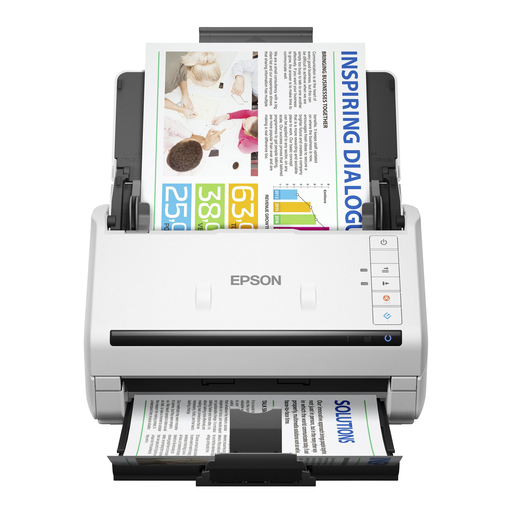
This sheet-fed scanner is designed for loose sheets. For older or delicate letters, check that feeding them through is suitable for the condition of the paper.
The product name specifies A4 and 600 × 600 DPI.
 No image available
This sheet-fed scanner may suit loose A4 letters if the paper is suitable for feeding through the scanner. Follow the warning not to scan documents with staples, paper clips or wet ink.
The product name specifies A4 and 600 × 600 DPI.
 No image available
This scanner is designed for loose sheets. Check the condition of each letter before feeding it through; the product information warns against scanning torn pages, staples and paper clips.
The product name specifies A4 and 600 × 600 DPI.
 No image available
A document camera may suit flat originals larger than A4. Make a test scan to check that the whole letter is captured clearly.
The product name specifies A3, OCR and compatibility with Windows and macOS. Test recognition with your own handwriting and check the text against the image scan.
An OCR label doesn’t guarantee that handwritten letters will be converted into text accurately. The National Archives of the Netherlands describes automatic handwriting transcription as a separate approach using specially trained recognition. Keep a legible image scan and check the results against sample letters of your own.
Make sure you can position your letters without forcing them flat, and leave enough room to move pages safely. Also check the software requirements and whether the scanner you choose needs camera access on your computer.
According to the Dutch government, you should contact the seller if you have a problem with a product. A manufacturer’s warranty or an additional warranty is a separate benefit; read the terms and conditions before paying for one.
Sharing for personal or household use may fall outside the scope of the GDPR in certain circumstances, but this exception doesn’t automatically apply when publishing other people’s personal data publicly. Copyright in protected texts may also be relevant. The Dutch Data Protection Authority and the Dutch government outline these separate considerations; review them before sharing letters publicly.