
Camper without reliable Wi-Fi
Wants to download and launch a game before setting off, then test it without a connection. Steam Support explains how to prepare Steam games for offline use.


Start by choosing a hidden-object game that works on the handheld you’re considering, then test it without an internet connection before you set off. The Nintendo Switch Lite is suitable for supported handheld games; the Switch OLED has a 7-inch screen, while the Steam Deck is mainly suited to playing Steam games, provided you prepare offline mode in advance. Nintendo NL and Valve publish model specifications and battery-life ranges, not campsite test results, so bear the game you’re playing and the conditions in mind.
Wants to download and launch a game before setting off, then test it without a connection. Steam Support explains how to prepare Steam games for offline use.
Prioritises screen space when looking at hidden-object scenes. For example, Nintendo NL lists a 7-inch screen for the Switch OLED.
Wants to play a PC game on a handheld and checks the controls, language and offline functionality in advance. Steam lists Dutch text and a Verified status for Steam Deck for Hidden Folks.
Start with a specific game, then check that it works on the device, launches offline and is comfortable enough to use for your needs.
| What to consider | What should you check? | Who should prioritise this? |
|---|---|---|
| Offline play | Check for online features; download and update the game, then test it without a connection before you go. | If I can’t rely on Wi-Fi at the campsite, I want to be sure my chosen game will launch offline too. Around 36% of consumers put offline play first. |
| On-screen detail | Compare screen sizes and, if possible, view the scenes on the device. Screen size alone doesn’t tell you how easy it is to see the display outdoors. | If I want to find small objects in a scene, extra screen space matters to me, even if it makes the device larger. Around 29% of consumers prioritise seeing details clearly. |
| Portability and charging | Compare the stated battery information for the exact model and plan when to recharge without relying on the maximum figure. | If I want a handheld that’s easy to take with me, I weigh its size against screen space and charging options. Around 21% of consumers put compact portability first. |
| Your chosen game | Check the platform, controls, language and any online features for the specific game you want to play. | If I want to play a particular game or use an existing library, the handheld needs to be compatible with it. Around 14% of consumers prioritise access to the game they want. |
Nintendo and Valve give battery-life ranges that depend in part on the game. The maximum figure is not a guarantee of how long you’ll be able to play at the campsite.
Compare the figures for the exact model and leave yourself some leeway. Check what charging options you’ll have before setting off.
According to Steam Support, you may need to launch a game online for the first time, install updates or use an external launcher. A game that requires an active connection won’t work in offline mode.
Install and update your chosen game in advance, launch it online, then test that it works without a connection.
Nintendo says the Switch Lite supports games that can be played in handheld mode. Some original Switch games don’t work, or don’t work fully, on Switch 2.
Before buying, check the compatibility, play style and controls for the specific game. Also check whether it requires special Joy-Con features.
Relevant models range from compact handhelds to systems with larger screens. Check what you need for each model and game.
The Steam Deck OLED is designed for people who want to play Steam games on a handheld.
The Legion Go S Powered by SteamOS is worth comparing if you’re looking for a SteamOS handheld with a larger screen.
These Joybuy products are portable gaming consoles to compare by screen size, model and use. Check whether your chosen game is available for each device and will launch without an internet connection.
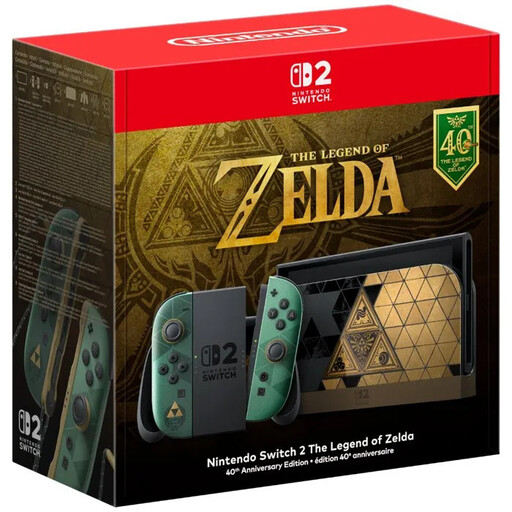 No image available
A good option to compare if you want a handheld with a large screen. Check in advance that your chosen game works on this system.
The Joybuy listing specifies a 7.9-inch LCD screen and Joy-Con 2 controllers. No game is included.
 No image available
An option to compare if you’re looking for a Windows handheld with a large touchscreen. Check that your chosen game and its offline features suit your needs.
The Joybuy listing specifies an 8.8-inch OLED touchscreen, a 74 Wh battery capacity and Windows 11 Home.
 No image available
A good option to compare if you’re looking for a portable Windows gaming console. Check that your chosen game is supported and works offline.
The Joybuy listing specifies a 7-inch FHD touchscreen with a 120 Hz refresh rate and Windows 11 Home. According to the product description, the charger must be purchased separately.
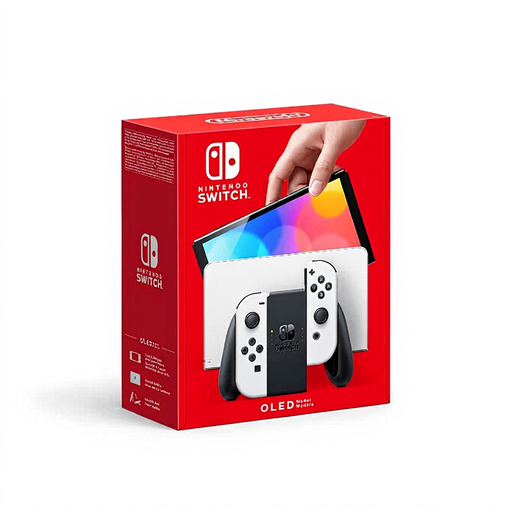 No image available
An option if you want to combine handheld play with tabletop mode. Check compatibility and controls for the game you want to play.
According to the Joybuy listing, this model has a 7-inch OLED screen and 64 GB of internal storage.
 No image available
A good option to compare if you’re looking for a Windows handheld with a larger touchscreen. Check that your chosen game works on the device and launches offline.
The Joybuy listing specifies an 8-inch touchscreen with a resolution of 1920 × 1200 and a brightness of 500 cd/m². According to the product description, the charger must be purchased separately.
That depends on the game and any online features it uses. Download and update the game in advance, then test it without a connection. Steam Support also recommends launching Steam games in advance and testing offline mode.
No, check the specific game. Nintendo NL says the Switch Lite supports games that can be played in handheld mode; some original Switch games don’t work, or don’t work fully, on Switch 2.
Compare the stated battery information for the exact device with your charging options, and don’t plan around the maximum figure alone. Nintendo NL lists around 3–7 hours for the Lite and 4.5–9 hours for the Switch OLED; Valve lists 3–12 hours for the Steam Deck OLED, depending on the game.
According to the Dutch government, there is no fixed statutory warranty period in the Netherlands. The buyer is entitled to a product that meets the terms of the agreement; what counts as an appropriate repair depends on the product and the circumstances. Any manufacturer’s warranty is separate.
Not in every case. According to the Dutch government, distance purchases often come with a 14-day cooling-off period. Check the terms that apply to your specific purchase.